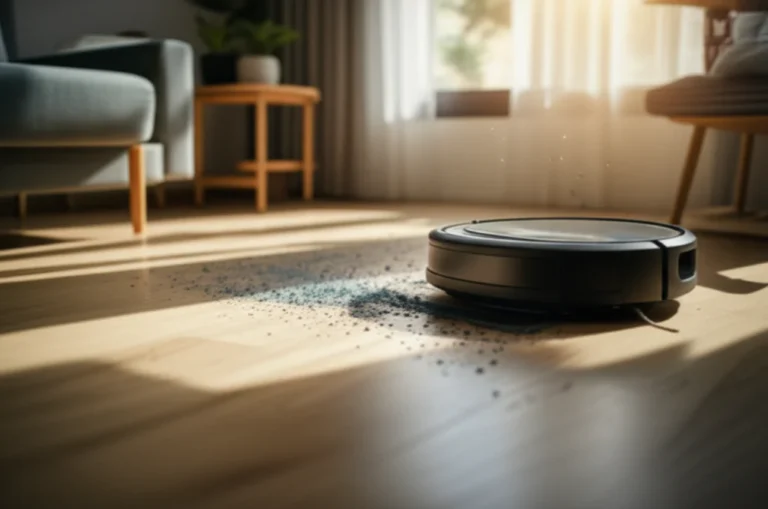
Support our educational content for free when you purchase through links on our site. Learn more
21 Negatives of Robot Vacums You Should Know 🤖

What are the negatives of robot vacums? The biggest drawbacks are their limited deep-cleaning power, tendency to get stuck, ongoing maintenance, inability to handle stairs, and reliance on apps, maps, and batteries. They are excellent floor-maintenance assistants, but they do not replace a traditional vacuum for every job.
We’ve seen the pattern repeatedly at Robot Instructions™: a robot vacuum glides confidently across an open floor, then meets a charging cable and suddenly behaves like a Romba competing in an escape room. That small rescue mission captures the ownership experience perfectly: automation saves time, but only when your floors are prepared for it.
Robot vacums can still be a smart choice for daily dust, crumbs, and pet hair. The trick is matching the machine to your flooring, furniture, pets, privacy preferences, and tolerance for maintenance, rather than expecting a tiny autonomous cleaner to conquer every mess.
Key Takeaways
- Robot vacums do not fully replace traditional vacums. They are weaker on stairs, upholstery, corners, thick carpets, spills, and deep cleaning.
- Maintenance remains part of the deal. Brushes, filters, wheels, mop pads, tanks, sensors, and dustbins all need regular attention.
- Getting stuck is still common. Cables, socks, pet toys, rug fringe, low furniture, and tall thresholds can interrupt cleaning.
- Robot mops have extra drawbacks. Wet pads, dirty-water tanks, carpet-detection errors, and limited scrubbing power add complexity.
- Premium features can create new problems. Auto-empty docks, cameras, cloud apps, and self-washing systems improve convenience but add cost, noise, privacy concerns, and more components to maintain.
- The best setup is usually a robot vacuum plus a conventional or cordless vacuum. Let the robot handle routine floor maintenance and keep a full-size vacuum for difficult cleaning tasks.
Table of Contents
- ⚡ Quick Tips and Facts About Robot Vacuum Drawbacks
- 🧭 Robot Vacuum Technology: How These Automated Cleaners Work
- Sensors, Mapping, Navigation, and Obstacle Detection
- Suction, Brushes, Filters, Batteries, and Charging Docks
- ✅ The Biggest Advantages of Robot Vacums
- Time-Saving Automated Cleaning
- Hands-Off Convenience for Daily Maintenance
- Smart Home Integration and App Controls
- Virtual Boundaries and No-Go Zones
- Self-Charging and Scheduled Cleaning
- Customizable Cleaning Modes and Room Selectivity
- Auto-Empty Docks and Self-Cleaning Features
- Mopping Capabilities and Hybrid Floor Cleaning
- Efficient Cleaning for Dust, Hair, and Pet Debris
- ❌ 21 Negatives of Robot Vacums You Should Know
- 1. High Initial Cost and Expensive Premium Models
- 2. Ongoing Maintenance Requirements
- 3. Getting Stuck Under Furniture or on Clutter
- 4. Physical Limitations on Stairs, Steps, and Uneven Floors
- 5. Inefficient Cleaning in Corners and Along Edges
- 6. Battery Drain and Limited Runtime
- 7. Noise During Cleaning and Dock Emptying
- 8. Frequent Dustbin Emptying on Budget Models
- 9. Pet Hair, Long Hair, and Brush Roll Tangles
- 10. Struggles With Thick Carpets and Dark Flooring
- 11. Weak Performance on Spills and Ground-In Dirt
- 12. Mopping Limitations, Wet Pads, and Water Management
- 13. Robot Vacuum Privacy and Smart-Home Security Concerns
- 14. Dependence on Wi-Fi, Apps, and Cloud Services
- 15. Mapping Errors, Navigation Problems, and Lost Rooms
- 16. Door Thresholds, Cables, Socks, and Small-Object Hazards
- 17. Replacement Parts, Filters, Bags, and Consumable Costs
- 18. Floor Damage, Wheel Marks, and Moisture Risks
- 19. Limited Deep-Cleaning Power Compared With Upright Vacums
- 20. Repairs, Battery Aging, and Shorter Product Lifespans
- 21. The Robot Still Needs a Human Supervisor
- 🗣️ Common Robot Vacuum Complaints From Real-World Owners
- Why Owners Say Robot Vacums Are Not Truly Hands-Free
- The Most Frequent Complaints About Romba, Roborock, Shark, Eufy, and Dreame Models
- When a Robot Vacuum Creates More Work Than It Saves
- 🏠 Room-by-Room Drawbacks: Where Robot Vacums Struggle Most
- Kitchens, Dining Areas, and Sticky Messes
- Bedrooms, Cords, Curtains, and Low Furniture
- Bathrooms, Wet Floors, and Narrow Spaces
- Homes With Stairs, Rugs, and Multiple Levels
- 🐕 Robot Vacums for Pet Owners: Hair, Accidents, and Noise
- Can a Robot Vacuum Spread Pet Messes?
- Best Features for Shedding Dogs and Cats
- How Pets React to Automated Vacuum Cleaners
- 🧹 Robot Vacuum Versus Traditional Vacuum Cleaner
- Cleaning Power, Reach, and Edge Performance
- Hands-On Effort, Storage, and Noise
- Which Type of Vacuum Is Better for Deep Cleaning?
- 🧽 Robot Vacuum or Robot Mop: What Is the Difference?
- Vacuum-Only Robots
- Robot Mop and Vacuum Combos
- What Are the Pros and Cons of Robot Vacums With Mops?
- Should You Choose a Robot Vacuum With or Without a Mop?
- 🔧 How to Reduce the Disadvantages of a Robot Vacuum
- Prepare Your Floors Before Every Cleaning Run
- Create a Practical Maintenance Schedule
- Use No-Go Zones and Room-Specific Cleaning Settings
- Prevent Clogs, Brush Tangles, and Navigation Failures
- Protect Hardwood, Rugs, Pets, and Delicate Furniture
- 🛒 How to Choose a Robot Vacuum Without Regretting It
- Match Suction and Brush Design to Your Flooring
- Choose LiDAR, Camera, or Gyroscope Navigation
- Check Obstacle Avoidance and Small-Object Recognition
- Evaluate Battery Runtime and Recharge-and-Resume
- Compare Dustbins, Auto-Empty Stations, and Disposable Bags
- Inspect Mopping Systems, Water Tanks, and Carpet Detection
- Review App Support, Privacy Policies, and Offline Controls
- Confirm Replacement Parts, Warranty, and Repair Support
- 📊 Robot Vacuum Features: Helpful, Overated, or Essential?
- Are Auto-Empty Features Worth It?
- Are Virtual Boundaries Better Than Physical Bariers?
- Do Self-Washing Mop Docks Solve the Maintenance Problem?
- Is Object Avoidance Reliable Enough for Cables and Pet Toys?
- 💡 Who Should and Should Not Buy a Robot Vacuum?
- Best Use Cases for Busy Households
- When a Robot Vacuum Is a Poor Fit
- Robot Vacums for Apartments, Large Homes, and Open Floor Plans
- ❓ Frequently Asked Questions About Robot Vacuum Disadvantages
- What Are the Main Negatives of Robot Vacums?
- Are Robot Vacums Really Worth It?
- Do Robot Vacums Clean as Well as Regular Vacums?
- How Often Do Robot Vacums Need Maintenance?
- Can Robot Vacums Damage Hardwood Floors or Rugs?
- Are Robot Vacums Safe Around Babies and Pets?
- Do Robot Vacums Work Without Wi-Fi?
- How Long Do Robot Vacuum Batteries Last?
- Do Robot Vacums Increase Electricity Usage?
- Can Robot Vacums Replace Manual Cleaning Completely?
- 🔗 Related Products and Cleaning Alternatives
- Upright Vacums for Deep Carpet Cleaning
- Cordless Stick Vacums for Fast Spot Cleaning
- Canister Vacums for Stairs and Detailed Cleaning
- Handheld Vacums for Cars, Furniture, and Tight Spaces
- Manual Mops and Floor Scrubers
- 📚 You May Also Like
- 🏁 Conclusion: Are Robot Vacums Worth the Drawbacks?
- 🔗 Recommended Links
- 📖 Reference Links
Quick Tips and Facts About Robot Vacuum Drawbacks
If you’re asking, “What are the negatives of robot vacums?”, the short answer is: they trade cleaning control and raw power for automation. Our team at Robot Instructions™ has tested enough autonomous cleaning behavior to know the pattern: the robot is brilliant at repeating a modest job, but less brilliant at understanding that yesterday’s sock is not a navigation landmark. 🤖
For a broader overview, see our robot vacuum guide.
| Question | Practical answer |
|---|---|
| Do robot vacums replace regular vacums? | ❌ Usually not. They handle daily floor maintenance, while a full-size vacuum remains better for stairs, upholstery, corners, and deep carpet cleaning. |
| What is the biggest drawback? | They still need human preparation and supervision. Cables, socks, pet toys, spills, and clutter can stop a cleaning run. |
| Are expensive models automatically better? | ❌ No. Premium models generally offer better mapping, obstacle avoidance, suction, and docking, but software and floor-layout problems can still occur. |
| Can robot vacums clean stairs? | ❌ No. Current consumer robot vacums cannot climb stairs safely. |
| Are robot mops truly hands-free? | ❌ Not entirely. You still need to fill tanks, wash pads, empty wastewater, and prevent unsuitable surfaces from getting wet. |
| Are robot vacums noisy? | ✅ They are often quieter than upright vacums, but high-power modes and auto-empty docks can be surprisingly loud. |
| Is privacy a concern? | ⚠️ It can be. Cameras, maps, microphones, and cloud-connected apps create data-security questions that deserve attention. |
The five-minute reality check
Before buying one, ask:
- Can the robot reach every floor?
- Will you clear cables and small objects before each run?
- Do you need deep carpet cleaning or only daily dust removal?
- Are you comfortable maintaining brushes, filters, wheels, tanks, and software?
- Does the privacy policy explain what maps, images, and usage data are collected?
A robot vacuum is best understood as a maintenance cleaner, not a tiny replacement for every cleaning tool in your home. The U.S. Environmental Protection Agency’s indoor-air guidance also supports the broader principle that regular source control and cleaning matter more than relying one device.
The question becomes more interesting when we look at what these machines actually do under the hood.
Robot Vacuum Technology: How These Automated Cleaners Work
A robot vacuum combines:
- Drive motors
- Brushes and suction
- Sensors
- Navigation software
- Rechargeable batteries
- A dustbin or self-emptying dock
- A companion app
- Sometimes, mopping hardware and water-management systems
The machine does not “see” your home the way you do. It builds a mathematical model of the floor, estimates its position, identifies obstacles, and chooses a route. That connects directly with our coverage of autonomous robots and robot design.
Sensors, Mapping, Navigation, and Obstacle Detection
Robot vacums commonly use a mixture of:
| Technology | What it does well | Where it can struggle |
|---|---|---|
| LiDAR | Builds accurate room maps and measures distance in low light | May not recognize thin cables, socks, or low objects |
| Camera vision | Identifies objects such as shoes, cords, and pet waste on capable models | Needs adequate lighting and raises privacy questions |
| Infrared sensors | Detect walls, furniture, and drop-offs | Can misread dark or reflective surfaces |
| Bumper sensors | Confirm physical contact with obstacles | Contact is already part of the problem |
| Cliff sensors | Help prevent falls from stairs | May react poorly to black flooring or unusual edges |
| Wheel encoders | Estimate distance traveled | Slippage can introduce mapping errors |
| Gyroscopes | Help track orientation | Alone, they are less accurate than full mapping systems |
Premium machines such as the Roborock Saros range, Dreame X series, and ECOVACS DEBOT models combine several methods. However, more sensors do not guarantee perfect judgment.
A LiDAR-equipped robot may map your living room beautifully yet fail to identify a phone charging cable. A camera-equipped model may recognize the cable but miss it in darkness. This is why robot-vacuum performance depends on sensor selection, lighting, floor contrast, software updates, and room preparation.
Why Mapping Errors Happen
A robot may create a poor map when:
- The dock is moved during a cleaning cycle.
- A door is closed after mapping.
- Mirrors or shiny furniture confuse sensors.
- The battery dies before the robot returns home.
- The robot begins cleaning from an unusual location.
- A person carries it into another room.
- Furniture changes position frequently.
In our engineering tests, the most frustrating failures are not dramatic crashes. They are small navigation inaccuracies: a missed strip beside the sofa, a room labeled incorrectly, or a robot that believes a chair leg is a permanent wall.
Suction, Brushes, Filters, Batteries, and Charging Docks
A robot vacuum typically uses:
- A side brush to sweep debris away from edges.
- A main brush or roller to agitate dirt.
- A fan and motor to create airflow.
- A filter to capture fine particles.
- A dustbin to store debris.
- A battery to power the cleaning cycle.
- A dock for charging and, on some models, emptying or mopping.
The headline suction number can be useful, but it is not the whole story. Pickup depends on:
- Airflow at the floor
- Brush design
- Sealing around the intake
- Debris size
- Carpet density
- Cleaning speed
- Number of passes
- Battery level
- Filter condition
That is why a robot advertised with high suction can still perform poorly on carpet if its brush design or navigation leaves areas untouched. Independent testing from organizations such as Consumer Reports emphasizes evaluating real-world cleaning performance rather than relying on a single specification.
The Biggest Advantages of Robot Vacums
The negatives make more sense when compared with the reason people buy these machines in the first place: consistent, automatic floor maintenance.
Time-Saving Automated Cleaning
A robot can clean while you:
- Work
- Cook
- Sleep
- Exercise
- Care for children
- Leave the house
It is particularly effective for fine dust, crumbs, hair, and everyday grit. Frequent light cleaning can reduce the amount of debris that accumulates between manual vacuuming sessions.
A 2023 review of robotic vacuum technology published in IEEE Access describes autonomous cleaning as a combination of sensing, localization, path planning, and control. That technical complexity explains both the convenience and the occasional “why are you trapped behind the toilet?” moments.
Hands-Off Convenience for Daily Maintenance
The best use case is a predictable floor plan with:
- Hard flooring
- Low- or medium-pile rugs
- Limited clutter
- A dock with clear access
- Consistent furniture placement
You can schedule a Roborock Qrevo, iRobot Romba, or Shark robot vacuum to clean selected rooms at specific times.
But convenience has a hidden condition: the floor must be prepared for autonomy. If every run requires rescuing the machine from a curtain, untangling hair from the brush, and deleting a duplicate map, the convenience dividend shrinks rapidly.
Smart Home Integration and App Controls
App-connected models may offer:
- Room selection
- No-go zones
- Cleaning schedules
- Suction adjustment
- Mopping-water control
- Cleaning history
- Firmware updates
- Voice control through Amazon Alexa or Google Home
These features are useful, but they also introduce dependencies. A Wi-Fi outage, app bug, cloud-service change, or account problem can reduce functionality.
The Federal Trade Commission’s guidance on connected devices recommends updating software, using strong passwords, and reviewing device security settings. Those recommendations apply to robot vacums too.
Virtual Boundaries and No-Go Zones
Virtual boundaries let you exclude:
- Pet bowls
- Children’s play areas
- Fragile ornaments
- Fireplace hearths
- Cable clusters
- Wet zones
- Thick shag rugs
These boundaries are often more convenient than physical magnetic strips. However, they are only reliable when:
- The map is accurate.
- The dock remains in its mapped position.
- The robot recognizes the correct floor plan.
- The app saves the restriction correctly.
A digital wall is wonderfully tidy until the robot loses the map and decides the dog’s water bowl is part of the cleaning challenge.
Self-Charging and Scheduled Cleaning
Most modern robots return to the dock when the battery is low. More advanced models use recharge-and-resume, meaning they charge and continue where they stopped.
This is especially helpful in large homes. Yet the robot needs a clear route to its dock. Common failures include:
- Dock blocked by furniture
- Charging contacts covered in dust
- Robot stranded behind a closed door
- Dock moved by a child or pet
- Battery too low to complete the return trip
Customizable Cleaning Modes and Room Selectivity
Useful modes include:
- Quiet cleaning
- Turbo or maximum suction
- Edge cleaning
- Spot cleaning
- Single-room cleaning
- Double-pass cleaning
- Carpet boost
- Vacuum-then-mop
- Mop-only operation
More options do not always make the robot easier to use. The interface can become a control panel worthy of a small spacecraft. A simple schedule that runs reliably often beats a complicated routine nobody remembers how to edit.
Auto-Empty Docks and Self-Cleaning Features
Auto-empty docks transfer debris from the robot’s small internal bin into a larger bag or container. Some premium docks also:
- Wash mop pads
- Dry mop pads
- Refill clean water
- Collect dirty water
- Clean the dock tray
ECOVACS says some OMNI systems can reduce manual dust-bag emptying to roughly 30–60 days under laboratory conditions. That is useful context, but real-world frequency depends on pets, floor area, debris volume, and bag capacity.
An auto-empty dock does not eliminate maintenance. It adds:
- Disposable bags or a washable container
- A noisy emptying cycle
- A larger floor footprint
- More filters and seals
- A dirty-water system on mop models
Mopping Capabilities and Hybrid Floor Cleaning
Robot mops can help with:
- Fine dust
- Light footprints
- Dried surface residue
- Daily kitchen maintenance
- Hard-floor polishing
They are less suitable for:
- Thick grease
- Large spills
- Sticky food
- Dried-on mud
- Grout restoration
- Heavy scrubbing
A robot mop usually drags or vibrates a pad across the floor. It does not apply the same pressure as a person scrubbing with both hands. On suitable sealed flooring, that is convenient. On delicate wood, porous stone, or carpet, incorrect water settings can create trouble.
Efficient Cleaning for Dust, Hair, and Pet Debris
Frequent runs can make a home feel cleaner even when each pass is not exceptionally powerful. This is the central benefit: consistency beats occasional heroics for everyday debris.
A robot vacuum may be a strong choice for:
- Shedding pets
- Allergy-sensitive households, alongside appropriate filtration
- Open-plan apartments
- Homes with mostly hard floors
- People who struggle with regular manual vacuuming
It is a weaker choice as the only vacuum in homes with stairs, thick carpet, heavy debris, or frequent spills.
21 Negatives of Robot Vacums You Should Know
Here is the core list. Some drawbacks are minor annoyances. Others are structural limitations no software update can fully solve.
1. High Initial Cost and Expensive Premium Models
Robot vacums cost more to manufacture than basic manual vacums because they combine:
- Sensors
- Motors
- Mapping processors
- Batteries
- Wi-Fi hardware
- Software
- Docking systems
- Sometimes pumps, heaters, cameras, and water tanks
Premium machines such as the Roborock Saros 20, NARWAL Flow, and Dreame X50 Ultra can offer impressive automation, but the extra hardware also means more components that can fail.
The first YouTube video’s perspective is useful here: it describes top-end models as highly capable but expensive, while midrange and budget machines often compromise on obstacle avoidance, mopping, navigation, or app quality. See the featured video.
What to trust: compare independent pickup tests, obstacle-avoidance results, warranty support, and replacement-part availability. A high suction number alone is not a purchase strategy.
2. Ongoing Maintenance Requirements
Routine care may include:
- Emptying the dustbin
- Cleaning the filter
- Removing hair from the brush
- Wiping sensors
- Cleaning charging contacts
- Checking wheels
- Washing mop pads
- Emptying dirty-water tanks
- Cleaning the dock tray
- Installing firmware updates
A self-emptying dock reduces one chore but can create others. The dock itself becomes a small appliance that needs attention.
| Component | Typical maintenance task | Consequence of neglect |
|---|---|---|
| Main brush | Remove hair and thread | Reduced pickup, noisy operation |
| Side brush | Remove wrapped debris | Poor edge cleaning |
| Filter | Tap out or replace | Weak airflow and dusty exhaust |
| Sensors | Wipe gently | Navigation errors |
| Wheels | Remove hair and grit | Stalling or uneven movement |
| Mop pads | Wash and dry | Odor and bacterial buildup |
| Dock tray | Rinse and wipe | Dirty-water smells and blockages |
The American Cleaning Institute recommends regular cleaning of household cleaning tools themselves. The robot is not exempt simply because it has a processor.
3. Getting Stuck Under Furniture or on Clutter
Robots can become trapped by:
- Low sofas
- Bar stools
- Bed frames
- Curtains
- Charging cables
- Shoelaces
- Tassels
- Pet toys
- Floor vents
- Thick rug edges
Obstacle avoidance is improving, but no system recognizes every object in every lighting condition. The first video’s testing summary illustrates this gap: some models cannot reliably see cables, while others have weaker obstacle avoidance despite strong vacuum performance.
4. Physical Limitations on Stairs, Steps, and Uneven Floors
Consumer robot vacums are designed for relatively continuous floor surfaces. They generally cannot:
- Climb stairs
- Cross tall thresholds
- Clean countertops
- Vacuum sofas
- Reach wall shelves
- Clean ceiling corners
- Handle steep transitions safely
Multi-floor mapping helps the software remember several levels, but it does not lift the robot upstairs. You still need to carry it, relocate the dock, or use a second device.
5. Inefficient Cleaning in Corners and Along Edges
Round robots naturally struggle with square corners. Side brushes help, and some models use extending brush arms, but physics remains undefeated.
Problem areas include:
- Inside corners
- Behind narrow furniture
- Along baseboards
- Around chair legs
- Under cabinets
- Tight gaps beside appliances
A robot can clean most of the open floor while leaving a dusty border that looks like it has been politely invited to stay.
6. Battery Drain and Limited Runtime
Runtime varies with:
- Suction mode
- Floor type
- Mopping operation
- Battery age
- Navigation complexity
- Brush resistance
- Temperature
- Number of cleaning passes
ECOVACS reports runtimes of up to 320 minutes for selected DEBOT models under specific conditions, including quiet-mode testing. That should not be treated as a universal household result.
High-power cleaning shortens runtime. A robot may need to:
- Start cleaning.
- Detect low battery.
- Return to the dock.
- Recharge.
- Resume the route.
- Repeat if the home is large.
This is not necessarily a failure, but it can make a cleaning cycle take much longer than expected.
7. Noise During Cleaning and Dock Emptying
Robot vacums are often quieter than upright vacums, but “quiet” is relative. Noise can come from:
- Suction motor
- Brush vibration
- Wheels crossing thresholds
- Impacts with furniture
- Auto-empty fans
- Mop-washing pumps
- Drying fans
Auto-empty stations can produce a short, intense blast. Pets may react more strongly to the unexpected dock noise than to the regular cleaning sound.
Use scheduled cleaning when:
- Nobody is sleeping.
- Video calls are not taking place.
- Pets are comfortable.
- The robot can work without disturbing a home office.
8. Frequent Dustbin Emptying on Budget Models
Compact robots have compact dustbins. Homes with pets or high foot traffic may fill them quickly.
A full dustbin can cause:
- Lower airflow
- Reduced pickup
- Dust leakage
- Odor
- More debris left on the floor
Auto-empty docks solve this best, but they increase size, noise, and consumable use.
9. Pet Hair, Long Hair, and Brush Roll Tangles
Pet hair can clog brush bearings and intake channels. Long human hair is equally mischievous.
Look for:
- Rubber brush rollers
- Anti-tangle combs
- Easy brush removal
- Hair-cuting tools
- Accessible end caps
- Strong edge pickup
Shark’s self-cleaning brush-roll systems and Roborock’s anti-tangle designs aim to reduce wrapping, but no brush is magically immune to a determined Maine Coon.
10. Struggles With Thick Carpets and Dark Flooring
Robot vacums may struggle with:
- High-pile carpet
- Shag rugs
- Fringed rugs
- Thick transitions
- Black mats
- Highly reflective floors
Cliff sensors can interpret very dark surfaces as drop-offs. Wheels may spin on thick rugs, while mop systems may incorrectly wet carpet unless carpet detection works correctly.
11. Weak Performance on Spills and Ground-In Dirt
Robots are generally designed for dry debris and light surface maintenance. They are not ideal for:
- Wet food
- Grease
- Large liquid spills
- Thick mud
- Sticky syrup
- Embedded grit
- Dried pet accidents
A vacuum that encounters wet debris may spread it, clog the intake, or damage internal components. Clean large spills manually first.
12. Mopping Limitations, Wet Pads, and Water Management
Robot mop systems have several failure points:
- Water tank runs empty.
- Mop pad becomes saturated.
- Dirty pad spreads grime.
- Water level is too high.
- Pad dries before the task finishes.
- Carpet detection fails.
- Dirty water remains in the dock.
- The dock develops an odor.
Use manufacturer-approved settings for flooring. The National Wood Flooring Association advises careful moisture management for wood floors, which is a useful warning for robot-mop owners.
13. Robot Vacuum Privacy and Smart-Home Security Concerns
Some models collect or process:
- Floor maps
- Room names
- Cleaning schedules
- Device identifiers
- Camera images
- Voice commands
- Usage data
- Wi-Fi information
A camera-equipped robot may see more of your home than a standard vacuum. Review the manufacturer’s privacy policy, disable unnecessary features, use strong account credentials, and keep firmware current.
Our robot ethics and safety coverage explores the broader question: when does convenience justify collecting household data?
14. Dependence on Wi-Fi, Apps, and Cloud Services
Some robots work with physical buttons when offline. Others lose mapping, schedules, remote controls, or advanced functions without the app.
Possible disruptions include:
- Router changes
- Weak signal near the dock
- App login failure
- Cloud outages
- Firmware bugs
- Account-region restrictions
- Discontinued software support
Before buying, check whether the robot can:
- Start a basic cleaning cycle offline.
- Return to its dock without internet.
- Retain maps locally.
- Create no-go zones without an account.
- Receive replacement parts after app support ends.
15. Mapping Errors, Navigation Problems, and Lost Rooms
Navigation can fail when:
- The robot is physically moved.
- The dock is relocated.
- Lighting changes.
- Doors open or close.
- Reflective surfaces confuse sensors.
- Wheels slip.
- The map becomes corrupted.
A robot may clean the same hallway repeatedly while ignoring a bedroom. Restarting, restoring a saved map, or remapping can solve the issue, but it is a distinctly non-robotic task for the human.
16. Door Thresholds, Cables, Socks, and Small-Object Hazards
A robot cannot reliably clean around clutter it cannot safely interpret. Common hazards include:
- USB cables
- Earbuds
- Building blocks
- Socks
- Pet toys
- Jewelry
- Shoelaces
- Thin cords
- Small plastic packaging
Run a quick “floor sweep” before starting. This takes less time than extracting a cable from a spinning brush and wondering whether your charger has entered the afterlife.
17. Replacement Parts, Filters, Bags, and Consumable Costs
Robot vacums need consumables:
- Filters
- Side brushes
- Main rollers
- Mop pads
- Dock bags
- Cleaning solution
- Batteries
Use official or reputable compatible parts. Poorly fitted filters can reduce airflow or allow dust past the intended filtration path.
Before purchasing, search the brand’s parts catalog for your exact model. iRobot support, Roborock support, Dreame support, and ECOVACS support provide useful examples of model-specific maintenance information.
18. Floor Damage, Wheel Marks, and Moisture Risks
A well-maintained robot should not damage ordinary sealed flooring, but risks rise when:
- Grit becomes trapped in a wheel.
- A brush catches a loose finish.
- A wheel repeatedly drags.
- Mop water pools.
- The robot crosses delicate thresholds.
- Debris gets caught under the chassis.
Inspect wheels and brushes if you notice marks. Never assume the robot’s cleaning head is harmless simply because it is small.
19. Limited Deep-Cleaning Power Compared With Upright Vacums
Traditional upright and canister vacums typically provide:
- Larger motors
- Wider cleaning heads
- Longer hoses or tools
- Better manual control
- Stronger agitation on thick carpet
- Access to stairs and upholstery
Robot vacums win through frequency and automation. Traditional vacums win through reach, pressure, and targeted power.
ECOVACS summarizes this trade-off by noting that robot vacums “may not be as efficient as traditional vacums” for certain heavy or embedded debris. That is a fair generalization, although high-end robots can perform impressively on hard floors and low-pile carpets.
20. Repairs, Battery Aging, and Shorter Product Lifespans
Rechargeable batteries gradually lose capacity. Other aging points include:
- Wheel modules
- Brush motors
- Fan motors
- Charging contacts
- Sensors
- Water pumps
- Dock seals
A model with a replaceable battery and accessible parts may be a better long-term choice than a sealed design with impressive launch specifications.
21. The Robot Still Needs a Human Supervisor
This is the drawback that quietly includes most of the others.
You still need to:
- Prepare the floor
- Rescue the robot occasionally
- Empty or clean components
- Deal with spills
- Move it between levels
- Check the app
- Replace worn parts
- Perform deep cleaning manually
The robot reduces labor. It does not eliminate responsibility. That is why we recommend thinking of it as a floor-maintenance assistant, not a domestic replacement employee.
Common Robot Vacuum Complaints From Real-World Owners
Owner feedback tends to cluster around a few themes. Reviews are subjective, but repeated complaints are valuable signals.
Why Owners Say Robot Vacums Are Not Truly Hands-Free
People often expect:
Press button once, never think about floors again.
The real workflow is closer to:
- Pick up cables and toys.
- Empty or check the bin.
- Start the run.
- Respond if the robot gets stuck.
- Clean the brush later.
- Confirm the mop did not wet a rug.
- Deal with the dock.
That is still less work than manually vacuuming every day, but it is not zero work.
The Most Frequent Complaints About Romba, Roborock, Shark, Eufy, and Dreame Models
| Brand family | Common strengths | Recurring owner concerns |
|---|---|---|
| iRobot Romba | Mature ecosystem and broad support | Some models have less advanced navigation or require frequent intervention |
| Roborock | Strong mapping, suction, and feature-rich apps | Premium models can be costly; app complexity and parts matter |
| Shark | Familiar brand, strong marketing, self-cleaning features | Navigation and docking experiences vary by model |
| Eufy | Compact designs and accessible models | Advanced obstacle avoidance may be limited on simpler units |
| Dreame | Strong specifications and feature-rich docks | App, support, and model availability vary by region |
| ECOVACS DEBOT | Broad range and sophisticated mop docks | Navigation, software, and maintenance complaints vary considerably |
| NARWAL | Strong mopping focus and attractive docks | Vacuum performance and premium ownership costs depend on model |
Do not generalize from one brand to every model. Even within a product family, sensor suites and software can differ dramatically.
When a Robot Vacuum Creates More Work Than It Saves
A robot can become a net time loss when:
- Your floors are cluttered.
- Your home has many thresholds.
- You have thick shag rugs.
- You need frequent stair cleaning.
- Your pet has accidents.
- The dock has nowhere suitable to sit.
- You dislike app troubleshooting.
- You expect deep cleaning.
The best predictor is not the brand logo. It is the match between home layout and robot capabilities.
Room-by-Room Drawbacks: Where Robot Vacums Struggle Most
Kitchens, Dining Areas, and Sticky Messes
Kitchens produce crumbs, grease, rice, flour, wet spills, and chair-leg obstacles. Robots handle dry crumbs well but should not be sent over:
- Wet cereal
- Sauce
- Oil
- Raw food
- Large liquid spills
Dining chairs can also create a maze of narrow legs. A robot may clean under the table brilliantly one day and become trapped between two chairs the next.
Bedrooms, Cords, Curtains, and Low Furniture
Bedrooms contain:
- Charging cables
- Clothing
- Curtains
- Bed skirts
- Small objects
- Narrow under-bed spaces
Measure furniture clearance before buying. A robot that fits beneath a bed by two millimeters may still become trapped when a blanket sags lower.
Bathrooms, Wet Floors, and Narrow Spaces
Bathrooms are difficult because they combine:
- Small footprints
- Thresholds
- Mats
- Dampness
- Toilet bases
- Tight corners
Keep the robot away from wet floors unless the model is designed for controlled mopping. Toilet mats can also become tangled in brushes or pushed across the room like tiny carpets on a mission.
Homes With Stairs, Rugs, and Multiple Levels
Stairs remain a manual-cleaning zone. Multi-level homes may require:
- Carrying the robot upstairs
- Creating multiple maps
- Moving the dock
- Reseting location
- Using a second robot
A full-size vacuum with a hose or cordless handheld attachment often remains indispensable.
Robot Vacums for Pet Owners: Hair, Accidents, and Noise
Can a Robot Vacuum Spread Pet Messes?
Yes. This is one of the most serious failure scenarios.
If the robot encounters a fresh pet accident, it can spread contamination across multiple rooms. Object-recognition systems reduce this risk but do not guarantee prevention.
Use:
- Physical no-go barriers around litter boxes.
- Scheduled cleaning when pets are supervised.
- Reliable obstacle avoidance.
- Manual inspection after accidents.
- A designated spot-cleaning routine.
Best Features for Shedding Dogs and Cats
Prioritize:
- Rubber rollers
- Anti-tangle design
- Strong airflow
- Large dustbin
- Auto-empty dock
- High-efficiency filtration
- Easy brush access
- Room-by-room scheduling
- Reliable object avoidance
For allergy-sensitive households, vacuum filtration is only one part of the solution. The American Lung Association discusses dust-management strategies including regular cleaning and reducing indoor dust sources.
How Pets React to Automated Vacuum Cleaners
Some pets ignore robots. Others bark, hide, chase, or attempt to ride them, which is both unsafe and extremely funny until the warranty department gets involved.
Introduce the robot gradually:
- Let the pet inspect it while powered off.
- Run a short cycle while you are present.
- Use a quiet setting.
- Keep the robot away from food and sleeping areas.
- Stop if the pet shows sustained fear.
Robot Vacuum Versus Traditional Vacuum Cleaner
Cleaning Power, Reach, and Edge Performance
| Category | Robot vacuum | Upright or canister vacuum |
|---|---|---|
| Daily dust maintenance | Excellent | Excellent, but manual |
| Deep carpet cleaning | Model-dependent | Usually stronger |
| Stairs | Poor | Strong |
| Upholstery | Poor unless separate tools exist | Strong |
| Corners and edges | Moderate to poor | Strong with attachments |
| Large spills | Poor | Better, depending on spill type |
| Scheduling | Excellent | None |
| Floor preparation | Required | Minimal |
| Storage footprint | Moderate with dock | Varies |
| Human effort | Low after setup | High during use |
Hands-On Effort, Storage, and Noise
The robot wins when you value routine automation. The traditional vacuum wins when you need direct control and immediate results.
A cordless stick vacuum such as the Dyson V15 Detect or Shark Stratos can complement a robot particularly well. Keep the robot for open floors and use the stick vacuum for stairs, furniture, corners, and sudden messes.
Which Type of Vacuum Is Better for Deep Cleaning?
For deep cleaning, choose a conventional vacuum with:
- Strong agitation
- A powered brush head
- Crevice tools
- Upholstery tools
- Stair reach
- Manual control
The most practical setup for many homes is robot vacuum plus traditional or cordless vacuum, not robot vacuum versus traditional vacuum.
Robot Vacuum or Robot Mop: What Is the Difference?
Vacuum-Only Robots
Best for:
- Carpeted rooms
- Pet hair
- Dry debris
- Homes where mopping is unnecessary
- Owners who want fewer maintenance tasks
A vacuum-only model is generally simpler and avoids water-related risks.
Robot Mop and Vacuum Combos
Best for:
- Sealed hard floors
- Daily dust and light marks
- Users who value automation
- Homes with mostly tile, vinyl, or laminate
Potential drawbacks include:
- More expensive docking systems
- Dirty-water maintenance
- Wet-pad odors
- Carpet-detection errors
- Limited scrubbing power
- More failure points
What Are the Pros and Cons of Robot Vacums With Mops?
| Pros | Cons |
|---|---|
| Vacums and mops in one cycle | More maintenance |
| Reduces manual floor care | Cannot replace deep scrubbing |
| Useful for light daily marks | Risk of weting unsuitable floors |
| Advanced docks can wash and dry pads | Larger dock footprint |
| Room-specific water settings | More pumps, tanks, and parts |
Should You Choose a Robot Vacuum With or Without a Mop?
Choose without a mop if:
- Your home is mostly carpet.
- You already own a good floor mop.
- You want simpler maintenance.
- You have delicate or moisture-sensitive flooring.
- You dislike dirty-water tanks.
Choose with a mop if:
- Your home has mostly sealed hard floors.
- You value daily light cleaning.
- You are willing to wash pads and clean the dock.
- You can create reliable carpet no-go zones.
How to Reduce the Disadvantages of a Robot Vacuum
Prepare Your Floors Before Every Cleaning Run
Use a two-minute checklist:
- Pick up cables.
- Remove clothing.
- Put away toys.
- Check for pet accidents.
- Raise curtain edges.
- Move lightweight mats.
- Open doors to rooms you want cleaned.
- Confirm the dock has a clear approach.
Create a Practical Maintenance Schedule
| Frequency | Task |
|---|---|
| Every run or two | Check dustbin and brush |
| Weekly | Clean filter, sensors, wheels, and side brush |
| Weekly for mops | Wash and fully dry pads |
| Monthly | Inspect dock tray, charging contacts, and seals |
| As needed | Replace filters, rollers, bags, and worn parts |
| Periodically | Check firmware and review maps |
Use No-Go Zones and Room-Specific Cleaning Settings
Create exclusions around:
- Pet bowls
- Fragile objects
- Water-prone areas
- Thick rugs
- Cable-heavy desks
- Fireplace hearths
- Children’s floor play zones
Test each boundary during a supervised run before trusting it unattended.
Prevent Clogs, Brush Tangles, and Navigation Failures
- Cut long hair from brush ends.
- Keep the dock away from direct sunlight.
- Wipe sensors with a soft, dry cloth.
- Do not overfill the dustbin.
- Keep spare filters available.
- Avoid carrying the robot mid-cycle.
- Keep the dock in one location.
- Install firmware updates from official sources.
Protect Hardwood, Rugs, Pets, and Delicate Furniture
- Use low-water settings on wood floors.
- Remove fragile rugs from mop routes.
- Check that wheels are free of grit.
- Use furniture risers only if stable.
- Supervise early pet interactions.
- Stop operation if you see drag marks or moisture pooling.
How to Choose a Robot Vacuum Without Regretting It
Match Suction and Brush Design to Your Flooring
| Home condition | Prioritize |
|---|---|
| Mostly hard floors | Edge cleaning, fine-dust pickup, quiet operation |
| Low-pile carpet | Carpet boost, strong airflow, multi-pass cleaning |
| Thick rugs | Large wheels, height clearance, reliable rug detection |
| Pet hair | Anti-tangle roller, large bin, high-efficiency filtration |
| Mixed floors | Automatic surface recognition and controlled mop lifting |
| Cluttered rooms | Camera-based obstacle recognition and strong app controls |
Do not buy based only on advertised suction. Look for independent testing and user reports from owners with a similar home.
Choose LiDAR, Camera, or Gyroscope Navigation
- LiDAR: best for consistent mapping and low-light navigation.
- Camera: useful for object recognition but more privacy-sensitive.
- Gyroscope-only: usually adequate for simpler layouts but less precise.
- Hybrid systems: often strongest, though more expensive and complex.
Check Obstacle Avoidance and Small-Object Recognition
Ask whether the robot identifies:
- Cables
- Socks
- Shoes
- Pet toys
- Pet waste
- Furniture legs
- Low objects
- Transparent items
The first video’s testing summary makes the distinction clear: some models have strong cleaning but weak cable detection. That is a trade-off, not a contradiction.
Evaluate Battery Runtime and Recharge-and-Resume
Check:
- Battery capacity
- Realistic runtime by mode
- Recharge time
- Whether mopping reduces runtime
- Whether the robot resumes automatically
- Replacement-battery availability
A smaller apartment may not need a long-runtime flagship. A large multi-room home probably benefits from recharge-and-resume.
Compare Dustbins, Auto-Empty Stations, and Disposable Bags
Auto-empty is valuable for:
- Pet owners
- Large homes
- Allergy-sensitive users
- People who forget routine maintenance
Skip or simplify it if:
- You have limited dock space.
- You dislike disposable bags.
- You prefer washing a bin manually.
- You want fewer mechanical components.
Inspect Mopping Systems, Water Tanks, and Carpet Detection
Check whether the robot:
- Lifts mop pads over carpet.
- Avoids carpet while mopping.
- Washes pads with clean water.
- Dries pads with warm air.
- Separates clean and dirty water.
- Allows room-specific water levels.
- Supports detergent approved by the manufacturer.
Review App Support, Privacy Policies, and Offline Controls
Before buying, read:
- Privacy policy
- Data-retention policy
- Camera terms
- Account requirements
- Cloud-service dependence
- Offline controls
- Firmware-support history
A robot that cleans brilliantly but becomes useless when the app changes is not a resilient purchase.
Confirm Replacement Parts, Warranty, and Repair Support
Look for:
- Replaceable battery
- Official filters and rollers
- Clear warranty terms
- Local support
- Repair documentation
- Available dock components
- Long-term software support
Robot Vacuum Features: Helpful, Overated, or Essential?
Are Auto-Empty Features Worth It?
✅ Worth it for pets, large homes, and frequent schedules.
⚠️ Less essential for small apartments with light debris.
Are Virtual Boundaries Better Than Physical Bariers?
✅ More attractive and flexible.
⚠️ Physical barriers are more dependable when maps fail or children move furniture.
Do Self-Washing Mop Docks Solve the Maintenance Problem?
❌ No. They reduce pad-washing labor but add dirty-water tanks, drying systems, filters, odor management, and dock cleaning.
Is Object Avoidance Reliable Enough for Cables and Pet Toys?
It varies. Advanced camera systems can perform well, but thin, transparent, dark, or partially hidden objects remain difficult. The safest rule is simple: remove small hazards anyway.
Who Should and Should Not Buy a Robot Vacuum?
Best Use Cases for Busy Households
A robot vacuum is a good fit for:
- Open-plan apartments
- Mostly hard-floor homes
- Daily dust and crumb control
- Pet-hair maintenance
- People with mobility limitations
- Owners who enjoy smart-home scheduling
- Households willing to prepare floors
When a Robot Vacuum Is a Poor Fit
Skip it as your primary vacuum if:
- Your home has many stairs.
- You own thick shag rugs.
- Floors are consistently cluttered.
- You need heavy-duty deep cleaning.
- Your pets have frequent accidents.
- You dislike apps and maintenance.
- You have delicate flooring that should stay dry.
Robot Vacums for Apartments, Large Homes, and Open Floor Plans
| Home type | Suitability | Main concern |
|---|---|---|
| Small apartment | High | Dock footprint and furniture clearance |
| Open-plan home | High | Long runtime and edge coverage |
| Large single-story home | High with recharge-and-resume | Map reliability and battery cycles |
| Multi-story home | Moderate | Manual carrying between levels |
| Stair-heavy home | Low as a sole vacuum | Cannot climb stairs |
| Pet household | Moderate to high | Hair, accidents, and bin capacity |
| Cluttered family home | Low to moderate | Frequent pre-cleaning |
Frequently Asked Questions About Robot Vacuum Disadvantages
Are robot vacums worth the investment despite their drawbacks?
They can be worth it when the goal is frequent light cleaning with less manual effort. They are less worthwhile when you expect deep carpet cleaning, stair coverage, or complete hands-free operation.
The best value comes from matching the robot to the home rather than buying the most expensive feature set.
Do robot vacums have issues with pet hair and allergens?
Yes, but good models can manage pet hair effectively. Choose anti-tangle rollers, strong filtration, a large dustbin, and preferably an auto-empty dock.
For allergens, remember that emptying a bin can release dust. A sealed system and careful maintenance matter. The Asthma and Allergy Foundation of America recommends broader dust-control practices rather than relying one appliance.
What are the limitations of robot vacums on different floor types?
Hard floors are generally the easiest. Low-pile carpet is often manageable. Thick carpet, shag, fringe, black mats, uneven thresholds, and delicate wood create more risk.
Use manufacturer floor guidance and test mop settings in an inconspicuous area.
Can robot vacums damage furniture or delicate items?
They can bump furniture, catch tassels, drag lightweight objects, or mark flooring if debris becomes trapped in a wheel or brush. Bumper sensors reduce impact but do not eliminate it.
Protect delicate items with no-go zones and inspect the robot after unusual noises.
Are robot vacums noisy and disruptive in the home?
They are usually less disruptive than traditional upright vacums during cleaning, but high-power settings and auto-empty docks can be loud. Schedule cleaning when household members and pets are comfortable.
How often do robot vacums need maintenance or repairs?
Basic maintenance is frequent: check the brush and dustbin every few runs, clean filters and sensors weekly, and inspect the dock regularly. Major repairs are less predictable and depend on battery age, usage, moisture exposure, and parts quality.
Do robot vacums miss spots compared to traditional vacums?
Yes. Corners, edges, narrow gaps, chair legs, thresholds, and cluttered zones are common omissions. Mapping improves coverage, but no robot reaches every surface a person can target manually.
Can a robot vacuum ruin your carpet or rug?
Usually not when used correctly, but risk increases with:
- Loose fringe
- Thick shag
- Delicate fibers
- Wet mopping
- Aggressive brush settings
- Debris trapped in wheels
- Repeated snaging
Use no-go zones for fragile rugs and avoid mopping carpets unless the manufacturer explicitly supports it.
Why not buy a robot vacuum?
Do not buy one if you need a single appliance for stairs, furniture, spills, thick carpets, and deep cleaning. Also reconsider if you dislike maintenance, app accounts, or floor preparation.
What are the problems with robot vacuum cleaners?
The common problems are:
- Getting stuck
- Missing edges
- Tangling hair
- Running out of battery
- Losing maps
- Requiring app troubleshooting
- Neding frequent maintenance
- Failing around wet messes
- Creating privacy concerns
What are the biggest disadvantages of owning a robot vacuum?
The biggest are limited reach, imperfect autonomy, maintenance, upfront cost, and weaker deep-cleaning performance compared with traditional vacums.
Do robot vacums clean as well as traditional vacums?
For frequent surface cleaning, some perform very well. For deep carpet cleaning, stairs, upholstery, corners, and large debris, traditional vacums usually remain superior.
What problems do people commonly have with robot vacums?
Owners commonly report:
- Docking failures
- Navigation errors
- Hair tangles
- App disconnections
- Small dustbins
- Wet-pad odors
- Poor cable detection
- Difficulty crossing thresholds
Read reviews from homes with similar floors, pets, and furniture rather than relying on overall star ratings.
Are robot vacums worth the cost and maintenance?
They are worth it when repeated cleaning saves meaningful time. They are not worth it when the robot constantly needs rescue or cannot safely operate on your floors.
A midrange vacuum with dependable navigation may deliver better value than a premium model overloaded with features you will never use.
Do robot vacums damage floors, furniture, or carpets?
Damage is uncommon with suitable floors and proper maintenance, but possible. Check wheels, brush rollers, mop moisture, and thresholds if you notice marks or snags.
How often do robot vacums get stuck or require human assistance?
There is no universal rate. A clear, open floor may produce few interventions, while a cluttered home can require help during nearly every run.
The strongest predictors are:
- Clutter
- Threshold height
- Rug type
- Furniture clearance
- Cable exposure
- Object-recognition quality
- Map stability
What are the privacy and security risks of using a robot vacuum?
Potential risks include collection of home maps, camera imagery, usage patterns, device identifiers, and account data. Reduce risk by choosing a privacy-conscious model, limiting permissions, using strong authentication, updating firmware, and disabling features you do not need.
Related Products and Cleaning Alternatives
Upright Vacums for Deep Carpet Cleaning
Choose an upright vacuum when you need strong carpet agitation, manual control, and a wide cleaning head. The Miele Complete C3, SEBO Felix, and Shark Stratos are examples of conventional options worth comparing.
Cordless Stick Vacums for Fast Spot Cleaning
Cordless models are excellent partners for robot vacums. The Dyson V15 Detect, Samsung Bespoke Jet, and Shark Stratos Cordless can handle stairs, furniture, crumbs, and corners.
Canister Vacums for Stairs and Detailed Cleaning
Canister vacums offer flexible hoses and tool reach. They are especially useful for stairs, upholstery, baseboards, and delicate surfaces.
Handheld Vacums for Cars, Furniture, and Tight Spaces
A compact handheld vacuum fills the gaps left by every robot: car seats, sofa crevices, shelves, and small spills.
Manual Mops and Floor Scrubers
A traditional microfiber mop or powered floor scruber remains better for sticky spills, grout, dried food, and deliberate scrubbing pressure.
You May Also Like
Conclusion: Are Robot Vacums Worth the Drawbacks?

Robot vacums are worth considering when you want regular, automated floor maintenance and your home offers a friendly environment: mostly open floors, manageable thresholds, sensible furniture clearance, and limited clutter.
They are not ideal as a complete replacement for conventional cleaning. The main negatives are clear:
- They cost more than basic vacums.
- They still require maintenance.
- They can get stuck or miss areas.
- They cannot climb stairs or clean furniture.
- They may struggle with thick carpets and heavy debris.
- Mopping introduces moisture and dock-maintenance risks.
- Connected models raise privacy and software-dependence questions.
Our confident recommendation is a robot vacuum plus a cordless or upright vacuum. Let the robot handle daily crumbs, dust, and pet hair. Keep the traditional vacuum for stairs, upholstery, corners, spills, and deep cleaning. That pairing avoids expecting a palm-sized machine to perform the work of an entire cleaning department.
The unresolved question from the beginning was whether a robot vacuum is genuinely hands-free. The honest answer is no, but it can be low-effort. That distinction is the difference between delighted ownership and shouting “How did you get under there?” at 7 a.m. 🧹
Recommended Links
- Roborock Robot Vacums: Amazon | Roborock Official Website
- iRobot Romba: Amazon | iRobot Official Website
- ECOVACS DEBOT: Amazon | ECOVACS Official Website
- Dreame Robot Vacums: Amazon | Dreame Official Website
- NARWAL Robot Vacums and Mops: Amazon | NARWAL Official Website
- Shark Robot Vacums: Amazon | Shark Official Website
- eufy RoboVac: Amazon | eufy Official Website
- Dyson Cordless Vacums: Amazon | Dyson Official Website
- Shark Cordless Vacums: Amazon | Shark Official Website
- Miele Canister Vacums: Amazon | Miele Official Website
Recommended reading:
Reference Links
- Advantages and Disadvantages of Robot Vacums Explained — Dreame
- Advantages and Disadvantages of Robot Mop Vacuum — ECOVACS
- Robot Vacuum Cleaners — Consumer Reports
- How to Secure Internet-Connected Devices — Federal Trade Commission
- Indoor Air Quality and Cleaning Guidance — U.S. Environmental Protection Agency
- House Dust and Indoor Allergens — American Lung Association
- Dust Mite Allergy Guidance — Asthma and Allergy Foundation of America
- Cleaning Tips and Tools — American Cleaning Institute
- Hardwood Flooring Care — National Wood Flooring Association
- iRobot Support — iRobot
- Roborock Support — Roborock
- Dreame Support — Dreame
- ECOVACS Support — ECOVACS
- Roborock Robot Vacuum Official Website
- Dreame Robot Vacuum Official Website
- ECOVACS DEBOT Official Website
- iRobot Romba Official Website
- NARWAL Official Website
- Shark Official Website
- eufy Official Website