Support our educational content for free when you purchase through links on our site. Learn more
🤖 Robot Simulations: 12 Tools That Bring Robots to Life

Robot simulations help you test robot designs, software, and AI in a virtual world before putting real hardware at risk. The best simulator depends on what you’re building: Gazebo and Webots suit many robotics workflows, MuJoCo is strong for control research, and CARLA focuses on autonomous driving.
We’ve watched a virtual robot clear a warehouse aisle beautifully—right up until the real machine’s cable harness snaged on a shelf the model had politely left out. That’s the power and the catch: simulation lets you find problems early, but only when the virtual setup includes the details that matter.
Below, we compare 12 robot simulation platforms, explain how to choose one, and walk through a practical path from your first virtual robot to real-world testing.
Key Takeaways
- Choose a simulator for your task: robot type, sensors, physics needs, software integrations, and project health matter more than a generic “best” label.
- Start simple, then add fidelity: model the details that could change the result, rather than building a gorgeous virtual world for its own sake.
- Simulation accelerates testing and AI training, but simulated success does not guarantee real-world performance.
- Close the sim-to-real gap: calibrate models, vary conditions, test failures, and validate carefully on physical hardware.
- Compare tools by specialization: Gazebo, Isaac Sim, Webots, MuJoCo, RoboDK, CARLA, and others serve different workflows.
Table of Contents
- ⚡ Quick Tips and Facts About Robot Simulations
- 🤖 What Is a Robot Simulation?
- 📜 How Robot Simulation Evolved
- 🧭 Why Simulate Robots? Benefits and Limitations
- 🧩 How Robot Simulators Work
- Physics, Rendering, and Sensor Models
- Robot Models, Worlds, and Simulation Assets
- Real-Time, Faster-Than-Real-Time, and Hardware-in-the-Loop Simulation
- 🛠️ 12 Best Robot Simulation Platforms
- Gazebo (formerly Ignition Gazebo)
- NVIDIA Isaac Sim
- Webots
- CoppeliaSim
- MuJoCo
- PyBullet
- RoboDK
- MATLAB and Simulink
- Unity
- Unreal Engine
- MORSE and ARGoS
- Specialized Robot Simulation Tools
- ⚖️ Robot Simulator Comparison: How to Choose
- Best Simulators by Robot Type and Project
- Open-Source vs. Commercial Simulation Software
- Key Features to Compare
- 🚗 Robot Simulation by Application and Domain
- Mobile Robots, AMRs, and Warehouse Automation
- Manipulators, Industrial Robots, and Cobots
- Drones and Aerial Robotics
- Maritime and Underwater Robotics
- Automotive and Autonomous Vehicle Simulation
- Space Robotics and Planetary Exploration
- Humanoid and Leged Robots
- AI, Reinforcement Learning, and Synthetic Data
- 🎮 Game Engines, Physics Engines, and Rendering for Robotics
- Choosing a Physics Engine
- Photorealistic Rendering and Computer Vision
- When a Game Engine Is the Right Tool
- 🚀 Getting Started with Robot Simulation
- Choose a Simulator for Your Goals
- Install the Software and Prepare Your Robot Model
- Build a Simulation World and Add Sensors
- Run a Robot Controller or ROS 2 Node
- Test, Debug, and Iterate
- 🔌 ROS 2, Digital Twins, and Real-Robot Integration
- Connecting Robot Simulators to ROS 2
- Digital Twins and Sim-to-Real Workflows
- Hardware-in-the-Loop and Software-in-the-Loop Testing
- 🧪 Robot Simulation Testing and Performance Metrics
- Motion, Navigation, and Manipulation Metrics
- Sensor, Perception, and AI Evaluation
- Repeatability, Scenario Coverage, and Regression Testing
- ⚠️ Common Robot Simulation Problems and Fixes
- 🧰 Best Practices for Accurate and Efficient Simulations
- 🔒 Robot Simulation Safety, Security, and Responsible Testing
- 💼 Robot Simulation Careers, Education, and Research
- ❓ Robot Simulation FAQs
- ✅ Conclusion
- 🔗 Recommended Links
- 📚 Reference Links
⚡ Quick Tips and Facts About Robot Simulations
The most useful robot instructions and robotics guides from Robot Instructions™ start with a practical truth: a simulator is a test bench, not a crystal ball. It can help you catch design and software problems early, but its results are only as trustworthy as its models and assumptions.
| Quick fact | What it means for your project |
|---|---|
| Simulation models a robot, its environment, and their interactions. | You can test control, motion, sensing, and task plans before risking hardware. |
| Simulators vary widely in focus. | Gazebo, MuJoCo, Webots, CARLA, and Isaac Sim solve different kinds of problems. |
| Synthetic data can supplement real sensor data. | Useful for AI training, especially when real-world data is limited or risky to collect. |
| Simulation can run faster or slower than real time. | Faster-than-real-time operation can accelerate some training and testing workloads. |
| Sim-to-real transfer is never automatic. | Validate on hardware and account for calibration error, friction, latency, noise, and wear. |
A useful distinction: visual realism is not the same as physical accuracy. A beautiful virtual warehouse can still have inaccurate wheel friction or camera timing. We’ll keep coming back to that point because it’s where many impressive demos meet an unglamorous real-world floor.
- ✅ Use simulation early to iterate on robot geometry, reach, navigation, and software logic.
- ✅ Randomize conditions such as lighting, surface friction, sensor noise, and object positions when training robust AI.
- ❌ Don’t treat a successful simulation run as proof of safety. Test carefully on hardware, too.
- ❌ Don’t choose a simulator by star count alone. Check documentation, supported versions, licensing, and whether the project is actively maintained.
The curated Best of Robot Simulators directory is a useful discovery map, but it says its updates have stopped while maintainers monitor an upstream issue. Treat its project rankings and activity indicators as a starting point, not a live verdict.
🤖 What Is a Robot Simulation?
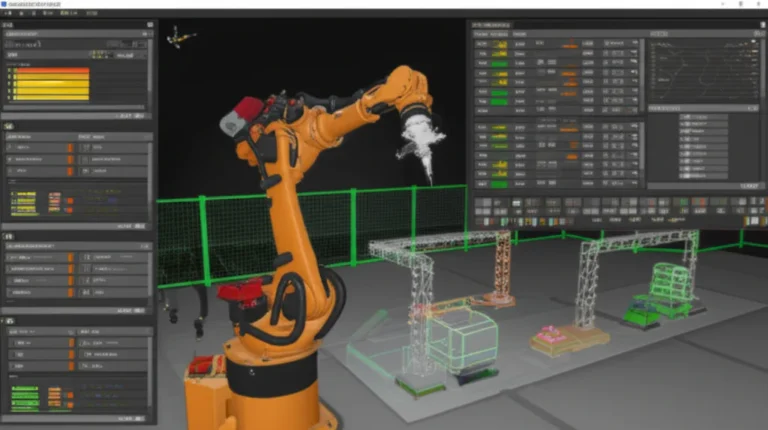
A robot simulation is software that represents a robot, its surroundings, and the way they interact. Depending on the tool, that virtual world may include rigid-body physics, collisions, motors, cameras, lidar, GPS, force sensors, human actors, and control software.
In plain language: we give a digital robot a digital place to work, then see what happens when we ask it to do something.
That can mean checking whether a robot arm can reach a part, testing how an autonomous mobile robot (AMR) moves around people, or generating images for a vision model. The NVIDIA robotics simulation overview describes simulation as a way to model robots and environments so developers can test and improve behavior before relying on physical prototypes.
What a simulator models
| Component | Common examples | Why it matters |
|---|---|---|
| Robot body | Links, joints, wheels, tracks, grippers | Determines geometry, motion limits, and collision shape |
| Actuators | Motors, servos, brakes, propellers | Adds limits such as torque, speed, delay, and response |
| Environment | Floors, walls, terrain, shelves, roads, water | Shapes movement, visibility, and collision behavior |
| Sensors | Cameras, lidar, IMUs, GPS, force sensors | Supplies simulated measurements to the robot’s software |
| Physics | Gravity, inertia, friction, contacts, fluid forces | Influences whether actions behave plausibly |
| Control stack | ROS 2 nodes, planners, policies, scripts | Lets you test the same or similar software used on a real robot |
Some simulators emphasize robot dynamics and contact physics; others prioritize photorealistic rendering, large-scale AI training, or easy classroom use. No single tool wins every category. That’s not a flaw—it’s a reminder to choose the tool for the test you need.
Simulation versus visualization
A 3D viewer shows what a robot looks like. A robot simulator adds rules for how it moves, senses, collides, and responds.
For example, a rendered robot gripper may appear to close around a cup. A useful simulation also considers whether the gripper can generate enough force, whether the cup slips, and whether the controller receives realistic sensor feedback. In other words, the virtual hand needs more than good manners and a convincing shader.
📜 How Robot Simulation Evolved
Early robotics simulation grew out of engineering tools for modeling motion, control, and mechanical systems. Over time, open-source robotics frameworks, game engines, improved graphics hardware, and machine-learning research expanded what developers could test in virtual environments.
Today’s ecosystem includes:
- General-purpose robotics simulators, such as Gazebo and Webots.
- Physics-focused tools, including MuJoCo and PyBullet.
- Robotics platforms with advanced rendering and synthetic data, such as NVIDIA Isaac Sim.
- Domain-specific simulators, such as CARLA for autonomous driving and HoloOcean for underwater robotics.
- Learning and benchmarking environments, including Gymnasium and Gymnasium Robotics.
A widely circulated curated simulator directory groups projects by domains such as aerial, maritime, automotive, space, and AI-training simulation. Its breadth is useful, but its combined-project metrics and rankings do not guarantee that a particular simulator is the best fit—or that a project remains actively maintained. For that, inspect the project’s own documentation and release history.
The newer push is toward digital twins: virtual representations that can be connected to real-world layouts, robot configurations, operational data, or sensor information. NVIDIA describes a “sim-first approach” for developing and testing physical-AI systems, but a sim-first workflow still needs a path to physical validation. The virtual world can make testing safer and more repeatable; it cannot repeal friction.
🧭 Why Simulate Robots? Benefits and Limitations
Simulation lets teams explore robot behavior without immediately putting people, equipment, or expensive hardware in the line of fire. It also makes repeatable experiments practical: reset the world, change one parameter, run the same test again.
The NVIDIA robotics simulation use case highlights synthetic-data generation, repeatable testing, fleet-scale evaluation, and testing scenarios that may be hazardous or impractical to reproduce physically. Those are powerful benefits—but they depend on a model that represents the relevant conditions well enough.
Benefits
- Earlier design feedback: Check reach, clearance, stability, and collision risks before fabrication.
- Safer scenario testing: Explore failures, near misses, and hazardous conditions in a controlled environment.
- Repeatable testing: Run the same scenario against a controller update and compare outcomes.
- Faster iteration: Reset instantly rather than manually rebuilding every test setup.
- AI training support: Generate synthetic observations or training episodes, then combine them with real-world data.
- Lower hardware wear: Reduce unnecessary impacts, crashes, and repetitive testing on physical equipment.
- Fleet planning: Explore traffic flow, task allocation, and layout changes for multiple robots.
Limitations you should plan for
| Limitation | Why it can mislead | Practical response |
|---|---|---|
| Simplified contact physics | Grasping, sliding, and bouncing may differ from reality | Test critical contact tasks with hardware and real objects |
| Imperfect sensor models | Noise, distortion, timing, and oclusion may be unrealistic | Calibrate sensor models against recorded or live sensor data |
| Model mismatch | Robot mass, center of gravity, or motor response may be wrong | Measure and update the robot model |
| Compute and rendering demands | High-fidelity scenes can run slowly or require capable hardware | Start with a simple model; add fidelity only where it changes decisions |
| Sim-to-real gap | A policy may overfit to simulated conditions | Use domain randomization and staged hardware testing |
| Tool or project maturity | Some community projects are archived or lightly maintained | Check release activity, documentation, license, and supported integrations |
We’ve seen a familiar pattern in robotics teams: a simulated arm clears a shelf by a comfortable margin, then the real cable harness brushes the shelf every cycle. The robot model was technically correct; the cable was simply absent. Model the detail that can change the outcome, not every screw for the sake of virtual perfection.
🧩 How Robot Simulators Work
A simulator combines a robot model, a virtual world, a physics or kinematics engine, sensor models, and software that advances the world through time. The exact recipe varies. A robot-learning workflow may prioritize running thousands of parallel episodes, while an industrial cell simulation may prioritize accurate layout and motion planning.
Physics, Rendering, and Sensor Models
These are related but separate parts of simulation:
- Physics engine: Calculates motion, forces, collisions, and contacts.
- Rendering engine: Produces images or visual displays of the virtual scene.
- Sensor model: Converts the virtual scene into simulated measurements.
- Control software: Uses those measurements to choose actions.
A camera render can look realistic while the physics remain rough. Likewise, a physics engine can model motion well without producing the image quality needed for computer-vision training.
Common physics and dynamics tools include Bullet, MuJoCo, Drake, and Project Chrono. Each has different strengths, interfaces, and assumptions; compare them against your robot and task rather than relying on a generic “most accurate” label.
Sensor simulation may include:
- Camera images, depth maps, and segmentation.
- Lidar point clouds and range readings.
- IMU measurements and inertial noise.
- GPS or localization measurements.
- Contact, force, and torque readings.
For AI training, vary the simulated sensor and environment conditions. Changing lighting, textures, object placement, and noise is often called domain randomization. NVIDIA describes this as a way to expose learning systems to a broader range of simulated conditions, helping reduce over-reliance one tidy virtual setup.
Robot Models, Worlds, and Simulation Assets
A robot model describes physical structure and mechanical properties. In ROS workflows, common formats include URDF and SDF. A useful model may specify:
- Link geometry and collision shapes.
- Joint types, axes, and movement limits.
- Mass and inertia.
- Sensor mounting locations.
- Actuator limits or simplified motor behavior.
The visual mesh and collision mesh do not always need to be identical. Visual geometry can be detailed; collision geometry is often simplified to improve speed and stability. But simplify too aggressively and the robot may pass through obstacles—or appear to fit into a space it cannot physically enter.
World assets include floors, terrain, objects, buildings, lights, and task-specific layouts. Use real measurements where they matter: a shelf that is several centimeters too wide can turn a navigation test into fiction.
Real-Time, Faster-Than-Real-Time, and Hardware-in-the-Loop Simulation
| Mode | What it means | Typical use |
|---|---|---|
| Real-time | Simulation time advances at roughly the same rate as wall-clock time | Operator training, interactive tests, live software integration |
| Faster-than-real-time | Virtual time advances faster than actual elapsed time | Batch experiments and some learning workloads |
| Slower-than-real-time | Simulation needs more wall-clock time than the represented event | Complex scenes, detailed physics, debugging |
| Software-in-the-loop (SIL) | Robot software is tested against simulation rather than physical hardware | Controller and autonomy testing |
| Hardware-in-the-loop (HIL) | Some real control hardware is connected to a simulated plant or environment | Testing timing, interfaces, and hardware behavior |
A faster simulation is not automatically a better simulation. If a high-speed run skips timing effects that matter to the controller, you may get a quick answer to the wrong question.
🛠️ 12 Best Robot Simulation Platforms
There is no universal winner. The best robot simulation software depends on what you need to represent: a mobile robot, a manipulator, a drone, an autonomous car, or a learning environment.
This shortlist mixes general-purpose simulators, physics engines, and domain-focused tools. A platform appearing here is not a claim that it is the best choice for every project.
| Platform | Best suited to | Notable strengths | Consider before choosing |
|---|---|---|---|
| Gazebo | ROS-based robot development | Robotics-focused simulation and ROS integration | Check the current Gazebo release and supported plugins |
| NVIDIA Isaac Sim | Photorealistic scenes and robot learning | Synthetic data, digital-twin workflows, sensor simulation | Hardware needs and ecosystem complexity |
| Webots | Education, research, and protyping | Integrated robot simulation with a broad model library | Check fit for specialized hardware or high-end workflows |
| CoppeliaSim | Robot protyping and multi-robot scenarios | Flexible scenes, scripting, and control interfaces | Licensing and workflow details depend on use |
| MuJoCo | Contact dynamics and control research | Efficient multibody simulation and broad research use | Rendering and full-stack workflow may require extra tools |
| PyBullet | Python experiments and protyping | Accessible physics simulation and scripting | Verify maintenance and exact feature needs for production |
| RoboDK | Industrial robot programming | Offline programming and robot-cell planning | It is not a general-purpose AI-training environment |
| MATLAB and Simulink | Model-based design and control | Integrated engineering workflows and toolboxes | Licensing and toolbox requirements |
| Unity | Custom interactive environments | Flexible graphics and ecosystem | Robotics integration and physics behavior need careful setup |
| Unreal Engine | High-end visual simulation | Rich rendering for immersive environments | Visual quality alone does not guarantee accurate physics |
| CARLA | Autonomous-driving research | Road scenes, driving scenarios, and sensor simulation | Primarily focused on vehicles and driving |
| ARGoS | Swarm robotics | Designed for large-scale multi-robot experimentation | Specialized focus and ecosystem fit |
Gazebo (formerly Ignition Gazebo)
Gazebo is a robotics simulator commonly used alongside ROS. It supports simulated worlds, robot models, sensors, and plugins, making it a natural fit for teams testing ROS-based navigation or manipulation workflows.
Strengths
- Robotics-oriented simulation concepts and integrations.
- Useful for testing ROS-based software before deploying it to hardware.
- A large community of tutorials, packages, and robot examples.
Trade-offs
- “Gazebo” covers a changing ecosystem of releases and components, so tutorials may target different versions.
- Older Gazebo Classic resources can be confused with newer Gazebo releases.
- Plugins and model compatibility can demand some setup work.
Check the official Gazebo documentation and the relevant ROS integration docs before choosing a version. That five-minute check can save an afternoon of chasing a plugin built for yesterday’s stack.
NVIDIA Isaac Sim
NVIDIA Isaac Sim is a robotics simulation application built on the NVIDIA Omniverse ecosystem. It is designed for virtual environments, sensor simulation, synthetic data, and robot-development workflows. NVIDIA’s robotics simulation page also describes connections to robot learning, software-in-the-loop validation, and fleet-scale digital twins.
Strengths
- Useful for photorealistic scenes and synthetic-data workflows.
- Supports robot-learning workflows through Isac Lab.
- Offers tools for constructing and testing virtual environments.
Trade-offs
- Rendering-heavy work can require capable hardware.
- The platform has a learning curve, especially if your team is new to Omniverse workflows.
- High visual fidelity still needs appropriate physics, sensor calibration, and real-robot validation.
The first featured video presents the NVIDIA perspective: robots can learn through repeated loops of simulation, training, testing, and real-world experience. It also stresses that “robots need action and control data, which is expensive to capture.” That’s a persuasive case for simulation as a data multiplier, not a reason to skip real-world checks.
Webots
Webots is a general-purpose robot simulator used in education, research, and protyping. Its integrated environment can make it approachable for building robot models and trying control ideas without assembling a complete simulation stack from separate tools.
Strengths
- Helpful for teaching and quick experiments.
- Provides robot and environment models to get started.
- Offers interfaces and examples for controller development.
Trade-offs
- Complex workflows may require adapting models, controllers, or integrations.
- Verify that its physics, sensors, and deployment path match your project’s needs.
For a student or small team asking, “Can we get a robot moving today?” Webots is a sensible candidate to evaluate.
CoppeliaSim
CoppeliaSim supports robot protyping, scene building, scripting, and simulation of multiple robots. Its flexible architecture can suit projects where you want to experiment with different control approaches or build a custom virtual setup.
Strengths
- Useful for robot-cell and multi-robot experiments.
- Offers scripting and external control options.
- Supports a range of robot models and simulation workflows.
Trade-offs
- Teams should check licensing terms and integration requirements for their intended use.
- More flexibility can mean more choices to configure correctly.
It is a good platform to compare when you want an interactive simulator rather than a narrowly specialized physics library.
MuJoCo
MuJoCo is a physics engine and simulator well known in robotics and control research, particularly for articulated bodies and contact-rich tasks. Its use in reinforcement learning and control research makes it a strong candidate when dynamics and efficient experimentation matter.
Strengths
- Efficient simulation of articulated systems and contacts.
- Useful for control, locomotion, and robot-learning research.
- Has an open-source ecosystem and documentation.
Trade-offs
- A full visual or ROS-centered workflow may require additional tools.
- Physics quality depends on model setup, parameters, and the task being tested.
If your core question is “Does this policy control the robot?” rather than “Does this factory look like a photograph?”, MuJoCo deserves a close look.
PyBullet
PyBullet is a Python-accessible interface to the Bullet physics engine. It is often used for research, quick experiments, and educational projects where a straightforward scripting workflow is attractive.
Strengths
- Convenient for Python experiments.
- Supports rigid-body simulation, collision detection, and robot models.
- Fits a broad collection of learning and research examples.
Trade-offs
- Don’t assume a tutorial or community package is actively maintained; check its current status.
- Validate any particular dynamics or sensor requirements against your application.
PyBullet is a practical way to start exploring robot simulation in code, especially if your project already leans heavily on Python.
RoboDK
RoboDK focuses on industrial robot programming and offline simulation. It can help teams program robot arms and plan workcells away from production hardware.
Strengths
- Designed for industrial robot programming and offline workflows.
- Useful for checking paths, reach, and cell layouts.
- Offers support for multiple industrial robot brands.
Trade-offs
- It is not a substitute for a general-purpose physics or AI-training simulator.
- Confirm supported robot models and post-processors for your specific setup.
For industrial arm programming, compare RoboDK with vendor tools such as ABB RobotStudio, especially if your team already uses a particular robot brand.
MATLAB and Simulink
MathWorks Robotics System Toolbox and related MATLAB and Simulink tools support robot modeling, algorithms, and model-based engineering workflows.
Strengths
- Strong fit for teams already using MATLAB and Simulink.
- Supports algorithm development and system modeling.
- Useful for control design and analysis.
Trade-offs
- Toolboxes and licenses may affect what is available to your team.
- A model-based workflow may feel less direct than a lightweight Python simulator.
Check the current product documentation for relevant features and supported hardware or ROS connections rather than relying on a toolbox name alone.
Unity
Unity is a game engine that can be used to build customized robotics environments, visualizations, and interactive scenarios. The Unity Robotics Hub offers robotics-oriented resources, but individual integrations should be checked for current support.
Strengths
- Flexible environment and user-interface development.
- Useful for interactive training and visualization.
- Broad ecosystem of assets and developer tools.
Trade-offs
- Robotics physics and sensor behavior may need careful implementation.
- A photogenic scene can disguise inaccurate timing or contact modeling.
Unity is compelling when you need a tailored visual environment. For motion-critical decisions, validate the physics instead of trusting the screenshot.
Unreal Engine
Unreal Engine offers high-end rendering and can support immersive robotics environments. It has been used in research and simulation projects for vehicles, drones, and other robots.
Strengths
- Powerful visual presentation and scene-building capabilities.
- Useful for visual perception and immersive simulation experiments.
- Can support custom sensor and robotics workflows.
Trade-offs
- Project-specific plugins and integrations can change or become outdated.
- Rich rendering can demand more compute and development effort.
- Realistic visuals do not automatically provide real-world sensor statistics.
For autonomous driving, compare a custom Unreal workflow with CARLA, which is built specifically for driving research.
MORSE and ARGoS
MORSE and ARGoS show why checking project status matters.
- MORSE has historically been used for robotic simulation, but its project listings mark it as inactive. Review its repository and dependencies before adopting it for a new project.
- ARGoS is designed for swarm-robotics research and multi-robot simulation. Its focus is a strength when you need many simulated agents, but it may be more specialized than necessary for one robot arm.
The practical rule: a well-matched maintained tool usually beats a famous archived one.
Specialized Robot Simulation Tools
Some tasks benefit from software designed for one domain:
| Domain | Examples | Best for |
|---|---|---|
| Autonomous vehicles | CARLA, MetaDrive, HighwayEnv | Driving scenarios, vehicle control, and traffic decisions |
| Drones | PX4 simulation resources, Pegasus Simulator, RotorPy | Flight control, multirotor behavior, and aerial autonomy |
| Underwater robotics | HoloOcean, Stonefish | Underwater sensing, vehicle motion, and marine tasks |
| Space robotics | NASA Astrobe, Basilisk | Spacecraft dynamics, autonomy, and mission experiments |
| Learning benchmarks | Gymnasium Robotics, Meta-World | Robot-learning tasks and reproducible evaluation |
| Swarms | ARGoS | Large groups of heterogeneous simulated robots |
Specialized projects can be excellent, but they may have narrower communities and more demanding setup. Check the documentation, license, dependencies, and recent releases before building your whole workflow around one.
⚖️ Robot Simulator Comparison: How to Choose
Instead of asking “Which simulator is best?”, ask “What decision must the simulation help us make?” A navigation prototype, contact-rich gripper test, and photorealistic vision dataset have different requirements.
Best Simulators by Robot Type and Project
| Your project | Shortlist to evaluate | Why |
|---|---|---|
| ROS 2 mobile robot | Gazebo, Webots, CoppeliaSim | Compare ROS integration, sensor models, and ease of world setup |
| Robot arm and manipulation | MuJoCo, Isaac Sim, CoppeliaSim, RoboDK | Compare contacts, motion planning, and industrial workflow needs |
| Industrial offline programming | RoboDK, ABB RobotStudio, MATLAB and Simulink | Compare supported robot brands, programming, and workcell tools |
| Reinforcement learning | MuJoCo, Isaac Sim with Isaac Lab, Gymnasium Robotics | Compare parallel training, task libraries, and policy workflow |
| Autonomous driving | CARLA, MetaDrive, HighwayEnv | Match the simulator to visual realism, driving tasks, or algorithm benchmarks |
| Drone autonomy | PX4 simulation, Pegasus Simulator, RotorPy | Match flight-stack integration and vehicle dynamics |
| Swarm research | ARGoS | Designed for multi-robot experimentation |
| Classroom introduction | Webots, PyBullet | Compare installation, tutorials, and coding accessibility |
For indoor navigation and mapping, also see our resources on autonomous robots. If your project involves field robots, agricultural environments add their own variables—terrain, dust, plants, and changing light—so the Agricultural Robotics category is relevant too.
Open-Source vs. Commercial Simulation Software
| Consideration | Open-source projects | Commercial tools |
|---|---|---|
| Cost structure | Often available without a paid license, subject to license terms | May require paid licenses or subscriptions |
| Customization | Source code can allow deeper modification | Customization depends on the product and contract |
| Support | Community, documentation, or paid support may be available | Vendor support may be available, depending on the plan |
| Maintenance | Varies by community and project health | Depends on vendor roadmap and support terms |
| Integration | Flexible, but may require engineering effort | May include polished integrations for supported workflows |
| Licensing | Read the exact license and dependencies | Review use rights, deployment terms, and data policies |
“Open source” does not mean “no obligations,” and “commercial” does not automatically mean “more accurate.” Check licenses and support status directly. The Open Source Initiative’s license guidance is a helpful starting point for understanding open-source licensing.
Key Features to Compare
Before choosing, write down your requirements:
- Robot type: mobile base, arm, drone, humanoid, vehicle, or swarm.
- Physics needs: contact, manipulation, locomotion, fluid dynamics, or simple kinematics.
- Sensor needs: camera, depth, lidar, IMU, GPS, force, or custom sensors.
- Software integration: ROS 2, Python, C++, MATLAB, PX4, or proprietary control stack.
- Scale: one robot, many robots, parallel episodes, or fleet-level scenarios.
- Visual requirements: debugging view, realistic images, synthetic data, or operator training.
- Hardware requirements: available GPU, operating system, memory, and compute budget.
- Project health: documentation, release history, issue activity, and community support.
- License: personal, educational, research, or commercial use.
- Validation path: whether you can compare simulated behavior against a real robot.
A good selection test is to build one small but representative scenario in two shortlisted simulators. If one can model your real sensors and run your control stack without weeks of custom glue, that’s valuable evidence.
🚗 Robot Simulation by Application and Domain
Different robots live by different rules. A warehouse AMR cares about wheel slip, localization, and people crossing its route. A drone cares about aerodynamic behavior and control latency. An underwater robot has to account for buoyancy and drag. “Robotics simulation” is a broad category, not one standard recipe.
Mobile Robots, AMRs, and Warehouse Automation
For mobile robots, simulation commonly tests:
- Localization and mapping.
- Path planning and obstacle avoidance.
- Docking, charging, and recovery behaviors.
- Traffic flow and multi-robot coordination.
- Interactions with doors, shelves, people, and other vehicles.
A basic 2D simulator can be excellent for early navigation algorithms. Use 3D and richer sensor models when height, visibility, camera perception, or complex geometry affects the outcome. Fleet-scale simulations can help test layouts and task flows, but verify that robot speeds, turning radi, charging behavior, and bottlenecks reflect the actual operation.
Manipulators, Industrial Robots, and Cobots
For robot arms, focus on:
- Reachability and collision-free paths.
- Joint limits, speeds, and torques.
- Grasp stability and object contact.
- Tool-center-point calibration.
- Cycle time and cell layout.
- Human–robot interaction and safety zones.
A common trap is planning with a perfect gripper and perfectly rigid objects. In a real workcell, parts may be misaligned, flexible, slippery, or inconsistent. Include those variations if they affect the task. For safety and responsible operation, see our Robot Ethics and Safety resources.
Drones and Aerial Robotics
Aerial robot simulators can support flight-control testing, mission planning, and reinforcement learning. Important factors include:
- Multirotor dynamics and motor response.
- Wind and disturbance models.
- GPS, IMU, and camera sensing.
- Battery and payload effects.
- Flight-stack integration, such as PX4.
- Multi-drone coordination and communication.
The PX4 simulation documentation explains supported simulation workflows. A controller that works in calm, perfectly known conditions may fail when exposed to wind, latency, or sensor drift. Test the disturbances that matter before flight.
Maritime and Underwater Robotics
Underwater simulation adds buoyancy, drag, current, visibility, and acoustic or optical sensing challenges. Relevant tools include HoloOcean and Stonefish.
Test scenarios can include:
- Vehicle stability and depth control.
- Camera visibility and lighting falloff.
- Current disturbances.
- Sonar or other sensor behavior.
- Communication limits and multi-vehicle coordination.
Underwater robots are costly to recover when tests go wrong. Simulation can help narrow the test space, but the water itself remains an unruly collaborator.
Automotive and Autonomous Vehicle Simulation
Autonomous-driving simulation often focuses on roads, traffic participants, vehicle dynamics, cameras, lidar, weather, and scenario testing. CARLA is an open-source simulator for autonomous-driving research. Tools such as HighwayEnv can be useful for focused decision-making tasks, while other platforms target detailed visual scenarios.
Use simulation to test:
- Lane keeping, merging, and intersection behavior.
- Interactions with pedestrians and other vehicles.
- Weather and visibility conditions.
- Sensor placement and perception.
- Regression tests after software changes.
A simulation test suite should include more than the sunny, empty-road case. The edge case is often where the most important behavior lives.
Space Robotics and Planetary Exploration
Space and planetary robots face strict limits on communication, repair, and operating conditions. Simulation can test spacecraft motion, robotic manipulation, navigation, and autonomy before a mission.
Examples include NASA Astrobe resources for free-flying robots and the Basilisk astrodynamics framework for spacecraft simulation. Planetary rover tests may need terrain, lighting, sensor constraints, and delayed communication. Here, simulation is essential—but models must still be reviewed against mission assumptions and verified through appropriate hardware testing.
Humanoid and Leged Robots
Humanoid and leged systems require careful treatment of balance, contacts, whole-body control, and falls. MuJoCo and Isaac-based learning workflows are among the tools teams evaluate for locomotion and manipulation.
Useful test variables include:
- Foot-ground friction and uneven terrain.
- Body mass distribution and inertia.
- Joint actuator limits and delays.
- Recovery strategies after a stumble.
- Contact timing and sensor feedback.
When training a policy, expose it to varied surfaces and initial conditions. A robot that has only practiced on a perfectly level virtual floor has, in effect, earned a diploma in standing still.
AI, Reinforcement Learning, and Synthetic Data
Simulation can give an AI system many controlled practice episodes. In reinforcement learning, an agent takes actions and receives rewards or penalties; in imitation learning, it learns from demonstrations. Both approaches can use virtual environments, though the quality and diversity of the training data matter.
The Gymnasium project provides a standard API for reinforcement-learning environments, while Gymnasium Robotics offers robotics tasks. For industrial or robot-learning workflows, NVIDIA describes using Isac Lab with Isaac Sim.
Key techniques include:
- Domain randomization: vary colors, lighting, geometry, noise, and object placement.
- Curriculum learning: begin with easier tasks, then gradually raise difficulty.
- Parallel simulation: run many training episodes at once when the software and hardware support it.
- Real-data mixing: combine synthetic observations with measurements from real robots.
- Sim-to-real validation: test the learned behavior incrementally on hardware.
For more on the AI side, visit our Machine Learning category. Synthetic data is a force multiplier, not a substitute for carefully labeled real data and evaluation.
🎮 Game Engines, Physics Engines, and Rendering for Robotics
Game engines can make attractive, interactive worlds. Physics engines calculate movement and contact. Rendering systems create images. These capabilities overlap, but they are not interchangeable.
Choosing a Physics Engine
| Tool | General role | Common robotics interest |
|---|---|---|
| MuJoCo | Physics engine and simulator | Articulated systems, contacts, control research |
| Bullet | Physics SDK | Rigid-body dynamics and collision detection |
| Drake | Robotics systems and simulation toolkit | Modeling, planning, control, and analysis |
| Project Chrono | Multiphysics simulation | Mechanical systems and complex dynamics |
| PhysX | Physics engine | Real-time simulation and interactive applications |
| Brax | JAX-based physics simulation | Parallelized learning experiments |
No engine is “the most accurate” for all robots and tasks. Accuracy depends on the model, solver, timestep, contact assumptions, and parameters. Compare behavior against measurements from the system you care about.
Photorealistic Rendering and Computer Vision
High-quality rendering can support visual perception testing and synthetic image generation. But training on realistic-looking images does not guarantee robust performance: camera response, lens effects, motion blur, exposure, shadows, and object materials can all affect the data.
Ask:
- Are camera intrinsics and extrinsics represented correctly?
- Does the image match the target sensor’s resolution and field of view?
- Are lighting and textures varied enough?
- Do depth and segmentation outputs match what the model will receive?
- Does the simulated camera timing match the real system?
For a vision model, a less glamorous but well-calibrated camera model can be more useful than a cinematic scene.
When a Game Engine Is the Right Tool
Consider Unity or Unreal Engine when you need:
- Custom interactive scenes.
- High-quality visualization.
- Human-in-the-loop or operator-training experiences.
- Large, varied environments for perception experiments.
Consider a robotics-focused simulator or physics engine when you need:
- Tight ROS integration.
- Repeatable robot-control testing.
- Contact-rich dynamics.
- A well-defined path from model to hardware.
And sometimes the right answer is a combined workflow: game engine for rendering, separate physics or control tools for dynamics, and ROS 2 for system integration. Just keep track of which component is responsible for each result.
🚀 Getting Started with Robot Simulation
A first simulation should be small enough to finish and realistic enough to teach you something. Don’t begin with an entire digital factory, a fleet of robots, and a camera model that can see individual dust motes. Start with one task.
Choose a Simulator for Your Goals
- Name the robot and task. Example: a differential-drive robot navigating a room.
- Choose the main test. Are you checking path planning, sensor processing, grasping, or fleet behavior?
- Match the tool to the test. Consider Gazebo or Webots for ROS-oriented protyping, MuJoCo for dynamics and control research, or CARLA for autonomous driving.
- Check operating-system and hardware requirements.
- Review current documentation, license, and release activity.
- Build a small test scene before committing to a large workflow.
Install the Software and Prepare Your Robot Model
- Follow the official installation guide for your chosen simulator.
- Confirm that the version matches your operating system and dependencies.
- Load a sample world and robot first.
- Prepare or import your robot model using supported formats such as URDF or SDF.
- Check link dimensions, joint axes, mass, inertia, and limits.
- Compare the virtual robot’s dimensions with the physical design or CAD model.
If you’re building the robot model from scratch, the Robot Design category may help with broader design considerations. A robot can be modeled beautifully and still fail because one joint axis points the wrong way. We have all met that axis.
Build a Simulation World and Add Sensors
- Create the simplest environment that exercises the task.
- Add obstacles or objects at measured, relevant dimensions.
- Add sensors at realistic positions and orientations.
- Configure field of view, update rate, resolution, and noise where supported.
- Add lighting and surface conditions only as needed for your test.
- Keep a known-good baseline world so you can compare changes.
Start with clean sensor data to make debugging easier. Then add noise, oclusion, and environmental variation in controlled steps.
Run a Robot Controller or ROS 2 Node
- Connect the simulator to your controller or ROS 2 workflow.
- Confirm that the robot receives the expected sensor topics or inputs.
- Check coordinate frames and units.
- Test basic motion commands at low speed.
- Verify that emergency stops, limits, and reset behavior are represented appropriately.
- Log commands, sensor readings, and simulation state.
ROS 2’s official documentation is the best place to verify version-specific details. A mismatched frame or stale topic can produce behavior that looks like bad AI but is actually plumbing.
Test, Debug, and Iterate
- Establish a baseline: record what the robot does before changing parameters.
- Change one variable at a time: mass, friction, sensor noise, speed, or obstacle position.
- Repeat the scenario: check whether the outcome is consistent.
- Inspect failures: review logs, sensor messages, contacts, and controller state.
- Add variation: test different positions, lighting, surfaces, or timing.
- Validate on hardware: start in a controlled, low-risk setup and compare results.
- Update the model: adjust parameters where measurements show a mismatch.
A useful first milestone is not “the robot worked once.” It’s “the robot completed a repeatable test, and we know what conditions make it fail.”
🔌 ROS 2, Digital Twins, and Real-Robot Integration
Simulation becomes more useful when it connects to the software and data your real robot uses. ROS 2, digital-twin workflows, and SIL/HIL testing can help bridge that gap.
Connecting Robot Simulators to ROS 2
ROS 2 can connect robot software through messages, services, actions, and coordinate frames. The exact integration differs by simulator and version, so use the official documentation for both tools.
Before running a full autonomy stack:
- Verify message types and topic names.
- Confirm clock and simulation-time behavior.
- Check coordinate frames and transforms.
- Confirm sensor update rates and timestamps.
- Test a simple controller before adding navigation or perception.
Not every simulator-to-ROS bridge has the same maintenance level. Check whether it supports your ROS distribution and simulator release.
Digital Twins and Sim-to-Real Workflows
A digital twin is a virtual representation connected to information about a real asset or operation. It may include a robot model, workspace layout, configuration, sensor feeds, or operational data. The term is used broadly, so ask what is actually synchronized and how often.
A practical sim-to-real workflow might look like this:
- Build a virtual robot and environment.
- Calibrate key dimensions and dynamics against the physical system.
- Test the software in simulation.
- Vary conditions to probe robustness.
- Run a controlled physical test.
- Compare logged behavior with the simulation.
- Update the model and repeat.
NVIDIA describes digital twins for developing and testing robots and fleets, including facility-level scenarios. The useful principle is not “make the virtual world perfect”; it’s keep the virtual model relevant to the decisions you’re making.
Hardware-in-the-Loop and Software-in-the-Loop Testing
- SIL: Runs robot software against simulated hardware and environments.
- HIL: Connects physical control or computing hardware to a simulated system.
SIL is useful for repeatable software testing. HIL can expose timing, interface, and hardware-related behavior that pure software simulation may miss. Neither replaces careful physical commissioning.
For safety-critical deployments, simulation test cases should complement documented risk assessments and procedures. See our Robot Ethics and Safety resources for broader safety considerations.
🧪 Robot Simulation Testing and Performance Metrics
A simulator should help answer a defined question. Decide what “success” means before running the experiment, then measure it consistently.
Motion, Navigation, and Manipulation Metrics
| Task | Example metrics |
|---|---|
| Navigation | Completion rate, path length, time, collisions, minimum clearance |
| Manipulation | Grasp success, object displacement, contact force, task completion |
| Locomotion | Stability, speed, energy proxy, falls, recovery time |
| Robot cell | Cycle time, reachability, collision events, workspace utilization |
| Fleet operations | Queueing, throughput, deadlock frequency, task completion |
The right metric depends on the task. A robot that reaches its destination quickly but collides with a shelf has not “mostly succeeded.”
Sensor, Perception, and AI Evaluation
For perception and learned behavior, track:
- Detection or segmentation performance.
- Localization error.
- Sensor dropouts and timing.
- Performance across lighting, textures, viewpoints, and oclusion.
- Robustness to randomized dynamics or object placement.
- Difference between simulated and real sensor distributions.
For AI systems, test across held-out scenarios. If the policy trains and tests on the same virtual world, it may simply memorize the neighborhood.
Repeatability, Scenario Coverage, and Regression Testing
Build a test suite that includes:
- Nominal cases: the expected everyday task.
- Boundary cases: limits of reach, payload, speed, or sensing.
- Failure cases: blocked routes, object slips, missing data, or localization loss.
- Environmental variation: lighting, friction, layout, and moving obstacles.
- Regression cases: scenarios that previously failed and should remain fixed.
Record simulator version, robot-model version, controller configuration, random seeds where applicable, and relevant parameters. Without those, a result can be difficult to reproduce after a software update.
⚠️ Common Robot Simulation Problems and Fixes
| Symptom | Likely cause | What to check |
|---|---|---|
| Robot falls through the floor | Collision geometry, contact configuration, or model issue | Check collision shapes, floor geometry, and physics settings |
| Robot shakes or jiters | Timestep, mass ratios, constraints, or contact instability | Simplify geometry and inspect physics parameters |
| Robot moves in the wrong direction | Coordinate frames, axis definitions, or sign convention | Check joint axes, transforms, and units |
| Gripper “grasps” but object slips | Friction or contact model mismatch | Compare against real material and grip tests |
| Camera output looks wrong | Sensor pose, field of view, resolution, or clipping | Verify camera configuration and coordinate frame |
| ROS node sees stale data | Clock, timestamps, QoS, or bridge configuration | Confirm simulation time and message settings |
| Simulation runs too slowly | Rendering load, complex geometry, or high update rates | Reduce unnecessary detail and profile the workload |
| AI works only in one scene | Overfitting to fixed textures or layouts | Randomize conditions and evaluate on unseen worlds |
| Simulated robot outperforms hardware | Model mismatch or missing real-world effects | Measure motor response, friction, delay, and sensor error |
Debug one layer at a time. Confirm the model, then physics, then sensors, then control, then the full autonomy stack. Otherwise, a problem in one joint can masquerade as a navigation bug, and everyone gets to enjoy a very long afternoon.
🧰 Best Practices for Accurate and Efficient Simulations
- Start with the decision: Don’t add detail that won’t affect it.
- Use measured dimensions and parameters wherever they influence safety or performance.
- Separate visual and collision geometry when that improves efficiency without hiding important contacts.
- Calibrate dynamics against physical measurements, especially for manipulation and locomotion.
- Model sensor timing and noise for perception-sensitive tasks.
- Randomize relevant conditions to reduce overfitting.
- Keep tests reproducible with versioned models, configurations, and logs.
- Use scenario coverage, not just one successful demo.
- Check project health and licensing before adopting a tool for a long-lived product.
- Validate incrementally on hardware under controlled conditions.
One useful rule of thumb: increase fidelity only when a simpler model changes the answer to your engineering question. That keeps simulation fast without making it casually unrealistic.
🔒 Robot Simulation Safety, Security, and Responsible Testing
Virtual testing can reduce the need for risky physical experiments, but simulated success does not certify a robot as safe. A simulator may omit human behavior, sensor failures, unexpected objects, network disruptions, or mechanical wear.
Responsible practice includes:
- Treat simulation as one layer of a broader verification and validation plan.
- Test safety functions on the real system according to applicable procedures.
- Include foreseeable failure scenarios, not only ideal runs.
- Protect sensitive facility layouts, operational data, and model files.
- Review third-party assets, plugins, and software dependencies.
- Document simulator limitations and assumptions.
- Avoid presenting simulated results as measured real-world performance.
The International Organization for Standardization publishes robotics safety standards such as ISO 10218; applicable requirements depend on the robot, application, jurisdiction, and standard edition. For workplace risk-management context, consult your organization’s safety specialists and relevant authorities. Simulation is a rehearsal room, not the fire marshal.
💼 Robot Simulation Careers, Education, and Research
Robot simulation skills are useful across robotics engineering, autonomy, industrial automation, research, and AI. Roles may involve:
- Robot modeling and simulation.
- ROS and control integration.
- Motion planning and navigation.
- Sensor modeling and computer vision.
- Reinforcement learning and synthetic data.
- Digital twins and manufacturing systems.
- Verification, validation, and safety testing.
Skills worth building
- Programming: Python and/or C++.
- Robotics fundamentals: coordinate frames, kinematics, dynamics, and control.
- Simulation tools: at least one general simulator plus a domain-specific tool.
- ROS 2: messages, nodes, transforms, and package workflows.
- Data analysis: plotting, experiment tracking, and debugging logs.
- Model validation: compare simulated behavior with real measurements.
- Responsible engineering: safety, documentation, and licensing awareness.
Students can begin with open-source tools such as Webots, PyBullet, MuJoCo, or Gymnasium environments. Researchers should prioritize reproducibility, clear baselines, and documented simulator assumptions. Industry engineers should add version control, integration testing, and a deliberate path from simulation to physical validation.
And one myth to retire: you do not need to begin by building a photorealistic digital twin. A robot that can reliably follow a simple path in a modest world is a better first project than a dazzling virtual factory with no working controller.