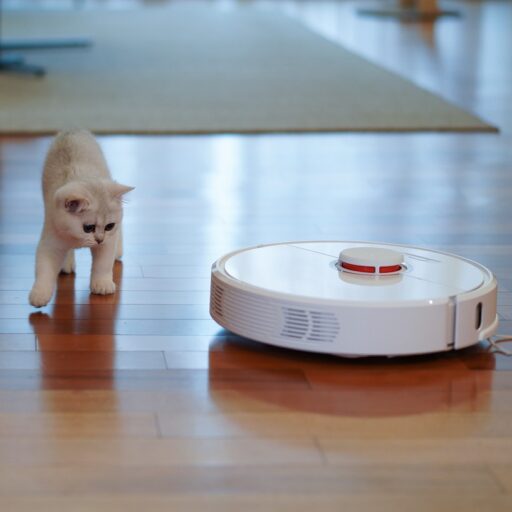
Support our educational content for free when you purchase through links on our site. Learn more
🤖 10 Best Robot Vacums on Amazon (2026)


The best robot vacuum Amazon shoppers can choose is the one that matches their floors, pets, and tolerance for maintenance—not simply the one with the biggest suction claim or fanciest dock. For most homes, prioritize reliable mapping, easy-to-clean brushes, and features you’ll actually use.
We’ve seen a robot map a living room beautifully, then spend the next five minutes negotiating with a tasseled rug. That’s the trick with these little housekeepers: the right setup can quietly tame everyday dust and crumbs, while the wrong fit turns a simple cleaning run into a rescue mission.
Key Takeaways
- Match the robot to your home: carpet, hard floors, pets, clutter, and available dock space all shape the best choice.
- Check the exact model and bundle: Amazon listings can vary in dock features, accessories, and generation.
- Treat ratings and specs as clues, not guarantees: read recent reviews for your floor type and compare independent testing.
- Expect maintenance: self-emptying docks reduce bin chores, but brushes, filters, mop pads, and docks still need care.
- Use a robot for frequent upkeep, not every cleaning task: traditional vacums remain useful for stairs, deep carpet cleaning, and targeted messes.
Compare robot vacums on Amazon:
- Roborock robot vacums | Roborock official site
- iRobot Romba robot vacums | iRobot official site
- Eufy robot vacums | Eufy official site
- Shark robot vacums | Shark official site
- Dreame robot vacums | Dreame official site
- Ecovacs robot vacums | Ecovacs official site
Table of Contents
- ⚡️ Quick Tips and Facts: Buying a Robot Vacuum on Amazon
- 🧭 Robot Vacums on Amazon: Background and How the Market Works
- 🤖 How Robot Vacums Work: Mapping, Suction, Mopping, and More
- 🏆 10 Best Robot Vacums on Amazon to Compare
- 1. Best Overall Robot Vacuum
- 2. Best Budget Robot Vacuum
- 3. Best Robot Vacuum and Mop Combo
- 4. Best Self-Emptying Robot Vacuum
- 5. Best Robot Vacuum for Pet Hair
- 6. Best Robot Vacuum for Carpets
- 7. Best Robot Vacuum for Hard Floors
- 8. Best Robot Vacuum for Small Homes and Apartments
- 9. Best Robot Vacuum for Allergies
- 10. Best Premium Robot Vacuum with a Self-Cleaning Dock
- 🔍 Robot Vacuum Reviews: What Amazon Ratings and Customer Feedback Really Tell You
- 🛒 How to Choose a Robot Vacuum on Amazon
- Suction Power, Brush Design, and Floor-Type Performance
- LiDAR, Camera Navigation, and Smart Mapping
- Mopping Features and Water-Tank Design
- Self-Emptying Docks, Auto-Wash Systems, and Dust Bags
- Battery Life, Cleaning Coverage, and Recharge-and-Resume
- App Controls, Wi-Fi, Alexa, and Google Assistant
- Noise, Height, and Getting Under Furniture
- Replacement Parts, Filters, and Ongoing Maintenance
- 🏷️ Amazon Robot Vacuum Deals, Prime Sales, and Price-Tracking Tips
- ✅ How to Check Amazon Sellers, Warranties, Returns, and Refurbished Listings
- 🏠 Robot Vacums for Everyday Life: Pets, Kids, Allergies, and Bedroom Dust
- 🧹 Setup and Maintenance: Get Better Cleaning from Your Robot Vacuum
- 🛠️ Common Robot Vacuum Problems and How to Fix Them
- ⚖️ Robot Vacuum vs. Traditional Vacuum: Which Should You Buy?
- 🔮 Robot Vacuum Technology and Amazon Shopping Trends
- 🎯 Should You Buy a Robot Vacuum on Amazon?
- 🏁 Conclusion
- 🔗 Recommended Links
- ❓ FAQ
- What is the best robot vacuum to buy on Amazon?
- Are robot vacums on Amazon reliable?
- Which robot vacuum is best for pet hair?
- Is a robot vacuum and mop combo worth it?
- Do robot vacums work on carpets and rugs?
- How often should a robot vacuum run?
- Can robot vacums avoid cords, toys, and pet waste?
- How do I know if an Amazon robot vacuum deal is genuine?
- 📚 Reference Links
Table of Contents
- ⚡️ Quick Tips and Facts: Buying a Robot Vacuum on Amazon
- 🧭 Robot Vacums on Amazon: Background and How the Market Works
- 🤖 How Robot Vacums Work: Mapping, Suction, Mopping, and More
- 🏆 10 Best Robot Vacums on Amazon to Compare
- 1. Best Overall Robot Vacuum
- 2. Best Budget Robot Vacuum
- 3. Best Robot Vacuum and Mop Combo
- 4. Best Self-Emptying Robot Vacuum
- 5. Best Robot Vacuum for Pet Hair
- 6. Best Robot Vacuum for Carpets
- 7. Best Robot Vacuum for Hard Floors
- 8. Best Robot Vacuum for Small Homes and Apartments
- 9. Best Robot Vacuum for Allergies
- 10. Best Premium Robot Vacuum with a Self-Cleaning Dock
- 🔍 Robot Vacuum Reviews: What Amazon Ratings and Customer Feedback Really Tell You
- 🛒 How to Choose a Robot Vacuum on Amazon
- Suction Power, Brush Design, and Floor-Type Performance
- LiDAR, Camera Navigation, and Smart Mapping
- Mopping Features and Water-Tank Design
- Self-Emptying Docks, Auto-Wash Systems, and Dust Bags
- Battery Life, Cleaning Coverage, and Recharge-and-Resume
- App Controls, Wi-Fi, Alexa, and Google Assistant
- Noise, Height, and Getting Under Furniture
- Replacement Parts, Filters, and Ongoing Maintenance
- 🏷️ Amazon Robot Vacuum Deals, Prime Sales, and Price-Tracking Tips
- ✅ How to Check Amazon Sellers, Warranties, Returns, and Refurbished Listings
- 🏠 Robot Vacums for Everyday Life: Pets, Kids, Allergies, and Bedroom Dust
- 🧹 Setup and Maintenance: Get Better Cleaning from Your Robot Vacuum
- 🛠️ Common Robot Vacuum Problems and How to Fix Them
- ⚖️ Robot Vacuum vs. Traditional Vacuum: Which Should You Buy?
- 🔮 Robot Vacuum Technology and Amazon Shopping Trends
- 🎯 Should You Buy a Robot Vacuum on Amazon?
- 🏁 Conclusion
- 🔗 Recommended Links
- ❓ FAQ
- What is the best robot vacuum to buy on Amazon?
- Are robot vacums on Amazon reliable?
- Which robot vacuum is best for pet hair?
- Is a robot vacuum and mop combo worth it?
- Do robot vacums work on carpets and rugs?
- How often should a robot vacuum run?
- Can robot vacums avoid cords, toys, and pet waste?
- How do I know if an Amazon robot vacuum deal is genuine?
- 📚 Reference Links
⚡️ Quick Tips and Facts: Buying a Robot Vacuum on Amazon
Our robot vacuum guide starts with one mildly inconvenient truth: the best robot vacuum is the one that suits your floors, clutter, pets, and tolerance for maintenance. A towering suction number or an app full of colorful buttons cannot rescue a robot that gets tangled in your rug fringe every Tuesday.
| Quick check | What we recommend |
|---|---|
| Mostly hard floors | Prioritize reliable navigation, edge cleaning, and a mop you can remove or lift |
| Carpet and rugs | Look for a motorized brush, carpet detection, adjustable suction, and enough clearance |
| Pet hair | Favor anti-tangle brush design, an easy-to-clean roller, and a dock if you dislike daily bin emptying |
| Mixed flooring | Choose room maps, no-go zones, carpet boost, and mop-lift or mop-removal options |
| Lots of cords or toys | Look for tested obstacle recognition, but still tidy the floor before a run |
| Small home | A dependable, compact model may beat a bulky all-in-one dock you have nowhere to put |
| Allergies | Check filtration and dust containment; a robot vacuum is not a substitute for a well-sealed whole-home cleaning plan |
| Amazon listing | Verify the seller, model number, included dock, replacement-part availability, return terms, and review details |
A few fast facts:
- LiDAR navigation can map rooms and plan systematic routes, but it does not automatically mean the robot can identify small objects.
- Camera-based obstacle avoidance can help recognize items such as cables, but performance depends on lighting, object size, and software.
- Mop combo often means a damp pad dragged behind the robot, not a human-style scruber. Some newer units use rotating pads or roller mops.
- Self-emptying reduces how often you handle the robot’s dustbin; it does not make the machine maintenance-free.
- Amazon star ratings are a starting point, not a lab test. Read recent reviews for your floor type and check whether complaints cluster around mapping, app setup, or parts.
- Manufacturer claims such as suction, runtime, and room coverage are usually measured under specific conditions. Treat them as comparison clues, not guarantees for your house.
Here’s the question we’ll keep returning to: are you buying cleaning performance, or buying fewer chores? The answer changes which features are worth paying attention to.
🧭 Robot Vacums on Amazon: Background and How the Market Works

The first robot vacums were closer to bumper-car philosophers than miniature housekeepers: they moved, met a wall, reconsidered their life choices, and tried another direction. Modern models add combinations of mapping, sensors, app control, room scheduling, and automatic docks. That progress sits within the broader field of autonomous robots, where machines sense an environment, make decisions, and act without constant human steering.
Amazon makes comparison convenient, but it also puts premium brands, newer names, older generations, bundles, and look-alike model numbers next to each other. A product page can change sellers or bundle contents, so compare the exact model number rather than relying on a family name alone.
What “robot vacuum Amazon” searches usually mean
Shoppers are commonly looking for one of four things:
- A shortlist of recommended models for a specific home.
- A trustworthy review that explains real strengths and limitations.
- A deal on a known brand such as Roborock, iRobot Romba, Eufy, Shark, Dreame, or Ecovacs.
- A practical answer to a household problem such as pet hair, daily crumbs, or dust under furniture.
Those are different shopping jobs. A well-reviewed budget bot may be a sensible kitchen helper and a poor choice for a carpet-heavy house with three shedding dogs.
Why model names and bundles deserve a second look
A single product family may include vacuum-only models, mop combos, self-emptying versions, and all-in-one docks. Similar names can conceal important differences:
- Does the dock charge only, empty dust, wash mop pads, or dry them?
- Are mopping pads included, and can the robot lift or detach them?
- Is the advertised navigation LiDAR, camera-based, or a simpler sensor system?
- Does the bundle include replacement bags, filters, or extra brushes?
- Is the listing for the current model, an older generation, or a refurbished unit?
We once compared two listings that looked nearly identical until the dock photograph gave away the plot: one included automatic dust emptying; the other sent the robot home to charge and left the bin full. Read the “what’s in the box” details before you trust the hero image.
🤖 How Robot Vacums Work: Mapping, Suction, Mopping, and More
A robot vacuum combines a drive system, cleaning hardware, sensors, software, and a battery. The engineering idea sounds simple: detect the room, move through it, collect debris, avoid trouble, and return to the dock. Real homes, as ever, add chair legs, dark rugs, socks, thresholds, and one mysteriously mobile charging cable.
The principles overlap with robot design and machine learning, but individual products vary considerably in how much they sense and how intelligently they respond.
The cleaning cycle, step by step
- The robot starts from its dock. It checks its battery and receives a cleaning command from a button, app, schedule, or voice assistant.
- Sensors estimate position and nearby obstacles. These may include bump sensors, cliff sensors, wheel encoders, optical sensors, a camera, or a spinning LiDAR unit.
- The navigation system builds or uses a route. A systematic robot follows planned lanes; a simpler model may use more reactive movement.
- The side brush sweps debris inward. Its job is to move dirt from edges and corners toward the main intake. It can also flick a rogue crumb across the kitchen like a tiny hockey puck.
- The main brush and suction collect debris. Brush shape, airflow, floor contact, and debris size all matter. A single suction rating cannot describe the whole cleaning result.
- The robot adjusts to the task. Some models increase suction on carpet, avoid mapped no-go areas, or change behavior in a room assigned a particular setting.
- It returns to charge, empty, or service itself. Depending on the dock, that may mean charging only, emptying the dustbin, washing mop pads, or drying them.
The sensors: what they can and cannot do
| Sensor or system | What it helps with | What it does not guarantee |
|---|---|---|
| Bumper | Detecting a physical contact with larger obstacles | Avoiding impact before contact |
| Cliff sensor | Detecting a drop such as a staircase edge | Reliable operation on every dark or reflective surface |
| LiDAR | Measuring distance and supporting room mapping | Identifying a cable, sock, or pet mess by appearance |
| Camera | Visual navigation or object recognition, depending on design | Perfect recognition in dim light or around unfamiliar objects |
| Wall/edge sensor | Following boundaries and cleaning along edges | Removing every crumb in a corner |
| Carpet sensor | Detecting some carpet surfaces and triggering suction changes | A deep clean equivalent to a full-size upright vacuum |
For a deeper look at how robots sense their surroundings, see our autonomous robotics coverage.
Vacuuming and mopping are not the same task
A robot vacuum pulls loose debris into a bin. A basic mop combo usually attaches a water tank and damp pad, then wipes the floor while the robot moves. More advanced models use vibrating pads, spinning discs, or a continuously refreshed roller.
Mopping is most useful for routine fine dust and light footprints. Dried sticky spills, greasy cooking messes, and grout buildup may still need manual work. Never assume a robot’s mop is suitable for every surface: follow the flooring manufacturer’s care instructions, and avoid using cleaning solutions unless the robot maker explicitly approves them.
🏆 10 Best Robot Vacums on Amazon to Compare
There is no single champion for every home. Below is a comparison shortlist, not a claim that every model is best for every buyer. Amazon inventory and configurations change, so verify the exact model and dock on the listing before ordering.
| Use case | Models to compare | Why they may fit | Main caution |
|---|---|---|---|
| Best overall, balanced cleaning | Roborock Qrevo family; Dreame D-series Ultra models | Mapping, vacuuming, and dock features vary across generations | Match the exact generation and dock |
| Budget vacuum-first | Roborock Q10 S5+; Eufy RoboVac models | Simpler purchase path for routine floor pickup | Check whether mapping and auto-emptying are included |
| Vacuum-and-mop combo | Eufy Omni C28; Roborock Qrevo models; Dreame Ultra models | Bundled vacuuming and mop care on select configurations | Mopping hardware and service station differ |
| Self-emptying | Shark PowerDetect; Roborock models with an auto-empty dock | Less frequent manual dustbin emptying | Dock size, bags, and maintenance add complexity |
| Pet hair | iRobot Romba j-series; Shark PowerDetect; Roborock and Dreame models with anti-tangle features | Brush design and obstacle features can help in pet homes | Hair can still wrap around rollers and axles |
| Carpet-heavy homes | Roborock, Dreame, and Shark models with carpet boost | Look for brush contact and carpet-specific testing | Mop attachments can complicate carpet use |
| Mostly hard floors | Eufy, Roborock, Dreame, and Ecovacs mop combos | Strong fit for routine dust and crumbs | Do not treat light mopping as stain restoration |
| Compact homes | Eufy RoboVac and smaller dock configurations | May take less space and offer simpler setup | Confirm navigation and bin capacity |
| Allergy-conscious cleaning | Models with sealed dust handling and self-empty docks | May reduce direct contact with collected dust | No robot vacuum eliminates allergens from a home |
| Premium all-in-one dock | Roborock Qrevo, Dreame Ultra, Eufy Omni, Ecovacs Debot Omni families | Automated dust and mop maintenance on select models | More systems mean more parts to clean and troubleshoot |
Ratings below are editorial suitability scores on a 1–10 scale, not manufacturer ratings or laboratory test results. Scores reflect the named use case and common feature set; exact model generations can change the result.
| Pick | Design | Functionality | Navigation | Maintenance convenience | Value for its use case |
|---|---|---|---|---|---|
| Balanced mapping-and-cleaning pick | 8 | 9 | 9 | 8 | 8 |
| Budget vacuum-first pick | 8 | 7 | 7 | 6 | 9 |
| Vacuum-and-mop combo | 8 | 9 | 9 | 8 | 8 |
| Self-emptying model | 8 | 8 | 8 | 9 | 7 |
| Pet-hair specialist | 8 | 8 | 8 | 8 | 8 |
| Carpet-focused model | 8 | 8 | 8 | 7 | 8 |
| Hard-floor model | 8 | 9 | 8 | 8 | 8 |
| Apartment-size model | 9 | 7 | 7 | 7 | 8 |
| Allergy-conscious setup | 8 | 8 | 8 | 8 | 7 |
| Premium all-in-one dock | 9 | 9 | 9 | 9 | 7 |
1. Best Overall Robot Vacuum
For a balanced home, compare a current-generation Roborock Qrevo with a Dreame Ultra. These product families may offer detailed maps, scheduled room cleaning, vacuuming, and mop-care docks, depending on the exact model.
Why we’d shortlist them:
- Room mapping makes targeted cleaning and no-go zones easier.
- Many configurations combine vacuuming and mopping with a more capable dock.
- App controls can help tailor passes for kitchens, hallways, and pet zones.
Trade-offs: The dock needs room, the app has more settings to learn, and mop systems add parts that require cleaning. If your home is mostly one small room and a dormat, this level of automation may be more orchestra than you need.
- 👉 CHECK PRICE on: Roborock Qrevo search results | Dreame Ultra search results
2. Best Budget Robot Vacuum
For a vacuum-first setup, compare the Roborock Q10 S5+ and entry-level Eufy RoboVac models. The video perspective summarized for this article describes the Q10 S5+ as a value-oriented option with LiDAR, an auto-empty dock, and a mop pad that still needs manual washing.
Best for: Regular loose debris, simpler floor plans, and shoppers who would rather spend their effort on a quick weekly tidy than on premium dock automation.
Check before buying:
-
Does the listing include the self-emptying dock?
-
Is the mop feature important, or will it mostly collect dust in a cupboard?
-
Does the model offer mapped rooms or only general navigation?
-
Are filters and brushes easy to replace?
-
👉 CHECK PRICE on: Roborock Q10 S5+ search results | Eufy RoboVac search results
3. Best Robot Vacuum and Mop Combo
The Eufy Omni C28, Roborock Qrevo, and Dreame Ultra families are worth comparing when you want vacuuming plus automated mop care. Their specific mop types, dock features, and obstacle-recognition systems depend on the model.
A video review summary also highlights roller-mop designs, including the Ecovacs Debot T90 Pro and Roborock Qrevo Curv 2 Flow, for buyers who care especially about hard-floor washing. Such design and performance claims should be checked against the precise model and independent testing; a roller mop is not automatically better for every layout.
Good fit: Mostly hard floors, routine footprints, and people who want a robot to handle frequent light maintenance.
Less ideal: A home with delicate floors, lots of rugs, or sticky messes that need direct scrubbing. Set no-mop zones around rugs and follow flooring-care guidance.
- 👉 CHECK PRICE on: Eufy Omni C28 search results | Roborock Qrevo search results | Ecovacs Debot search results
4. Best Self-Emptying Robot Vacuum
A self-emptying dock transfers dust from the robot into a larger bag or container, reducing how often you need to empty the onboard bin. Compare Shark PowerDetect, Roborock self-emptying models, and iRobot Romba self-emptying models.
The upside: Less frequent contact with dust and fewer interruptions during routine cleaning.
The fine print: The dock takes floor space, may be audible during emptying, and has parts or bags to replace. A self-empty dock also does not clean hair off the roller or wash a mop pad unless that feature is specifically included.
- 👉 CHECK PRICE on: Shark PowerDetect search results | Romba self-emptying search results
5. Best Robot Vacuum for Pet Hair
Pet hair makes brush design and easy maintenance more important than a dramatic spec-sheet number. Compare models from iRobot Romba, Shark, Roborock, and Dreame.
Look for:
- A roller that is easy to remove and clean.
- Anti-tangle design supported by clear model-specific details.
- Good edge and corner pickup, where fur gathers.
- Obstacle handling if pet toys are routinely left on the floor.
- A dustbin or dock setup that matches how often you want to empty it.
A pet-hair warning from our engineering bench: “Anti-tangle” means reduced tangling, not hair immunity. Long hair still finds axles, brush ends, and anything shaped like a small rotating invitation. Check the roller every few runs at first.
- 👉 CHECK PRICE on: iRobot Romba pet-hair models | Shark pet-hair robot vacums | Roborock pet-hair robot vacums
6. Best Robot Vacuum for Carpets
For carpet, prioritize brush contact, carpet detection, suction adjustment, and the ability to cross transitions. A robot that is excellent on tile can be merely polite to a thick rug.
The summarized video review describes the Dreame D30 Ultra as a strong value performer in its carpet pickup tests, while the Roborock Saros 20 is presented as a premium reference. Those are specific reviewer findings under specific test conditions—not a promise that every carpet, debris type, or unit will produce the same result.
Before buying, check:
- Rug pile height and fringe.
- Whether the robot can lift or detach its mop.
- Carpet boost behavior and whether it is configurable.
- Independent tests using debris similar to what your home produces.
A robot vacuum is a maintenance cleaner. For deep carpet cleaning, an upright or canister vacuum may still be needed.
7. Best Robot Vacuum for Hard Floors
Hard floors suit many robot vacums particularly well: crumbs and dust are easy to collect, and a mop attachment can help with frequent light wiping. Compare Ecovacs Debot, Eufy Omni, and Roborock Qrevo configurations.
For hard-floor households, ask:
- Does the side brush reach along edges without flinging debris?
- Does the mop lift, detach, or avoid carpeted rooms?
- Can you set no-mop zones around rugs and delicate surfaces?
- Does the dock wash and dry pads, or only store the robot?
Use only cleaning solutions approved by the manufacturer. The wrong fluid can damage components or leave a residue that makes a floor look as though it has recently lost an argument with a syrup bottle.
8. Best Robot Vacuum for Small Homes and Apartments
For a compact home, reliable routing and a small footprint often matter more than maximum coverage claims. Look at smaller-dock configurations from Eufy, iRobot Romba, and Roborock.
Measure before ordering:
- The dock’s width, depth, and height.
- Clearance beneath sofas and beds.
- Doorway and threshold height.
- Where the robot will turn and return to its base.
A big all-in-one station can be useful, but only if you have somewhere to put it. If it blocks a cupboard or lives beside the front door like a small appliance bouncer, a simpler dock may be the better design.
9. Best Robot Vacuum for Allergies
No robot vacuum can make a home allergy-proof. For buyers seeking less direct contact with collected dust, consider models with well-sealed dust handling, a replaceable filter, and a self-emptying dock. Check the product documentation for filtration claims rather than assuming that “HEPA-style” language means a particular tested standard.
The U.S. Environmental Protection Agency’s indoor air quality guidance emphasizes source control and other indoor-air measures. Vacuuming is only one piece of that plan.
Practical approach:
- Choose a model whose filters and dust bags are easy to source.
- Replace or clean components as directed.
- Empty open bins away from the room if dust bothers you.
- Keep bedding, soft furnishings, and other dust-holding surfaces in your cleaning routine.
10. Best Premium Robot Vacuum with a Self-Cleaning Dock
Premium docks may empty dust, wash mop pads, refill water, and dry the pads, depending on model. Compare Roborock Qrevo, Dreame Ultra, Eufy Omni, and Ecovacs Debot Omni.
WIRED’s provided deal-article summary names the Shark PowerDetect UV Reveal, Roborock Qrevo 2 Pro, and Eufy Omni C28 among the models it discusses. Its reviewer perspective is useful, but its findings belong to the specific tested products and sale period. A self-cleaning dock reduces chores; it does not abolish them.
🔍 Robot Vacuum Reviews: What Amazon Ratings and Customer Feedback Really Tell You
Amazon reviews can reveal things a spec sheet misses: whether a robot repeatedly gets stuck, whether setup is confusing, and how a mop performs in a real kitchen. They can also mislead if you treat a star average as a controlled test.
A Yahoo article about the ZCWA Robotic Vacuum and Mop Combo described it as “fast and accurate” and quoted a shopper who called it “a smart butler at a great price!” The same summary also noted a customer complaint that mapping was poor and the vacuum repeated parts of the floor. That contrast is the useful part: positive testimonials show what can go right; specific failure reports reveal what to investigate.
How to read reviews like an engineer
- Filter for your floor type. Carpet performance reviews do not answer how well a model mops tile.
- Read recent low-star reviews. Look for repeated, specific issues rather than a single complaint with no context.
- Separate setup issues from cleaning issues. A Wi-Fi problem is different from poor debris pickup.
- Check the exact model and bundle. Reviews may be grouped across versions with different docks or features.
- Look for long-term feedback. Battery, brush, wheel, and dock problems may emerge after weeks of use.
- Compare claims with independent testing. Reviews are experience reports, not standardized lab measurements.
A simple review-evidence scorecard
| Evidence | What it tells you | How much weight to give it |
|---|---|---|
| Repeated reports of missed zones | Possible navigation or mapping limitation | High if reviews identify the same model and app version |
| One vague “doesn’t work” complaint | Little diagnostic information | Low |
| Photos or videos of a specific issue | More context about the failure | Moderate to high |
| Brand claims for suction or coverage | Manufacturer’s stated specification | Useful for model comparison, not proof of real-home results |
| Independent, repeatable testing | Performance under described conditions | Stronger, while still not identical to your home |
| Very recent reviews | Current experience, possibly after software changes | Useful, but check whether the product version changed |
Our rule: trust converging evidence. If the maker’s specs, careful reviewers, and repeated owner reports all point in the same direction, confidence rises. If they disagree, ask whether the test floor, software, model generation, or review conditions differ.
🛒 How to Choose a Robot Vacuum on Amazon
Shopping by feature list can feel like ordering a robot by horoscope. Instead, start with the room and chore you want to improve. Then match the feature to that problem.
Suction Power, Brush Design, and Floor-Type Performance
Suction numbers are tempting because they look definitive. In practice, cleaning also depends on brush design, airflow, debris size, how the robot contacts the floor, and whether it routes over the dirty area.
Use this order of priority:
- Match the robot to your dominant floor type.
- Check the main brush and how easily it can be cleaned.
- Look for carpet boost or adjustable modes if you have rugs.
- Read tests that use relevant debris—pet hair, sand, cereal, or dust.
- Treat headline suction figures as one specification, not the whole verdict.
| Home condition | Feature to prioritize | Common mistep |
|---|---|---|
| Thick carpet | Brush contact, carpet boost, transition climbing | Choosing only by suction figure |
| Long pet hair | Easy-clean roller and anti-tangle design | Assuming “pet” in the name means zero maintenance |
| Hard floors | Edge pickup, debris handling, mop controls | Expecting a damp pad to remove set-in stains |
| Mixed flooring | Carpet detection, mop lift or no-mop zones | Leting a wet mop cross a rug |
| Fine dust | Effective filtration and regular filter care | Ignoring a clogged filter |
LiDAR, Camera Navigation, and Smart Mapping
LiDAR uses laser measurements to help estimate room layout. A camera can support visual navigation or object identification, depending on implementation. Neither label guarantees perfect obstacle avoidance.
LiDAR is generally useful for structured routes and maps. Cameras may help with visual recognition, but can be more sensitive to low light and the design of the recognition system. Some robots combine sensors; others use simpler navigation.
Ask these questions:
- Can the map be divided into rooms?
- Can you save more than one map if your home has multiple floors?
- Can you set no-go and no-mop zones?
- Does the robot identify objects or merely detect obstacles?
- Are privacy, camera controls, and cloud processing explained by the manufacturer?
For broader discussion of robot autonomy and safe interaction, see our robot ethics and safety coverage.
Mopping Features and Water-Tank Design
Mop systems range from a basic damp cloth to vibrating pads, spinning mop discs, and roller designs. More elaborate systems may improve automated floor maintenance, but they also create additional parts to clean.
Check the practical details:
- Can you adjust water flow?
- Does the robot lift the mop on carpet?
- Can you create no-mop zones in the app?
- Does the dock wash and dry the pads?
- Are pads and tanks easy to remove and replace?
- Does the maker permit cleaning solution, or specify water only?
Mopping robots are best at frequent light upkeep. For dried food, sticky syrup, or a spill that has been left to mature like a kitchen science project, plan on manual cleaning.
Self-Emptying Docks, Auto-Wash Systems, and Dust Bags
A dock may charge, empty dust, wash mops, dry them, refill a tank, or perform some combination. Never infer all those features from the words “self-cleaning” or “all-in-one.”
| Dock function | What it automates | What remains your job |
|---|---|---|
| Charging | Recharges the robot | Keep contacts clean and dock accessible |
| Auto-empty | Transfers dust to a larger bin or bag | Replace bags or empty the container; maintain filters |
| Mop washing | Rinses or cleans mop pads | Clean the dock basin and inspect for residue |
| Mop drying | Helps dry pads after washing | Check for odor and follow maintenance instructions |
| Water refill | Adds water to the robot’s tank | Refill and clean the station reservoir |
A larger dock can save time but needs space and upkeep. Measure its footprint and check ongoing consumables before choosing one.
Battery Life, Cleaning Coverage, and Recharge-and-Resume
Runtime claims are usually conditions-dependent. Suction mode, flooring, room layout, obstacle detours, and mop use can affect how long a robot operates. Coverage claims likewise assume a particular route and environment.
Look for recharge-and-resume if the robot may need more than one session to clean your home. For multilevel homes, check whether the model can save multiple maps and whether you must carry it between floors.
A smaller home may not need a large battery. A big, divided layout may benefit more from smart route planning than from an impressive runtime printed on the box.
App Controls, Wi-Fi, Alexa, and Google Assistant
Most connected robot vacums use a companion app for scheduling, maps, room selection, no-go zones, and maintenance notifications. Voice assistants can handle basic commands, but usually do not replace the app for detailed mapping.
Before buying, check:
- Which Wi-Fi bands and network setup the product supports.
- Whether voice control works in your country and with your chosen assistant.
- Whether the app can schedule rooms individually.
- What account permissions and camera settings apply.
- Whether core cleaning can run without a cloud connection.
For smart-home privacy and safe robot use, consult our robot ethics and safety resources.
Noise, Height, and Getting Under Furniture
Robot height is an everyday performance spec. A model that cannot fit beneath a sofa cannot clean beneath that sofa, no matter how persuasive its app looks.
Measure the lowest furniture clearance and compare it with the robot’s stated height. Also consider:
- Dock noise during auto-emptying.
- Whether the robot can cross your door thresholds.
- Rug fringe and cable tangles.
- How easily it can be rescued from a tight space.
If you work from home, schedule louder cleaning when you are away. If the dock is near a bedroom, check owner feedback about the emptying cycle, not just the robot’s vacuuming noise.
Replacement Parts, Filters, and Ongoing Maintenance
Before choosing an unfamiliar model, search Amazon and the brand site for its exact replacement parts. Filters, side brushes, main rollers, mop pads, dust bags, and batteries should be identifiable by model number.
A dependable robot needs a supportable supply chain. A bargain purchase is less appealing if you cannot find a filter six months later.
🏷️ Amazon Robot Vacuum Deals, Prime Sales, and Price-Tracking Tips
Deal headlines are attention-grabbing; a real saving depends on the model, seller, bundle, and normal selling history. The provided WIRED Prime Day vacuum-deals article discusses several tested robot vacums and deal picks, including the Shark PowerDetect UV Reveal, Roborock Qrevo 2 Pro, Eufy Omni C28, Roborock Saros Z70, and Dyson Spot+Scrub Ai. Treat those as the article’s reported picks for its stated sale period, not as a guarantee of current availability or a permanent ranking.
How to judge an Amazon deal
- Confirm the precise model number. Similar names can refer to different generations.
- Compare the seller and fulfillment details. A brand store and an unfamiliar marketplace seller may have different support paths.
- Inspect the bundle. Check dock, mop pads, bags, spare filters, and accessories.
- Compare the model’s usual listing history. A crossed-out reference price alone does not prove a strong deal.
- Check return and warranty terms before checkout.
- Ask whether the feature set matches your home. A discount on an unsuitable robot is still money spent on an unsuitable robot.
Compare the robot, not only the discount
| Deal question | Why it matters |
|---|---|
| Is this the generation I want? | Older versions may have different navigation and app features |
| Is the dock included? | Listing photos may show a dock that is not in the selected bundle |
| Is it sold by a trusted seller? | Support and returns can vary |
| Are consumables available? | Bags, pads, and filters affect the long-term experience |
| Is the robot over-featured for my home? | Automated mop care has little value if you rarely mop |
For current options, compare robot vacuum search results on Amazon with the maker’s official product page and independent testing. WIRED notes that its editorial picks are independently selected and that retailer links may generate compensation; consider that disclosure when reading its recommendations.
✅ How to Check Amazon Sellers, Warranties, Returns, and Refurbished Listings
A strong robot vacuum can become a frustrating purchase if the listing is unclear. Make these checks before you order:
- Seller identity: Confirm the seller shown on the selected listing, not just the storefront logo.
- Model number: Match the title, specifications, manual, and manufacturer product page.
- Condition: Distinguish new, renewed, refurbished, and used products.
- Warranty: Check the manufacturer’s warranty rules for the region and seller.
- Returns: Review the return window and any condition requirements.
- Included parts: Verify dock, power cable, bags, mop pads, and spare components.
- App and region compatibility: Confirm the model works with your location, phone, and network.
- Parts availability: Search for consumables before buying.
For refurbished units, pay particular attention to battery condition, missing dock accessories, and whether the manufacturer—not only the retailer—will honor service coverage. A lower-risk listing is worth more than a mystery box with a suspiciously complete collection of stock photos.
🏠 Robot Vacums for Everyday Life: Pets, Kids, Allergies, and Bedroom Dust
A robot vacuum’s value often appears in small, repetitive jobs: cereal after breakfast, litter-tracking dust, hallway grit, and the mysterious fuzz that gathers beneath a bed. It is maintenance cleaning, and its greatest benefit may be keeping messes from accumulating rather than replacing every other vacuuming task.
Pets and pet hair
Run the robot often enough to collect hair before it forms tumbleweds. Check brushes regularly, secure water bowls, and use no-go zones around litter boxes or pet feeding areas if the robot scaters kible.
The ASPCA’s pet-care guidance is a useful starting point for household pet safety, but always supervise a robot around anxious animal. The machine may be quiet to you and deeply suspicious to a small dog.
Children, toys, and loose items
Cords, building blocks, clothing, and small objects can jam a brush or stop a cleaning run. Object recognition can help on some models, but floor pickup remains the cheapest obstacle-avoidance upgrade.
Before a scheduled run:
- Put away small toys and socks.
- Lift charging cables.
- Secure lightweight mats and curtains.
- Keep pets’ toys and food bowls out of the robot’s route.
Allergies and bedroom dust
A scheduled robot can collect surface dust and debris, but it does not replace laundering bedding, cleaning soft furnishings, or maintaining indoor air quality. For general guidance, consult the U.S. EPA’s indoor air quality resources.
A small anecdote from the field
We have watched a robot make a perfect map of a living room, then spend several minutes negotiating with a tasseled rug like it was an unsolved engineering problem. The lesson was not “buy more AI.” It was test the robot on the real room, mark trouble spots, and adjust the environment where practical.
🧹 Setup and Maintenance: Get Better Cleaning from Your Robot Vacuum
A robot vacuum often cleans better after you spend ten minutes setting it up properly. Consider that its commissioning phase: less glamorous than unboxing, much more useful.
First-run setup, step by step
- Choose a permanent dock location. Follow the maker’s clearance guidance and keep the route to the dock open.
- Charge the robot fully if the manual recommends doing so before the first mapping run.
- Prepare the floor. Lift cables, toys, loose socks, and fragile objects.
- Connect the app and Wi-Fi. Use the manufacturer’s setup instructions and check network compatibility.
- Run a mapping or initial cleaning pass. Keep doors in the positions you want reflected in the map.
- Review and label rooms. Correct room boundaries and naming if the app permits it.
- Set no-go and no-mop zones. Protect delicate surfaces, cords, pet bowls, and rugs.
- Schedule a short supervised run. Watch for threshold problems, rug tangles, and furniture traps.
- Inspect cleaning results. Check corners, edges, carpet transitions, and the dock connection.
- Set a maintenance reminder. Brush cleaning and filter care matter more than a fancy app dashboard.
Routine maintenance checklist
| Part | What to do | Why it matters |
|---|---|---|
| Main brush | Remove hair and debris as directed | Prevents tangles and poor pickup |
| Side brush | Check for wrapped fibers or damage | Helps edge cleaning |
| Filter | Clean or replace according to the manual | A clogged filter can reduce airflow |
| Sensors | Wipe gently with a soft, dry cloth | Dirt may interfere with navigation |
| Wheels | Remove hair and inspect movement | Keeps the robot rolling freely |
| Dustbin | Empty or inspect after heavy cleaning | Prevents an unexpectedly full bin |
| Mop pads | Wash and dry as directed | Helps avoid odor and residue |
| Dock | Clean tray and contacts as specified | Supports reliable charging and mop care |
Follow the model’s user manual; maintenance intervals vary. For more on safe interaction between people and autonomous machines, explore our robot ethics and safety category.
🛠️ Common Robot Vacuum Problems and How to Fix Them
A robot that stops, misses a room, or refuses to dock is not necessarily defective. Start with the simple causes before giving it a dramatic farewell.
| Problem | Likely causes | First troubleshooting steps |
|---|---|---|
| Robot misses areas | Map error, blocked doorway, low battery, clutter | Check the map, clear the route, and rerun the room |
| Repeats the same path | Poor map, sensor issue, app or firmware problem | Clean sensors, check software, remap if needed |
| Gets stuck on rugs | Fringe, high pile, slippery surface | Add a no-go zone or secure/remove the rug |
| Won’t dock | Dock moved, blocked approach, dirty contacts | Restore dock position and clean contacts as directed |
| Weak pickup | Full bin, clogged filter, tangled brush | Empty bin, inspect filter and roller |
| App cannot connect | Wi-Fi setup, permissions, network compatibility | Follow the brand’s reset and connection guide |
| Mop leaves streaks | Dirty pad, too much water, wrong solution | Clean pad, adjust water, use approved fluid only |
| Battery seems short | High suction, large area, aging battery, repeated detours | Check cleaning mode, map, and battery guidance |
If the robot repeatedly remaps or loses rooms, check whether furniture or dock placement has changed. When the same issue persists after cleaning sensors and updating the app, contact the seller or manufacturer rather than repeatedly factory-reseting it.
⚖️ Robot Vacuum vs. Traditional Vacuum: Which Should You Buy?
Think of a robot vacuum as a scheduled maintenance cleaner and a traditional vacuum as a hands-on tool for targeted or deeper cleaning. They overlap, but they do not do every job equally well.
| Task | Robot vacuum | Upright or canister vacuum |
|---|---|---|
| Daily crumbs and loose dust | Convenient for scheduled upkeep | Effective but requires you to operate it |
| Under low furniture | Often excellent if it fits | Depends on attachments and access |
| Deep carpet cleaning | Varies widely by model | Usually the stronger option |
| Stairs | Generally unsuitable | Better suited with the right attachments |
| Small obstacles and clutter | May get trapped or reroute | You can guide around objects |
| Large spills | Not appropriate | Can be handled with the correct tool |
| Routine effort | Low after setup | Requires hands-on use |
For many homes, the best setup is not “robot or regular vacuum.” It is robot for frequent surface pickup, traditional vacuum for stairs, edges, furniture, and periodic deeper cleaning.
🔮 Robot Vacuum Technology and Amazon Shopping Trends
Robot vacuum features continue to develop: better room mapping, object recognition, mop automation, more capable docks, and smarter routing. But extra sensors and automated hardware also add cost, complexity, and maintenance points.
A reviewer summary for the embedded video compares high-end models such as the Roborock Saros 20, Narwal Flow 2, and MOVA V50 Ultra Complete with more value-oriented picks such as the Dreame D30 Ultra, MOVA P10 Pro Gen 1, and Roborock Q10 S5+. The summarized testing reports different strengths across carpet pickup, mop performance, navigation, and object avoidance; those are reviewer-specific findings, not universal rankings.
The trade-offs behind new features
| Feature trend | Potential benefit | Potential drawback |
|---|---|---|
| Camera-based object recognition | May avoid certain obstacles | Lighting, privacy, and recognition limits |
| Roller mops | Continuous mop contact on hard floors | More cleaning and maintenance complexity |
| Hot-water mop washing | May help clean mop components | Adds dock systems that need care |
| Extending brushes or mop arms | Can improve reach near edges | More moving parts and potential failure points |
| Object-picking arms | Ambitious attempt to tidy small items | Real-world reliability may vary |
| Larger all-in-one docks | Less hands-on emptying or mop care | More space, water handling, and upkeep |
The video summary makes an especially useful point: high performance does not always require the flagship model. Its reported Dreame D30 Ultra carpet result and Roborock Q10 S5+ vacuum-first recommendation offer a reminder to compare verified performance with your priorities—not just the largest number in the specification table.
🎯 Should You Buy a Robot Vacuum on Amazon?
Yes, if you want frequent maintenance cleaning and you’re willing to prepare the floor and maintain the machine. Amazon can be a useful place to compare brands and configurations, provided you verify the model, seller, dock, and return details.
A robot vacuum may be a poor fit if:
- Your floors are regularly cluttered with cords and small items.
- You expect it to deep-clean thick carpet or stairs without help.
- You rarely want to empty bins or clean brushes.
- The dock cannot fit in a practical location.
- You need a mop to remove set-in stains rather than maintain already-clean floors.
Our practical recommendation by household
- Mostly hard floors: Choose a mapped vacuum-mop combo with dependable no-mop zones.
- Pets: Prioritize an easy-clean roller and frequent scheduling; consider a self-empty dock.
- Carpets: Buy for carpet pickup and brush design, not a single headline suction figure.
- Small apartment: Favor compact dimensions, simple setup, and a dock that fits.
- Busy household: Pay attention to room scheduling, obstacle behavior, and the cleaning steps the dock actually automates.
- Deal hunter: Compare the exact model and bundle against official specifications and independent reviews.
Before you decide, return to the unresolved question from the start: are you buying cleaning performance, or buying fewer chores? If you want a robot to keep everyday dust and crumbs from building up, a well-matched model can be genuinely helpful. If you expect it to replace every vacuuming and mopping task, even a premium robot will eventually ask you to pick up a cord, wash a pad, or deal with the stairs.