Support our educational content for free when you purchase through links on our site. Learn more
15 Best Robot Kits to Build, Code, and Explore 🤖

The best robot kit is the one that gets built, programmed, and used again—not the one with the most intimidating parts list. We recommend choosing for the learner’s age and experience, then checking the software, included components, and room to grow.
We’ve seen a familiar scene at the workbench: the robot is assembled, everyone is ready for liftoff, and one wheel spins backward. That tiny “bug” is part of the fun. Robot kits turn trial and error into hands-on lessons in building, coding, and problem-solving.
From beginner-friendly robots like Wonder Workshop Dash and Sphero indi to Arduino, Raspberry Pi, LEGO Education, and VEX competition systems, there’s a kit for nearly every kind of tinkerer. The trick is knowing what you want your robot to do—and how much troubleshooting you’re willing to do along the way.
Key Takeaways
- Match the kit to the learner, not just the age label. Consider experience, patience, device access, and whether an adult can help.
- Decide what you want to learn. Guided coding, construction, open electronics, robotic arms, and competition kits offer different experiences.
- Check what’s actually included. Batteries, tools, compatible devices, Arduino boards, and Raspberry Pi computers may be sold separately.
- Prioritize useful instructions and support. Clear assembly guides, current software, replacement parts, and progressive projects help a kit last.
- Start simple, then expand. A robot that completes one project is a better foundation than a complicated kit that never leaves the box.
- Compare well-known options: LEGO Education, Wonder Workshop, Sphero, Makeblock, Arduino robot kits, Raspberry Pi robot kits, and the VEX V5 Competition Starter Kit.
Table of Contents
- ⚡️ Quick Tips and Facts About Robot Kits
- 🤖 What Is a Robot Kit?
- 📜 A Brief History of DIY Robotics Kits
- 🧩 Types of Robot Kits: From Snap-Together Builds to Programmable Bots
- Coding and STEM Robot Kits
- Programmable Robotics Kits for Beginners
- Arduino and Raspberry Pi Robot Kits
- Building, RC, and Robotic Arm Kits
- Competition Robotics Kits
- 🏆 15 Best Robot Kits for Kids, Teens, and Adults
- Best Robot Kits for Young Beginners
- Best Coding Robot Kits for Kids
- Best Arduino and Raspberry Pi Robot Kits
- Best Advanced and Competition Robot Kits
- 🎯 How to Choose the Right Robot Kit
- Match the Kit to Age and Experience
- Compare Coding Languages and Programming Options
- Check Sensors, Motors, and Expandability
- Review Assembly, Tools, and Included Parts
- Consider Software, Support, and Community
- ✅ Robot Kit Safety, Compatibility, and Quality Checks
- 🛠️ What You Need to Build a Robot
- Essential Tools and Workspace Setup
- Batteries, Chargers, and Power Requirements
- 🔧 How to Assemble and Program Your First Robot
- Build the Chassis and Install the Motors
- Connect the Controller and Sensors
- Write and Test Your First Program
- 💡 Robot Kit Projects and Upgrades
- Beginer Robotics Projects
- Intermediate and Advanced Robot Builds
- Ways to Customize and Expand a Robot Kit
- 🧰 Troubleshooting Common Robot Kit Problems
- 💰 Robot Kit Costs and Long-Term Value
- 🏫 Robot Kits for Classrooms, Clubs, and Homeschooling
- 🌱 What Robot Kits Teach: STEM, Coding, and Engineering Skills
- 🔮 The Future of Educational Robotics Kits
- 🎉 Conclusion
- 🔗 Recommended Links
- ❓ FAQ
- What is the best robot kit for beginners?
- What age is appropriate for a robot kit?
- Do robot kits require coding?
- Are robot kits compatible with Arduino or Raspberry Pi?
- Can you build a robot kit without soldering?
- What can you make with a robotics kit?
- 📚 Reference Links
Quick Tips and Facts About Robot Kits
If you’re new to robotics, start with our Robot Instructions guide: a robot kit is most rewarding when it suits your learner’s age, patience, and appetite for tinkering—not just its box art. 🤖
| Quick question | Helpful answer |
|---|---|
| What is a robot kit? | A collection of parts and instructions for building a robot, often with motors, sensors, a controller, and coding software. |
| Best first step | Choose a kit that can be assembled successfully before adding coding or upgrades. |
| Does every kit require programming? | No. Some use buttons, remote controls, or simple app commands; others teach block-based or text-based coding. |
| What matters most? | Clear instructions, compatible software, useful support, and room to grow. |
| Best for younger learners | A sturdy, low-friction kit with guided activities and age-appropriate controls. |
| Best for aspiring makers | A modular kit that explains its controller, sensors, wiring, and programming environment. |
| Common gotcha | A kit may require a phone, tablet, computer, batteries, or tools that aren’t included. Check before buying. |
Our engineers’ rule of thumb: buy for the next achievable challenge, not the most intimidating feature list. A robot that gets built and played with beats a box of “advanced” parts that stays sealed until the next school holiday.
A useful kit should create a loop: build → test → notice what went wrong → improve. That process is the real lesson, and it’s why robotics can connect engineering, coding, and design. For a closer look at how robots are put together, see our robot design coverage.
What Is a Robot Kit?
A robot kit is a packaged set of components intended to help you assemble, program, or operate a robot. Depending on the design, it might contain a chassis, wheels, motors, sensors, a controller, building pieces, cables, and software.
The word “robot” covers a wide range of machines. A simple wheled bot that follows a line is a robot; so is a programmable robotic arm. What makes a kit useful is not how futuristic it looks, but whether it lets you explore how its parts work together.
| Component | What it does | What to check |
|---|---|---|
| Chassis or building system | Holds the robot together | Is it reusable, sturdy, and easy to modify? |
| Motors or servos | Create movement | Are they included, and can the controller operate them? |
| Controller | Runs instructions and coordinates components | Which software, ports, and programming languages does it support? |
| Sensors | Let the robot respond to its surroundings | Are sensor activities explained, not just advertised? |
| Power source | Supplies electrical energy | Are batteries and a charger included? |
| Instructions and software | Guide assembly, coding, and experimentation | Can you access the app or guides on your device? |
Robot kits can provide a hands-on way to explore ideas from science and engineering. NASA’s robotics resources and the Computer Science Teachers Association standards offer useful context for the skills involved, though a toy kit is not automatically a complete curriculum.
A kit is a starting point, not a magic box. The best ones give you enough structure to make progress while leaving room to ask, “What happens if we change this?”
A Brief History of DIY Robotics Kits

The idea behind a robotics kit is older than the colorful plastic sets on today’s shelves: give people components, instructions, and a problem to solve, then let them learn by building. Over time, accessible electronics, personal computers, block-based programming, and compact microcontrollers made robot projects easier to start at home and in classrooms.
Today’s range is unusually broad. A child might begin with a guided app-controlled robot; a hobbyist might choose a kit built around Arduino or Raspberry Pi; a school team may work with a competition system. Each approach has a different balance of ease, flexibility, and technical depth.
| Era or shift | What changed for kit builders |
|---|---|
| Mechanical building toys | Made structures, gears, and linkages hands-on and reusable. |
| Affordable electronics | Brought motors, switches, and sensors within reach of more learners. |
| Graphical coding | Let beginners build programs from blocks before tackling syntax. |
| Open maker platforms | Expanded customization through programmable boards and community projects. |
| Classroom and competition systems | Added structured challenges, team workflows, and repeatable learning activities. |
There is no single “correct” starting point. Guided kits reduce early frustration; open platforms offer more freedom but may demand more troubleshooting. That difference becomes clearer when we compare the kit types below.
Types of Robot Kits: From Snap-Together Builds to Programmable Bots
Robot kits are easier to compare when grouped by what you want to do: build a model, learn to code, experiment with electronics, or prepare for a robotics challenge.
| Kit type | Typical experience | Strong fit for | Potential drawback |
|---|---|---|---|
| Guided educational robot | Assemble or use a ready-built robot through an app | Young learners and first-time coders | Less control over hardware |
| Modular construction kit | Rebuild pieces into multiple designs | Creative builders and families | Projects may depend on proprietary parts |
| Microcontroller robot kit | Wire components and write code | Teens, adults, and maker projects | More setup and debugging |
| Robotic arm kit | Control joints, grippers, and movement | Learners interested in automation | Can be less free-roaming and playful |
| Competition kit | Build within a challenge or team program | Clubs and school teams | More demanding build and maintenance |
Coding and STEM Robot Kits
A STEM robot kit can combine mechanical construction, electronics, problem-solving, and programming. But “STEM” on the packaging is not a guarantee of depth: look for activities that ask learners to predict, test, observe, and revise, rather than simply follow a sequence of commands.
Some kits begin with visual, block-based programming. That lowers the barrier to experimenting with loops, events, and conditions. As learners progress, text-based programming or electronics projects can offer more control.
Makeblock describes its robotics kits as spanning beginner-friendly to advanced levels, with coding resources, instructions, and community support. That kind of guided learning path can be helpful; still, check that the exact kit and software suit your devices and learner.
Programmable Robotics Kits for Beginners
Beginer-friendly kits often reduce the number of things that can go wrong at once. They may use snap-together parts, labeled connectors, built-in sensors, or a guided app.
Look for:
- A clear first-build project that can be completed in one sitting.
- Short, progressive coding challenges rather than a single dense manual.
- Immediate feedback, such as lights, movement, or sound.
- A reset or recovery method when a program behaves unexpectedly.
- Device compatibility confirmed on the manufacturer’s current support page.
Wonder Workshop’s Dash is a ready-to-use educational robot with app-based activities. That makes it less of a traditional parts-and-chassis build than a construction kit, but it can be a low-friction entry to robot behavior and coding. For learners who want the satisfaction of assembly first, consider a buildable kit instead.
Arduino and Raspberry Pi Robot Kits
These kits are usually more open-ended. Arduino-based projects often focus on microcontrollers, inputs, outputs, motors, and sensors; Raspberry Pi projects can add a small computer and a broader software environment.
| Platform | Common role in a robot project | Considerations |
|---|---|---|
| Arduino | Reads sensors and controls electronics | Check board model, motor driver, wiring diagrams, and code examples. |
| Raspberry Pi | Runs more extensive software and computing tasks | Confirm the board is included; many kits supply accessories but not the computer. |
| Hybrid builds | Combine a microcontroller with a small computer | More capable, but also more complex to configure. |
The Arduino project hub and Raspberry Pi projects site provide examples and learning resources. Beginners should check whether the kit includes a motor driver: a controller board usually cannot power motors directly in the same way it handles a small signal.
A modular chassis can be a great learning platform, but “compatible with Arduino” needs context. Find out which board, motor driver, sensor connections, and example code are actually supported.
Building, RC, and Robotic Arm Kits
Not every robot kit is mainly about coding.
- Building kits emphasize structures, gears, mechanisms, and redesign.
- Remote-control (RC) kits emphasize piloting and mechanical control.
- Robotic arm kits introduce joints, coordinated motion, and gripping.
- Sensor-driven kits let the robot respond to inputs such as distance, light, or line position.
A robot arm can make motion easier to observe: one joint turns, another changes reach, and the gripper closes. But those kits may be less suited to exploring navigation or autonomous behavior. For mobility projects, explore our coverage of autonomous robots.
Competition Robotics Kits
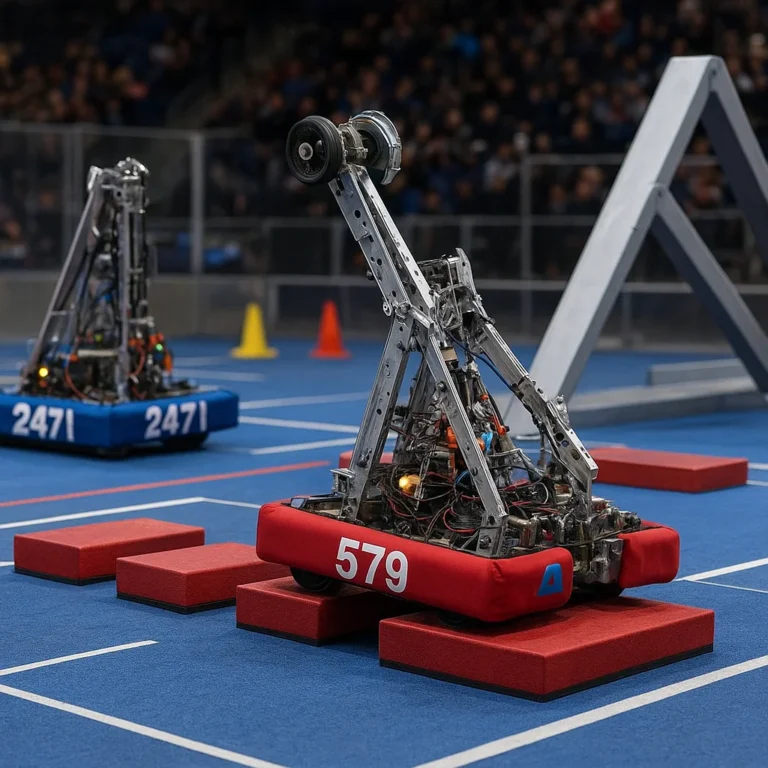
Competition kits are designed around building, testing, and improving a robot under a defined set of rules. They can be excellent for teamwork and engineering habits, but they’re not necessarily the easiest first kit for a casual weekend build.
The VEX V5 Competition Starter Kit is one example of a competition-focused platform. Because product contents and rules can change, use VEX’s current official materials to verify what’s included and what the active program requires. A temporary security-verification page is not a product specification; it tells us only that a site is asking to verify access.
Choose competition hardware when the competition itself is part of the goal. If the learner mainly wants to build and experiment at home, a smaller educational or maker kit may be a gentler first step.
15 Best Robot Kits for Kids, Teens, and Adults
There is no universal winner: the right kit depends on whether you value guided coding, reconfigurable building, open electronics, or team competition. Here’s a practical shortlist of established products and platforms to investigate. Always verify the current model, included parts, device support, and age guidance on the linked manufacturer pages.
| Robot kit or platform | Best suited to | What stands out | Check before choosing |
|---|---|---|---|
| LEGO Education SPIKE Essential | Elementary learners | Guided building and coding activities | Classroom-focused ecosystem and device needs |
| LEGO Education SPIKE Prime | Middle-school learners and clubs | More advanced modular construction and programming | Confirm software availability for your device |
| LEGO MINDSTORMS Robot Inventor | Existing LEGO robotics fans | Robot-building lineage and programmable models | Check current availability and support status |
| LEGO BOOST Creative Toolbox | Guided creative building | LEGO construction paired with interactive projects | Check app and operating-system compatibility |
| Wonder Workshop Dash | Early coding and classroom activities | Ready-to-use robot with app-based learning | It is less of a build-from-parts kit |
| Sphero indi | Young learners | Hands-on, screen-light coding activities | Check whether you want a robot car or a construction kit |
| Sphero BOLT | Coding and sensor experiments | Programmable robot ball and app activities | Confirm accessory and device requirements |
| Makeblock mBot | Beginner robotics and coding | Buildable robot with a learning pathway | Review the exact version and included sensors |
| Makeblock mBot Ultimate | Older learners and makers | Multiple build configurations and deeper customization | More assembly and programming effort |
| Makeblock Codey Rocky | Beginner app-based coding | Combines coding activities with mobile movement | Check current software compatibility |
| Thames & Kosmos robotics kits | Guided mechanical exploration | Kits vary from simple mechanisms to programmed models | Verify the exact manual, parts, and app for the model |
| ELEGO Smart Robot Car Kit | Arduino-oriented hobbyists | Common maker-style wheled robot format | Identify the board version and check assembly instructions |
| SunFounder PiCar-X | Raspberry Pi learners | Robotics projects with a small-computer focus | Check whether the Raspberry Pi itself is included |
| VEX V5 Competition Starter Kit | School and competition teams | Competition-oriented robotics ecosystem | Confirm current kit contents, game rules, and team needs |
| Arduino robotics and starter projects | Teens, adults, and makers | Open-ended electronics and coding projects | A project may require extra motors, drivers, tools, or a chassis |
Best Robot Kits for Young Beginners
For young learners, the best first experience is often easy to start, hard to break, and rewarding without a long setup.
- Wonder Workshop Dash suits learners who want to start exploring programmed movement quickly.
- Sphero indi offers a more screen-light approach to basic sequencing.
- LEGO Education SPIKE Essential is worth considering for structured building and coding activities, especially in a classroom or supervised learning setting.
The important trade-off: a ready-to-use robot can make coding feel immediate, while a buildable kit adds mechanical learning but can demand more patience. If the child loves constructing models, don’t skip the build. If they’re eager to make something move, a preassembled robot may earn more enthusiasm.
Best Coding Robot Kits for Kids
Look for kits that teach concepts progressively: sequence first, then loops, conditions, events, and sensor responses. A flashy app is less valuable if it has only a handful of repeatable activities.
- LEGO Education SPIKE Essential and SPIKE Prime offer structured learning ecosystems.
- Dash focuses on app-guided robot interaction.
- Sphero BOLT adds programmable behavior to a mobile robot platform.
- Makeblock mBot combines assembly with coding activities.
For a classroom, teacher resources and repeatable lessons matter. At home, a child may care more about whether they can invent their own challenge. Ask both questions before choosing.
Best Arduino and Raspberry Pi Robot Kits
For learners ready to see more of the electronics, consider ELEGO’s Arduino-style robot cars or SunFounder’s PiCar-X. These platforms can be rewarding, but they are not always plug-and-play.
Before ordering, verify:
- Whether the Arduino board or Raspberry Pi is included.
- Which operating system and software version the instructions assume.
- Whether motors, motor drivers, battery holders, and sensors are supplied.
- Whether the manufacturer provides current example code.
- Whether replacement parts and community help are accessible.
A kit that clearly documents these details is often a better choice than one with a longer component list but vague instructions.
Best Advanced and Competition Robot Kits
For older learners or teams, VEX V5 offers a competition-oriented route, while Makeblock mBot Ultimate and Arduino/Raspberry Pi platforms support open-ended project work.
The distinction is practical:
- Competition systems reward teamwork, reliability, repeatable assembly, and strategic design.
- Maker kits reward experimentation and customization.
- Advanced educational kits may blend both, but can still depend on proprietary parts or software.
A provided video overview highlights LEGO BOOST, Wonder Workshop Dash, Makeblock mBot Ultimate, and a Thames & Kosmos kit as examples across different learner needs. Its recommendations are useful as a starting perspective, not a substitute for checking current model details, app support, and the actual contents of the specific package. See the video’s perspective.
How to Choose the Right Robot Kit
Before buying, answer one simple question: what should the learner be able to do after the first afternoon? Build a moving model? Write a short program? Make a sensor trigger a response? Compete with a team? That answer quickly narows the field.
Match the Kit to Age and Experience
Age labels are useful, but they cannot describe every child’s patience, dexterity, reading ability, or familiarity with devices. Treat the manufacturer’s guidance as a starting point, then consider whether an adult will be available to help.
| Learner profile | What to prioritize |
|---|---|
| Young first-timer | Large, manageable parts; short activities; clear visual instructions |
| Elementary learner | Guided coding, repeatable challenges, immediate feedback |
| Middle-school maker | Rebuildable designs, sensors, increasingly open programming |
| Teen or adult beginner | Well-documented code, explanations of electronics, upgrade options |
| Competition team | Durable parts, rules compatibility, documentation, replacement support |
Look for activities that can be completed at different levels. A younger builder may focus on getting the wheels turning; an older learner can tune the program to respond to a sensor.
Compare Coding Languages and Programming Options
A beginner may do well with blocks. A more experienced learner might prefer Python, Arduino’s programming environment, or another text-based language. Some kits support more than one route; verify that the transition is genuinely supported, not merely mentioned in marketing material.
| Programming approach | Advantages | Trade-offs |
|---|---|---|
| Buttons or remote control | Immediate, accessible operation | Limited programming practice |
| Block-based coding | Visual and beginner-friendly | May feel restrictive for advanced projects |
| Text-based programming | Flexible and transferable | Syntax errors and setup can frustrate beginners |
| Hybrid options | Lets learners progress over time | Software support can vary by model |
The Scratch project environment is a well-known example of block-based programming. Robot kit software is different from Scratch unless the manufacturer explicitly says it is compatible—check before assuming code or skills transfer directly.
Check Sensors, Motors, and Expandability
A long sensor list looks impressive, but ask what the kit lets you do with each sensor. Can you run a meaningful activity? Is the relevant code explained? Is the sensor easy to replace or reposition?
- Distance sensors can support obstacle detection.
- Line sensors can help a robot follow a marked route.
- Light sensors can respond to brightness.
- Encoders, when present, can help track motor rotation.
- A motor driver provides the electrical interface needed to control motors safely from a controller.
Also check expansion options. Are extra parts sold separately? Are standard mechanical or electronic connections used? Can you rebuild the chassis? More expandability is valuable only if the learner is likely to use it.
Review Assembly, Tools, and Included Parts
Read the package contents—not just the hero image. A kit may require a screwdriver, batteries, a supported device, or a controller board that is sold separately.
Make a quick checklist:
- Parts, cables, motors, and sensors included.
- Required tools, batteries, or charger.
- Required phone, tablet, or computer.
- Assembly time and supervision recommendations.
- Whether the software and instructions can be accessed before purchase.
A “kit” can mean anything from a ready-to-run robot to a bag of components. That naming difference explains why two products with similar titles can deliver very different first-day experiences.
Consider Software, Support, and Community
Software changes; devices get updated; apps are retired. Check the product’s support page and app-store listings for current compatibility before committing.
Look for:
- Current setup guides and downloadable manuals.
- Software compatibility details by operating system.
- Troubleshooting advice and firmware updates.
- Replacement parts and warranty information.
- An active user community or official learning resources.
Makeblock promotes free coding courses and project resources alongside its kit collection. That’s a useful support signal, but it is still worth checking that resources match the exact product generation you’re considering.
Robot Kit Safety, Compatibility, and Quality Checks
Robot kits are generally designed for hands-on learning, but age guidance and adult supervision still matter. Small parts, wires, batteries, moving mechanisms, and tools deserve ordinary care.
| Check | Why it matters |
|---|---|
| Age and choking guidance | Small pieces may not suit younger children. |
| Battery instructions | Use the specified battery type and follow charging guidance. |
| Moving parts | Keep fingers, hair, and loose clothing clear of gears and wheels. |
| Electrical connections | Follow the wiring diagram; avoid shorting power connections. |
| Device compatibility | An unsupported phone or operating system can prevent setup. |
| Data and account requirements | Review app permissions and account needs before handing a device to a child. |
We recommend an adult check the build before powering it for the first time—especially for exposed wiring, loose fasteners, or parts that can bind. For broader guidance on responsible use and risk awareness, see our Robot Ethics and Safety resources.
The U.S. Consumer Product Safety Commission offers toy safety guidance. For connected products, also review the manufacturer’s privacy information and the permissions requested by its app. A robot that drives itself still follows the instructions you give it; account access and data practices are part of the buying decision too.
What You Need to Build a Robot
The kit box may contain nearly everything—or only the core parts. Check the contents before you clear the kitchen table and announce, “We’re building a robot!” 😄
Essential Tools and Workspace Setup
Many beginner kits need no special workshop. A clear table, small containers for parts, and good lighting go a long way.
| Item | When it helps |
|---|---|
| Small screwdriver | Fasteners or battery compartments |
| Part tray or bowls | Stops tiny connectors from escaping |
| Laptop, tablet, or phone | Required by app- or code-based kits |
| Notebook | Record changes, test results, and bugs |
| Safety glasses | Helpful for some cutting, drilling, or maker projects |
For more advanced builds, use only the tools recommended by the manufacturer. Don’t improvise with power tools on a beginner kit: a misjudged cut can turn “robotics afternoon” into “search for replacement chassis afternoon.”
Batteries, Chargers, and Power Requirements
Power is a frequent source of avoidable frustration. Check the required battery chemistry, size, quantity, and whether a charger is included. Rechargeable cells may be convenient, but use a compatible charger and follow its instructions.
For Arduino or Raspberry Pi builds, distinguish between powering the controller and powering the motors. Motors can draw more current than a controller board is designed to supply. Use the specified motor driver and power arrangement; don’t assume a USB port or controller pin can run a motor directly.
How to Assemble and Program Your First Robot
Here’s a steady first-build workflow. It’s less dramatic than dumping every part onto the floor, but it has a much higher chance of producing a robot that moves before bedtime. 🛠️
Build the Chassis and Install the Motors
- Sort the parts against the manual or inventory list. Identify the chassis, fasteners, wheels, and motor mounts.
- Build the frame loosely first if the instructions allow it. Check orientation before tightening everything.
- Install the motors in matching positions. Confirm that the left and right sides are not reversed.
- Attach the wheels or tracks and rotate them by hand. They should move without rubbing against the frame.
- Secure fasteners without overtightening. Plastic pieces can crack; small threaded parts can strip.
- Compare your build with the diagram before connecting power.
If the wheels bind, don’t compensate by increasing motor power. Find the mechanical cause first: a tilted axle or overtightened mount can make a small robot behave as though it has very serious opinions about turning left.
Connect the Controller and Sensors
- Power off the robot before wiring or changing connections.
- Match each motor and sensor to the correct port shown in the manual.
- Check connector orientation and cable routing.
- Keep cables away from wheels, gears, and joints.
- Confirm the power source and voltage requirements.
- Have an adult inspect exposed wiring before switching on.
Never assume two connectors are interchangeable because they fit. Port labels and electrical requirements matter. For electronics background, the Arduino documentation and Raspberry Pi documentation are useful starting points for their respective platforms.
Write and Test Your First Program
- Install the correct app or coding software from the manufacturer’s official source.
- Connect the robot using the method specified: Bluetooth, USB, or another supported connection.
- Start with a simple action, such as moving one motor briefly or changing an LED.
- Test movement with the robot lifted or wheels safely clear of the table, if the manual recommends it.
- Place the robot in an open area and run a short movement program.
- Change one variable at a time—speed, direction, duration, or sensor threshold.
- Record what changed and what happened.
- Add complexity gradually: a turn, a loop, then a sensor response.
This is where learners discover the most satisfying robotics trick: when a robot does something unexpected, the first question isn’t “Is it broken?” It’s “Which assumption did we make?”
Robot Kit Projects and Upgrades
The first successful build is the opening chapter, not the whole story. A good robot kit makes it easy to invent another challenge without buying a new robot.
Beginner Robotics Projects
Try projects that teach one concept at a time:
- Drive a square: practice sequencing and turning.
- Follow a line: explore sensors, thresholds, and calibration.
- Stop before an obstacle: introduce distance sensing and conditional logic.
- React to light: test how sensor readings change in different locations.
- Create a repeatable dance: combine timing, direction, and loops.
Keep the goal observable. “Make it smarter” is vague; “stop when the obstacle is closer than the chosen threshold” gives you something you can test.
Intermediate and Advanced Robot Builds
Once the basics feel familiar, add a second challenge:
- Build a small robotic arm and compare different gripping motions.
- Add a sensor and tune how the robot responds to its environment.
- Improve turning accuracy by changing the chassis or program.
- Create a simple autonomous robot that completes a route with minimal remote control.
- Combine a small computer with a microcontroller for a more capable project.
For context on how robots sense and respond to their surroundings, browse our machine learning coverage. Machine learning is not required for ordinary robot-kit programming: a robot following a fixed set of rules is not automatically learning from data.
Ways to Customize and Expand a Robot Kit
Before upgrading, check the platform’s compatibility and power limits.
- Add only sensors supported by the controller and software.
- Secure wires so they cannot catch in moving parts.
- Record the original wiring and code before making changes.
- Use manufacturer-approved or clearly compatible batteries and chargers.
- Keep the original parts; they’re useful for diagnosing problems.
A lightweight chassis can be easier to control; extra parts can also add weight, complexity, and battery demand. More hardware is not always more capability—sometimes the best upgrade is a better program.
Troubleshooting Common Robot Kit Problems
Start with the simplest explanation. A surprising number of “robot failures” turn out to be a reversed motor wire, an undercharged battery, or a cable that has worked loose.
| Symptom | Checks to make |
|---|---|
| Robot won’t power on | Battery charge, battery orientation, switch position, power connection |
| App can’t find the robot | Bluetooth or USB setting, app permission, device compatibility, pairing instructions |
| One wheel spins the wrong way | Motor orientation, wiring, direction setting in the code |
| Robot vers or turns poorly | Wheel alignment, loose mounts, unequal motor settings, uneven surface |
| Sensor gives odd readings | Port selection, sensor position, calibration, lighting or surface conditions |
| Code won’t upload | Correct board or robot model, cable, software version, selected port |
| Motors stop under load | Binding wheels, weak battery, wiring fault, or a power arrangement outside specification |
A reliable debugging sequence:
- Power down before checking wiring.
- Confirm the build matches the instructions.
- Check the batteries and cables.
- Test one motor or sensor at a time.
- Return to the simplest working program.
- Change one thing, test again, and write down the result.
- Consult the exact model’s official troubleshooting guide.
If a component becomes hot, smells unusual, or behaves erratically, disconnect power and stop testing. Don’t keep repeating the same run and hope the robot eventually develops better manners.
Robot Kit Costs and Long-Term Value
We’re not listing prices here because product and retailer prices change. Instead, compare what you get over time, not just how many parts are pictured on the box.
| Value factor | Why it matters |
|---|---|
| Reusable parts | Supports new builds after the first project. |
| Progressive activities | Helps the kit stay interesting as skills grow. |
| Replacement components | Makes repair easier than replacing the entire kit. |
| Software longevity | Reduces the risk of an unsupported app ending the project early. |
| Learning resources | Adds guided challenges and troubleshooting help. |
| Compatibility | Standard or well-documented connections can extend usefulness. |
A cheaper-looking kit can become a false economy if it requires extra hardware or has limited instructions. A more structured kit may earn its place if it gets used repeatedly, especially in a classroom or club. Think in terms of cost per completed project, not cost per included screw.
Robot Kits for Classrooms, Clubs, and Homeschooling
For a group, the best kit is not always the most powerful one. It is the one that supports repeatable lessons, manageable setup, safe sharing, and easy recovery when something goes wrong.
Teachers and club organizers should consider:
- Age range and differentiation: Can the same kit support more than one difficulty level?
- Setup time: Does each session begin with account creation and updates, or with building?
- Device access: Are enough compatible computers or tablets available?
- Parts management: Are components easy to identify, store, and replace?
- Team roles: Can students share design, coding, testing, and documentation tasks?
- Curriculum support: Are lessons and learning objectives available?
- Competition needs: Is the kit compatible with the program and current rules?
Homeschoolers may value flexible projects that can be revisited over weeks. Clubs may prioritize durable parts and group-friendly challenges. A kit that works beautifully for one learner at home may be awkward when ten teams need the same missing connector at once.
For lesson design, it can help to connect robotics activities with relevant computer science learning standards and the manufacturer’s official materials. The kit supplies the tools; the learning comes from asking learners to explain why a robot behaved as it did.
What Robot Kits Teach: STEM, Coding, and Engineering Skills
A thoughtfully used kit can help learners practice more than programming. It can make abstract ideas visible: wheels turn, sensors produce readings, and tiny changes in a design can alter what the robot does.
| Skill | Example in a robot project |
|---|---|
| Engineering design | Build, test, identify a problem, and revise the structure |
| Programming | Use sequences, loops, conditions, or events |
| Scientific reasoning | Form a prediction, run a test, and compare results |
| Mathematics | Estimate distance, timing, angles, or repeated movement |
| Collaboration | Share build, coding, testing, and documentation roles |
| Persistence | Debug one variable at a time instead of guessing |
The National Science Teaching Association and CSTA standards provide broader educational context for engineering and computing. A kit alone cannot guarantee learning: the quality of questions, activities, and feedback matters.
Our favorite teaching prompt is simple: “What did you expect the robot to do, and what evidence showed you what it actually did?” That question turns a disappointing test run into useful information—and sometimes into a very funny robot rescue mission.
The Future of Educational Robotics Kits
Educational robotics is moving toward more capable sensors, richer software, connected devices, and tools that can support more personalized projects. Those advances bring opportunity, but the basics remain the same: clear instructions, safe hardware, durable parts, and software that works on real devices.
As kits add AI-oriented features, it helps to separate a genuine machine-learning activity from ordinary programmed behavior. If a robot follows a fixed “if this, then that” rule, it is using programmed logic; it is not necessarily learning. For more on the distinction, see our machine learning category.
When evaluating newer features, ask:
- Can learners see how a result was produced?
- Does the kit work without a permanent internet connection?
- What data does its app collect?
- Are updates and support likely to remain available?
- Does the new feature deepen the project or simply decorate it?
The most promising kit is not the one with the longest list of futuristic features. It’s the one that helps you build something, understand it, and then wonder what would happen if you changed one more thing.