Support our educational content for free when you purchase through links on our site. Learn more
🤖 15 Essential Robot Workshops & Activities for 2026

Remember the first time you saw a machine move on its own? For us at Robot Instructions™, it wasn’t in a high-tech lab, but in a dusty garage where a homemade rover named “Sparky” managed to drive three feet before tipping over. That moment of chaotic failure sparked a lifelong obsession with robot workshops. Today, these spaces have evolved from simple tinkering dens into the breeding grounds of the next industrial revolution, blending AI, soft robotics, and human-robot interaction in ways Karel Čapek could never have imagined.
In this comprehensive guide, we’re cutting through the noise to bring you the 15 essential robot workshop activities that will transform you from a curious observer into a skilled engineer. Whether you are a parent looking to spark your child’s interest in STEM, a student aiming for the FIRST Robotics podium, or a professional seeking to master ROS 2 and computer vision, we’ve got you covered. We’ll reveal why the “garage era” is dead, how to choose the perfect kit without breaking the bank, and the specific programming languages you need to speak to command the machines of tomorrow.
But here’s the twist: the most successful robot builders aren’t the ones with the most expensive parts; they are the ones who embrace failure as data. We’ll show you exactly how to avoid the common pitfalls that ground 90% of DIY projects and guide you toward the global competitions where the future is being written. Ready to stop watching and start building? Let’s dive into the ultimate roadmap for robot workshops in 2026.
Key Takeaways
- Start Small, Scale Fast: Success in robot workshops begins with mastering foundational skills like PID control and basic mechanical assembly before attempting complex AI integration.
- The Right Tools Matter: Choosing between Arduino for simple logic and Raspberry Pi or Jetson Nano for computer vision is critical; we break down exactly which kit fits your skill level.
- Failure is Data: The most valuable lesson from any workshop is that bugs and crashes are not dead ends, but essential data points for iterative design.
- Community Drives Innovation: Engaging with global events like Robot City Workshop or IEEE ICRA provides the collaborative troubleshooting necessary to solve real-world engineering challenges.
- Future-Proof Your Skills: Focus on machine learning, soft robotics, and ethical AI to stay ahead of the curve in the rapidly evolving field of autonomous robots.
Table of Contents
- ⚡️ Quick Tips and Facts
- 🤖 The Evolution of Robot Workshops: From Garage Hacks to High-Tech Hubs
- 🛠️ 15 Essential Robot Workshop Activities That Will Spark Your Inner Engineer
- 🎓 Choosing the Right Program: Beginner vs. Advanced Robotics Training
- 🧰 Must-Have Tools and Kits for Your Home Robot Workshop
- 🧠 Mastering the Code: Programming Languages Every Robotics Enthusiast Needs
- 🏆 Top 7 Global Robot Workshops and Competitions You Can’t Miss
- 👨 👩 👧 👦 Family Fun: How to Run a Kid-Friendly Robotics Session at Home
- ⚠️ Common Pitfalls in DIY Robotics and How to Avoid Them
- 💡 Future Trends: AI, Machine Learning, and the Next Generation of Robot Workshops
- 🏁 Conclusion
- 🔗 Recommended Links
- ❓ FAQ
- 📚 Reference Links
⚡️ Quick Tips and Facts
Before we dive into the grease, gears, and glorious code of robot workshops, let’s hit the pause button for a few rapid-fire truths that every aspiring roboticist should know. We’ve seen too many folks burn out because they skipped the basics, so consider this your “pre-flight check.”
- Safety First, Always: You wouldn’t drive a car without a seatbelt, right? Same goes for robotics. Always wear safety glasses and keep your workspace organized. A loose wire can be the difference between a cool demo and a smoky mess.
- Start Small, Dream Big: Don’t try to build a humanoid that can dance the tango on day one. Start with a line-following robot or a simple servo-controlled arm. Mastery comes from iteration, not instant perfection.
- The “It Works on My Machine” Syndrome: This is the oldest joke in the book, but it’s true. A robot that works perfectly in a controlled workshop might fail miserably on a bumpy floor. Environmental testing is non-negotiable.
- Community is Key: Robotics is rarely a solo sport. The best ideas often come from collaborative troubleshooting. Join local meetups or online forums like the Robot Instructions™ community.
- Failure is Data: When your robot flips over or the code crashes, you haven’t failed; you’ve gathered data. Every bug is a lesson in disguise.
Did you know? The term “robot” was first coined in the 1920 play R.U.R. by Karel Čapek, derived from the Czech word robota, meaning “forced labor.” Today, we’re turning that forced labor into autonomous innovation! 🤖✨
For a deeper dive into the philosophy behind our craft, check out our foundational guide on Robot Instructions.
🤖 The Evolution of Robot Workshops: From Garage Hacks to High-Tech Hubs
Remember the days when building a robot meant duct-taping a motor to a Tupperware container and hoping it didn’t explode? Those were the “Garage Hack” days, and while they had a certain charm, they lacked precision and scalability.
Fast forward today, and robot workshops have evolved into sophisticated high-tech hubs. We’ve moved from simple microcontroller tinkering to integrating AI-driven perception and soft robotics.
The Garage Era: DIY and Determination
In the early 20s, the maker movement exploded. Enthusiasts gathered in basements, fueled by coffee and Arduino boards. The focus was on mechanical assembly and basic logic loops.
- Pros: Low barrier to entry, high creativity, strong community bonding.
- Cons: Limited resources, lack of standardized safety protocols, often “trial and error” without theoretical backing.
The Modern Era: Professionalization and Specialization
Today, workshops like those at the National Robotarium or Robot City Workshop offer structured curicula. We’re seeing a shift toward industry-ready skills.
- Foundation Models: Workshops now teach how to train robots using large language models (LLMs) for better decision-making.
- Soft Robotics: Moving beyond rigid metal to flexible, safe materials that can interact with humans.
- Simulation: Before touching hardware, students spend hours in digital twins (simulations) to test algorithms.
The Big Question: If the garage era was about making it work, what is the modern era about? It’s about making it safe, scalable, and intelligent. But how do you bridge the gap between a hobbyist’s garage and a professional lab? That’s exactly what we’ll explore in the next section.
🛠️ 15 Essential Robot Workshop Activities That Will Spark Your Inner Engineer
You’ve got the passion, but what do you actually do in a workshop? We’ve compiled a list of 15 essential activities that range from beginner-friendly to advanced engineering challenges. These aren’t just busywork; they are the building blocks of robotic mastery.
🏗️ Mechanical & Structural Challenges
- The “Pick and Place” Challenge: Build a gripper that can pick up objects of varying weights (from a ping pong ball to a brick) without crushing them. This teaches force control and tactile sensing.
- Obstacle Course Navigation: Program a robot to navigate a maze with moving obstacles. This is the bread and butter of autonomous navigation.
- Balancing Act: Construct a self-balancing robot (like a Segway). It’s a crash course in PID controllers and gyroscopic stability.
- Soft Gripper Fabrication: Use silicone and air pressure to create a gripper that can handle delicate items like eggs. A must-learn for soft robotics.
- Biomimetic Design: Build a robot that mimics animal’s movement (e.g., a hexapod or a snake). This explores kinematics and locomotion.
💻 Programming & AI Integration
- Line Following with PID: Move beyond simple “if-then” logic. Implement Proportional-Integral-Derivative (PID) control for smooth tracking.
- Object Recognition with Computer Vision: Use a camera and OpenCV to identify and sort objects by color or shape.
- Voice Command Integration: Teach your robot to respond to spoken commands using Natural Language Processing (NLP).
- SLAM (Simultaneous Localization and Mapping): Map an unknown environment while keeping track of the robot’s location. This is crucial for autonomous robots.
- Swarm Robotics: Program multiple small robots to work together to solve a problem, mimicking ant or bee behavior.
🧪 Advanced & Experimental
- Human-Robot Interaction (HRI) Design: Create a robot that can interpret human gestures and emotions.
- Energy Harvesting: Build a robot that powers itself using solar or kinetic energy.
- Underwater Robotics: Design a ROV (Remotely Operated Vehicle) that can withstand water pressure and navigate currents.
- Agricultural Automation: Create a robot capable of precision weding or fruit harvesting. (Check out our deep dive on Agricultural Robotics).
- Ethical Scenario Simulation: Run simulations where the robot must make ethical decisions in complex scenarios. (Learn more about Robot Ethics and Safety).
Pro Tip: Don’t try to do all 15 at once. Pick one that excites you, master it, and then move to the next. The journey is just as important as the destination!
🎓 Choosing the Right Program: Beginner vs. Advanced Robotics Training
Not all robot workshops are created equal. Choosing the wrong one can lead to frustration (or worse, a very expensive paperweight). Here’s how to navigate the landscape.
🌱 Beginner Programs: The “Hello World” of Robotics
Target Audience: Kids, teens, and adults with zero coding experience.
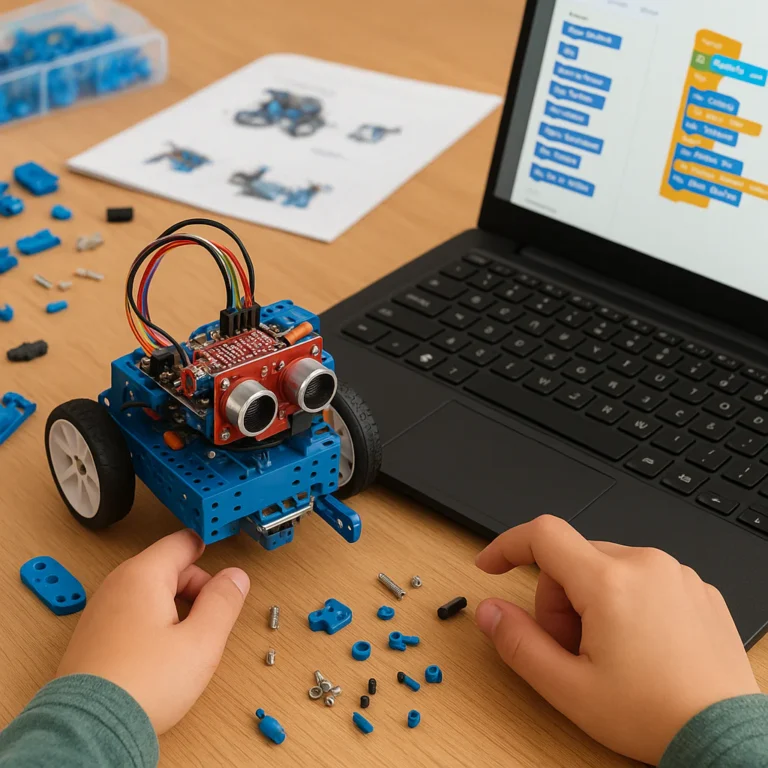
Focus: Hands-on assembly, basic logic, and visual programming (like Scratch or Blockly).
Key Features:
- Pre-built Kits: Everything you need is in the box.
- Guided Projects: Step-by-step instructions with minimal troubleshooting.
- Fun Factor: High emphasis on immediate gratification (e.g., “Make the robot dance!”).
Recommended Brands:
- LEGO Education SPIKE Prime: Great for introducing concepts without the headache of soldering.
- Makeblock mBot: Affordable and versatile for beginners.
🚀 Advanced Programs: The “Deep Dive”
Target Audience: Engineering students, professionals, and serious hobbyists.
Focus: Custom hardware design, C++/Python coding, machine learning, and robot design.
Key Features:
- Custom Builds: You design the chassis and select the components.
- Complex Algorithms: Implementing SLAM, path planning, and computer vision.
- Real-World Constraints: Dealing with battery life, sensor noise, and mechanical failures.
Recommended Brands:
- Boston Dynamics Spot: (For the ultra-advanced) Used in research for autonomous navigation.
- Universal Robots: For learning industrial collaborative robots (cobots).
📊 Comparison Table: Beginner vs. Advanced
| Feature | Beginner Programs | Advanced Programs |
|---|---|---|
| Programming Language | Block-based (Scratch, Blockly) | Text-based (Python, C++, ROS) |
| Hardware | Pre-asembled kits | Custom components, 3D printed parts |
| Learning Curve | Gentle, immediate results | Step, requires patience |
| Cost | Low to Moderate | High (tools, components, software) |
| Outcome | Functional toy/demo | Industry-ready prototype |
| Best For | Curiosity, STEM education | Career development, R&D |
The Dilemma: Should you jump straight to the deep end? Absolutely not. Even the best engineers started with a blinking LED. However, if you feel bored by block coding, don’t be afraid to ask for advanced modules in a beginner class.
🧰 Must-Have Tools and Kits for Your Home Robot Workshop
You don’t need a million-dollar lab to start building. But you do need the right gear. Here’s our essential toolkit for setting up a home robot workshop.
🔧 The Hardware Essentials
- Soldering Iron: A temperature-controlled iron is a must. Look for brands like Pinecil or Hako.
- Multimeter: For checking voltage, current, and continuity. You can’t debug what you can’t measure.
- 3D Printer: The game-changer. Print custom brackets, gears, and chassis. Prusa and Creality are reliable entry points.
- Screwdriver Set: Precision drivers for electronics and heavy-duty ones for structural work.
- Wire Strippers & Cuters: Clean cuts mean clean connections.
🧠 The Brains (Microcontrollers & Boards)
- Arduino Uno/Nano: The classic choice for beginners. Huge community support.
- Raspberry Pi 4/5: For projects requiring computer vision and Linux-based OS.
- ESP32: Great for IoT and wireless projects with built-in Wi-Fi/Bluetooth.
- Jetson Nano: NVIDIA’s board for AI and deep learning on the edge.
🤖 Top Kits to Get You Started
- LEGO Mindstorms EV3 / SPIKE Prime: Perfect for structural learning.
👉 Shop LEGO on: Amazon | LEGO Official - Makeblock mBot Ultimate: A modular robot kit that grows with you.
👉 Shop Makeblock on: Amazon | Makeblock Official - VEX Robotics V5: Used in high school and college competitions.
👉 Shop VEX on: Amazon | VEX Official
Insider Secret: Don’t buy the most expensive kit immediately. Start with a modular system like VEX or Makeblock. You can swap out parts as you learn, rather than throwing away a whole kit when you outgrow it.
🧠 Mastering the Code: Programming Languages Every Robotics Enthusiast Needs
Hardware is the body, but code is the soul. Without it, your robot is just a pile of metal and plastic. Here’s the breakdown of the languages you need to speak fluently.
🐍 Python: The Swiss Army Knife
Why: Easy to read, massive library support (OpenCV, TensorFlow, PyTorch).
Use Case: High-level logic, AI integration, and computer vision.
Real-World Example: Using Python to process camera feeds for object detection.
⚙️ C++: The Performance Beast
Why: Fast, efficient, and close to the hardware.
Use Case: Real-time control loops, motor drivers, and embedded systems.
Real-World Example: Writing the low-level code for a PID controller on an Arduino.
🦀 Rust: The Rising Star
Why: Memory safety without garbage collection. Gaining traction in autonomous robots.
Use Case: Safety-critical systems where crashes are not an option.
🤖 ROS (Robot Operating System)
Note: ROS isn’t a language; it’s a middleware framework that uses C++ and Python. It’s the industry standard for connecting sensors, actuators, and algorithms.
- ROS 2: The latest version, offering better real-time performance and security.
The “Why” Behind the “What”: Why learn C++ if Python is easier? Because when your robot needs to react in milliseconds, Python might be too slow. It’s about choosing the right tool for the job.
🏆 Top 7 Global Robot Workshops and Competitions You Can’t Miss
If you’re looking for inspiration, networking, or just to see the cuting edge of robotics, these are the events you need to know about. We’ve curated a list of the top 7, covering everything from academic research to kid-friendly fun.
-
Robot City Workshop (Chicago, USA)
Focus: Community education, “Robot Date Nights,” and youth camps.
Why Go: It’s the ultimate “come build with us” vibe. Perfect for families and beginners.
Highlight: Their Robot Birthday Parties are legendary. -
HRI 2026 Workshops (Edinburgh, UK)
Focus: Human-Robot Interaction, ethics, and design.
Why Go: Held at the National Robotarium, it’s a hub for academic and industry leaders.
Highlight: The “Expressive robot faces with Vizij” tutorial. -
IEEE ICRA (International Conference on Robotics and Automation)
Focus: The world’s largest robotics conference.
Why Go: Access to the latest research papers and foundation models.
Highlight: The “Robot World Models” and “Tactile Sensing” workshops. -
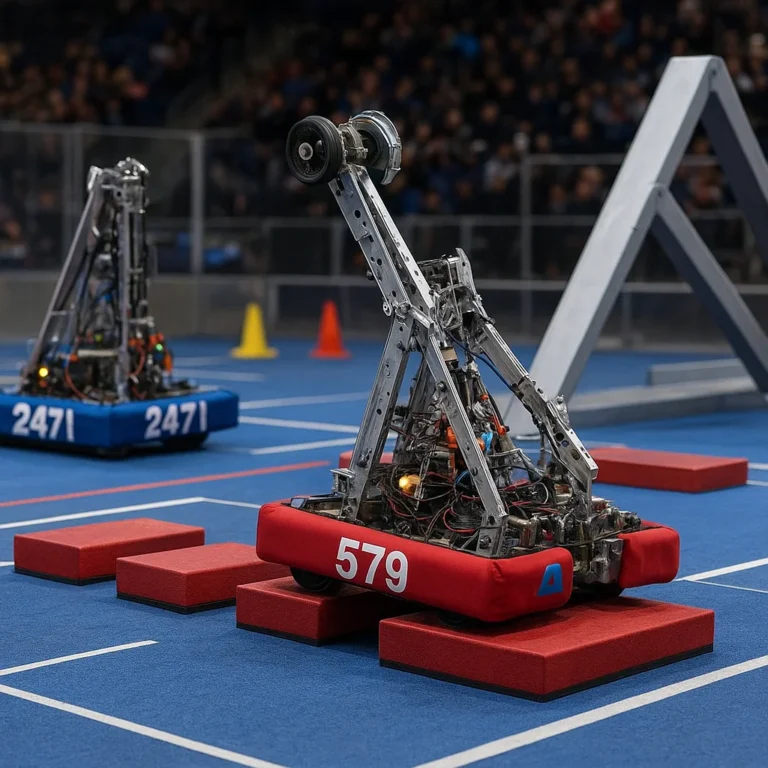
FIRST Robotics Competition (Global)
Focus: High school engineering challenges.
Why Go: The pinnacle of student robotics. Teams build massive robots in 6 weeks.
Highlight: The intense, high-stakes competition atmosphere. -
RoboCup (Global)
Focus: Autonomous soccer-playing robots.
Why Go: See autonomous agents in action. The goal is to beat the human World Cup champions by 2050.
Highlight: The humanoid and small-size league matches. -
DARPA SubT Challenge (USA)
Focus: Search and rescue in underground environments.
Why Go: Pushing the limits of autonomous navigation in GPS-denied areas.
Highlight: Robots navigating tunnels, caves, and urban ruins. -
Cybernetics Self-Organizing Systems (CSOS) Workshop
Focus: Swarm intelligence and self-organizing systems.
Why Go: For those interested in emergent behavior and decentralized control.
The Unresolved Mystery: We’ve listed the top 7, but which one is right for you? If you’re a student, FIRST is your stage. If you’re a researcher, ICRA is your mecca. If you just want to have fun, Robot City is your home.
👨 👩 👧 👦 Family Fun: How to Run a Kid-Friendly Robotics Session at Home
Who says robotics is just for adults? Running a kid-friendly robotics session at home is a fantastic way to bond and spark a lifelong interest in STEM. Here’s our step-by-step guide to hosting a mini-workshop in your living room.
📋 Step 1: Set the Stage
- Space: Clear a table. Use a “lab coat” (or just an old shirt) to make it feel official.
- Safety: Remove sharp objects. Ensure all tools are age-appropriate.
- Theme: Pick a theme! “Robot Rescue Mission” or “Build a Robot Pet.”
🛠️ Step 2: Choose the Right Kit
- Ages 5-8: LEGO WeDo or Osmo Coding. Focus on storytelling and simple mechanics.
- Ages 9-12: LEGO SPIKE Prime or Makeblock mBot. Introduce basic coding and sensors.
- Ages 13+: Arduino Starter Kit or Raspberry Pi. Tackle real coding and electronics.
🎮 Step 3: The Challenge
Don’t just follow instructions. Give them a goal.
- Example: “Your robot must cross the ‘lava’ (the floor) without touching it.”
- Example: “Program the robot to find the ‘treasure’ (a specific colored object).”
🗣️ Step 4: The Debrief
Ask questions!
- “What happened when you changed the code?”
- “Why do you think the robot fell over?”
- “How could we make it faster?”
Parent Pro Tip: Let them fail. If the robot crashes, celebrate it! “Wow, that was a cool crash! Let’s figure out why.” This builds resilience and problem-solving skills.
⚠️ Common Pitfalls in DIY Robotics and How to Avoid Them
We’ve all been there. You spend weeks building a robot, only to have it sputer and die on the first test. Here are the most common pitfalls and how to dodge them.
❌ Pitfall 1: Ignoring Power Management
The Issue: Using a battery that can’t handle the current draw, causing the robot to reset or brownout.
The Fix: Calculate your total current draw. Use a voltage regulator and a battery with sufficient mAh rating. Always test with a multimeter.
❌ Pitfall 2: Poor Cable Management
The Issue: Wires getting caught in wheels or gears, leading to mechanical failure.
The Fix: Use zip ties, heat shrink tubing, and cable channels. Keep wires away from moving parts.
❌ Pitfall 3: Overcomplicating the Code
The Issue: Writing a 10-line script before testing a single function.
The Fix: Modular coding. Test one function at a time. If the motor doesn’t spin, don’t add the camera code yet.
❌ Pitfall 4: Skipping the Simulation
The Issue: Building hardware that doesn’t work because the physics were wrong.
The Fix: Use Gazebo or Webots to simulate your robot before building. It saves time and money.
❌ Pitfall 5: Neglecting Safety
The Issue: Batteries overheating, motors spinning uncontrollably.
The Fix: Always have a kill switch. Use fuses and thermal protection. Never leave a charging battery unattended.
The Golden Rule: Simplicity is the ultimate sophistication. If it’s too complex, it will break. Start simple, test, then add complexity.
💡 Future Trends: AI, Machine Learning, and the Next Generation of Robot Workshops
The future of robot workshops is not just about building robots; it’s about teaching them to think. Here’s what’s on the horizon.
🧠 AI and Foundation Models
We are moving from hard-coded rules to learning from data. Future workshops will focus on training robots using large language models (LLMs) and vision-language-action (VLA) models.
- Impact: Robots that can understand natural language commands like “Pick up the red cup and put it on the table” without specific programming.
- Source: See the latest research on Machine Learning for more details.
🤝 Human-Robot Collaboration
The next generation of robots will work with humans, not just for them. Workshops will teach collaborative robotics and safety protocols for shared workspaces.
- Trend: Cobots (collaborative robots) that can sense human presence and adjust their speed.
🌍 Sustainability and Green Robotics
As climate change accelerates, green robotics will become a priority. Workshops will focus on energy-efficient designs, recyclable materials, and autonomous environmental monitoring.
- Focus: Solar-powered robots, biodegradable components, and agricultural automation for sustainable farming.
🏭 Industry 4.0 Integration
Workshops will increasingly mirror industrial environments, teaching students about IoT, cloud robotics, and digital twins.
- Goal: Preparing students for the smart factory of the future.
The Final Question: As AI takes over the “thinking” part of robotics, what will be left for humans to do? The answer lies in creativity, ethics, and design. The robots will follow our lead.
🏁 Conclusion

We’ve journeyed from the dusty garages of the past to the high-tech labs of the future, exploring the 15 essential activities, the tools of the trade, and the languages of the future. But remember, the most important component in any robot workshop isn’t the latest microcontroller or the most advanced AI model—it’s you.
Whether you’re a parent hosting a family session, a student tackling a FIRST Robotics challenge, or a professional diving into foundation models, the path to robotics mastery is paved with curiosity, failure, and iteration.
Our Recommendation:
- For Beginners: Start with a LEGO SPIKE Prime or Makeblock mBot kit. Focus on the joy of building.
- For Intermediates: Dive into Arduino and Python. Learn to code your own logic.
- For Advanced: Explore ROS 2, computer vision, and AI integration. Push the boundaries of what’s possible.
Don’t let the complexity scare you. Every expert was once a beginner who refused to give up. So, grab your tools, fire up your code editor, and start building. The future of robotics is waiting for you to shape it.
Did we answer your question? We hope so! But if you’re still wondering where to start, remember: the best time to build a robot was yesterday. The second best time is now.
🔗 Recommended Links
Ready to get your hands dirty? Here are our top picks for kits, books, and resources to kickstart your robot workshop journey.
🛒 Shop Top Robot Kits
- LEGO Education SPIKE Prime: Amazon | LEGO Official
- Makeblock mBot Ultimate: Amazon | Makeblock Official
- VEX Robotics V5: Amazon | VEX Official
- Arduino Starter Kit: Amazon | Arduino Official
- Raspberry Pi 5 Kit: Amazon | Raspberry Pi Official
📚 Must-Read Books
- “Make: Robotics” by Simon Monk: A comprehensive guide for beginners. Amazon
- “Programming Robots with ROS” by Morgan Quigley: The bible for ROS developers. Amazon
- “The Art of Robotics” by James H. Clark: Insights into the future of AI and robotics. Amazon
❓ FAQ

What are the best robot workshops for beginners?
For absolute beginners, Robot City Workshop in Chicago offers excellent introductory classes. Online, Udemy and Coursera have highly-rated courses on Arduino and Python for robotics. Look for programs that emphasize hands-on projects over pure theory.
Read more about “DIY Robot Instructions: 20 Expert Steps to Build Your Bot 🤖 (2025)”
How much does it cost to join a robot workshop?
Costs vary wildly. A local community center workshop might cost $50-$10 for a weekend, while a university-level course can run into the thousands. Home kits range from $50 for a simple Arduino starter to $50+ for advanced robotic arms. The key is to start small and scale up.
What age group are robot workshops suitable for?
Robotics is for all ages!
- Ages 5-8: LEGO WeDo, Osmo.
- Ages 9-12: LEGO SPIKE, Makeblock.
- Ages 13+: Arduino, Raspberry Pi, ROS.
- Adults: Professional development courses and hobbyist meetups.
Read more about “7 Automated Canine Companions That Will Blow Your Mind in 2026 🐕”
Do robot workshops provide all necessary materials?
Most organized workshops (like those at Robot City or university programs) provide all necessary kits, tools, and materials. However, for home-based workshops, you’ll need to purchase your own components, tools, and software. Always check the workshop description before signing up.
Can I build my own robot in a workshop?
Absolutely! In fact, that’s the whole point. Whether you’re following a kit or designing from scratch, building your own robot is the core activity. Advanced workshops often encourage custom designs and open-source projects.
What skills will I learn at a robot workshop?
You’ll learn a mix of mechanical engineering (design, assembly), electronics (sensors, circuits), programming (C++, Python, ROS), and problem-solving. You’ll also gain experience in teamwork, project management, and safety protocols.
Are there online robot workshops available?
Yes! Platforms like Coursera, edX, and Udemy offer comprehensive online robotics courses. Some even provide virtual labs where you can simulate robot behavior. For a more interactive experience, check out Robot Instructions™ online resources and community forums.
📚 Reference Links
- Robot City Workshop: Entertainment and Education Proves Electric at Robot City Workshop
- IEEE ICRA 2026: Robotics Conference Workshops
- HRI 2026: Human-Robot Interaction Workshops
- National Robotarium: Heriot-Watt University
- Boston Dynamics: Spot Robot
- OpenCV: Computer Vision Library
- ROS (Robot Operating System): ROS 2 Documentation
- Arduino: Official Website
- Raspberry Pi: Official Website
- LEGO Education: SPIKE Prime
- Makeblock: mBot
- VEX Robotics: V5 System