Support our educational content for free when you purchase through links on our site. Learn more
🤖 The Ultimate Robot Hobbyist Guide: 7 Steps to Build Your First Bot (2026)

You don’t need a degree in engineering or a warehouse full of parts to become a Robot hobbyist; you just need a microcontroller, a few servos, and the courage to burn a finger or two. The barrier to entry has never been lower, yet the learning curve remains steep enough to keep you engaged for a lifetime.
We once watched a team of engineers spend three weeks debugging a “simple” line-follower, only to realize they had wired a single sensor backward. It’s a rite of passage that separates the dreamers from the builders.
Did you know that the first programmable robot, Unimate, was installed in a General Motors plant in 1961, yet today you can buy a robot kit for less than the cost of a dinner for two?
The landscape has shifted from industrial giants like Comau to accessible DIY platforms, but the core challenge remains: turning code into motion.
Whether you are aiming to build a simple obstacle-avoider or a fully autonomous SLAM rover, the journey begins with understanding your tools and your limits.
Key Takeaways
- Start with the basics: Master microcontrollers like Arduino before jumping into complex ROS 2 systems to avoid frustration.
- Safety is non-negotiable: Always use fuses and proper LiPo battery handling to prevent fires or injury.
- Community matters: Leverage forums like ROS Discourse and Robot-Forum to troubleshoot issues faster than you can Google them.
- Budget wisely: Invest in quality sensors and motors, but save money by 3D printing your own chassis.
- Embrace failure: Debuging is 90% of the job; expect your first build to fail, and learn from every spark.
Table of Contents
- ⚡️ Quick Tips and Facts
- 🤖 From Sci-Fi Dreams to Garage Reality: A Brief History of the Robot Hobbyist
- 🛠️ Choosing Your First Build: Kits vs. Custom Chassis
- 🧠 The Brains of the Operation: Microcontrollers and Single-Board Computers
- 👀 Giving Your Bot Eyes: Sensors, Cameras, and Lidar
- 🦵 Legs, Wheels, or Treads? Selecting the Right Locomotion System
- 🔋 Powering Up: Batteries, Voltage Regulators, and Safety
- 💻 Coding Your Creation: Languages, Frameworks, and ROS
- 🏗️ 10 Essential Tools Every Robot Hobbyist Needs in Their Workshop
- 🚀 7 Advanced Projects to Level Up Your Skills
- 🌐 Joing the Community: Forums, Competitions, and Meetups
- 💸 Budgeting for Bot Building: Where to Splurge and Where to Save
- 🛡️ Troubleshooting Common Pitfalls and Debuging Strategies
- 📢 Advertising from our Partners
- 💼 Job Postings for Aspiring Robotics Engineers
- 📅 July 2026: Upcoming Events and Deadlines
- 🏷️ Tag Cloud: Top Trends in DIY Robotics
- 🏁 Conclusion: Your Journey Begins Now
- 🔗 Recommended Links
- ❓ FAQ: Frequently Asked Questions for Robot Hobbyists
- 📚 Reference Links
⚡️ Quick Tips and Facts
Before you burn a hole in your wallet or your fingertips, let’s hit the pause button and drop some hard truths from the Robot Instructions™ garage. We’ve seen too many “weekend warriors” turn into “month-long frustrated sitters” because they skipped the basics.
- Start Small, Dream Big: Your first robot doesn’t need to walk on Mars. It needs to move from point A to point B without catching fire. ✅
- The “Servo” Secret: If you can only do one project to start in robotics, build your own servo. It teaches you the holy trinity of robotics: motors, encoders, and control loops. 🤖
- Safety First, Always: Industrial robots (like the Comau units we’ll discuss later) can crush a limb. Even a $20 hobby bot can pinch a finger. Never bypass safety limits. ❌
- Documentation is King: If a kit comes with instructions only in Chinese and no English diagrams, you’re not buying a robot; you’re buying a puzzle with missing pieces. 🧩
- Power is the Silent Killer: 90% of “ghost in the machine” issues are actually voltage drops or noise interference from motors.
Pro Tip: Before you solder a single wire, check out our guide on Robot Instructions to understand the philosophy behind safe, sustainable DIY robotics.
🤖 From Sci-Fi Dreams to Garage Reality: A Brief History of the Robot Hobbyist

The dream of building a mechanical companion isn’t new. It started with Leonardo da Vinci’s automata knights in the 15th century, but the real “hobbyist” explosion happened when the microcontroller arrived.
In the 1980s, if you wanted a robot, you needed a degree in electrical engineering and a budget that rivaled a small car. Then came the Arduino in 205. Suddenly, a kid in a garage could control a motor with 10 lines of code. The barrier to entry plummeted.
Fast forward today, and we have ROS 2 (Robot Operating System) running on $60 single-board computers. But with this democratization comes a new problem: complexity. As one frustrated hobbyist on the Open Robotics forum put it, “The diversity of sensors, user installations, languages… seems to me just a chaotic mess.”
We’ve moved from the era of “build a line-follower” to “build a fully autonomous SLAM-enabled rover.” The question is: Are we ready for the jump, or are we just buying expensive paperweights?
🛠️ Choosing Your First Build: Kits vs. Custom Chassis
So, you’re ready to build. Do you buy a pre-packaged kit or start from scratch? This is the eternal debate in the workshop.
The Case for Kits
Kits like the Dexter Industries GoPiGo3 or Yahboom ROSMaster are tempting. They come with everything you need: chassis, motors, sensors, and often a “Hello World” tutorial.
- ✅ Pros: Fast setup, guaranteed compatibility, great for learning specific frameworks (like ROS).
- ❌ Cons: You learn to assemble, not necessarily to design. If something breaks, you’re stuck with proprietary parts.
The Case for Custom Builds
Building from scratch (using 3D printed parts, aluminum extrusions, or acrylic) forces you to understand the physics.
- ✅ Pros: Total control, cheaper in the long run, teaches mechanical design.
- ❌ Cons: Time-consuming, high risk of compatibility issues, requires a wider toolset.
The Verdict: If you want to learn Robot Design, start custom. If you want to learn Machine Learning or Autonomous Robots quickly, start with a kit.
🧠 The Brains of the Operation: Microcontrollers and Single-Board Computers
Your robot needs a brain. But which one?
Microcontrollers (The Reflexes)
These handle low-level tasks: reading sensors, spinning motors, and blinking LEDs.
- Arduino Uno: The classic. Forgiving, huge community, perfect for beginners.
- ESP32: Faster, has built-in Wi-Fi/Bluetooth. Great for IoT robots.
- STM32: The professional choice. Faster clock speeds, more memory.
Single-Board Computers (The Cortex)
These run full operating systems (Linux), allowing for complex AI, camera processing, and ROS.
- Raspberry Pi 4/5: The gold standard. Massive support, runs ROS 2 Humble beautifully.
- NVIDIA Jetson Nano/Orin: The AI beast. If you need real-time object detection, this is your only choice.
- Rock Pi: A solid alternative to Raspberry Pi with better I/O options.
Comparison Table: Brain Power
| Feature | Arduino Uno | Raspberry Pi 4 | NVIDIA Jetson Orin |
|---|---|---|---|
| OS | None (Firmware) | Linux (Ubuntu/Debian) | Linux (Ubuntu) |
| Best For | Motor Control, Sensors | Logic, ROS, Camera | Deep Learning, SLAM |
| Difficulty | Low | Medium | High |
| Cost | $ | $$ | $$$ |
| Power Draw | Low | Medium | High |
Insider Tip: Don’t try to run a complex ROS 2 navigation stack on an Arduino. It’s like trying to run a video game on a calculator. Use the Arduino for the “reflexes” and the Raspberry Pi for the “thinking.”
👀 Giving Your Bot Eyes: Sensors, Cameras, and Lidar
A blind robot is a dangerous robot. Let’s talk about perception.
Ultrasonic Sensors (The Bat)
Cheap and easy. Great for simple obstacle avoidance.
- HC-SR04: The classic. Works well in open spaces but fails with soft surfaces or narrow gaps.
Infrared (IR) Sensors
Good for line following and short-range detection.
- Sharp GP2Y0A21: Analog output, better for distance measurement than ultrasonics in some cases.
Cameras & Depth
This is where the magic happens.
- Webcams: Cheap, but no depth info.
- Stereo Cameras (Oak-D-Lite): Provides depth data without a spinning laser. Great for SLAM.
- Lidar: The gold standard for mapping.
RPLidar A1: Affordable 2D scanning.
Velodyne: Expensive, 3D, industrial grade.
The “First Video” Insight: As mentioned in our foundational tutorial, building your own servo is the first step. But once you have movement, you need feedback. The AS560 magnetic encoder mentioned in the video is crucial for knowing exactly where your motor is, which is the first step toward true autonomy.
🦵 Legs, Wheels, or Treads? Selecting the Right Locomotion System
How should your robot move?
Wheels
- Differential Drive: Two wheels, independent control. Simple, turns on a dime. Used in TurtleBot.
- Ackerman Steering: Car-like steering. Good for speed, bad for tight turns. Used in the Yahboom ROSMaster R2.
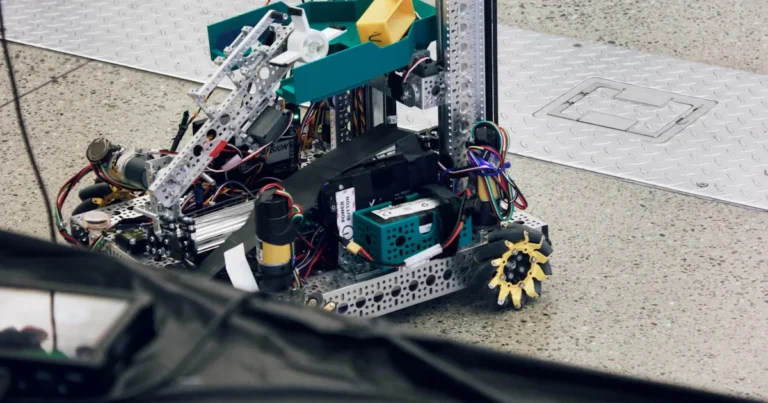
- Mecanum/Omni: 4 wheels with rollers. Can move sideways! Great for indoor navigation but mechanically complex and prone to slipping.
Legs (Bipedal/Quadruped)
- Pros: Can climb stairs, navigate rough terrain.
- Cons: Extremely complex control algorithms. Requires high-torque servos.
- Verdict: Save this for your 10th build.
Treads
- Pros: Incredible traction, stable on slopes.
- Cons: Slow, hard to turn precisely, wears out quickly.
Real Talk: If you’re building a Home Assistant robot, go with Differential Drive. If you want to conquer the backyard, look at Treads.
🔋 Powering Up: Batteries, Voltage Regulators, and Safety
Nothing kills a project faster than a dead battery or a fried board.
Battery Types
- LiPo (Lithium Polymer): High energy density, lightweight. Dangerous if punctured. Requires a balance charger.
- Li-ion (18650): Safer, easier to find, slightly heavier.
- NiMH: Old school, safe, but heavy and low capacity.
Voltage Regulation
Your motors might need 12V, but your brain (Raspberry Pi) needs 5V.
- Buck Converters: Step down voltage efficiently.
- LDOs: Linear regulators. Simple but waste heat.
Safety Checklist:
- ✅ Use a fuse on the main power line.
- ✅ Never leave LiPo batteries charging unattended.
- ✅ Use a Power Distribution Board (PDB) to keep wiring clean.
💻 Coding Your Creation: Languages, Frameworks, and ROS
You have the hardware. Now, how do you make it think?
Languages
- Python: The king of robotics. Easy to read, massive library support (OpenCV, NumPy).
- C++: The speed demon. Required for performance-critical tasks in ROS.
- MicroPython: Great for ESP32 and some microcontrollers.
ROS 2 (Robot Operating System)
ROS is not an OS; it’s a middleware. It lets your camera talk to your motor driver.
- The Good: Modular, huge community, standard for research.
- The Bad: Step learning curve. As noted in the Open Robotics forum, “The diversity of sensors… seems to me just a chaotic mess.”
- The Ugly: Documentation can be fragmented.
Our Advice: Start with Python and simple scripts. Once you understand the basics, graduate to ROS 2. Don’t jump straight into ROS 2 if you don’t know how to blink an LED.
🏗️ 10 Essential Tools Every Robot Hobbyist Needs in Their Workshop
You can’t build a robot with just a screwdriver. Here is the Robot Instructions™ essential toolkit:
- Soldering Iron: Get a temperature-controlled one (e.g., Pinecil or Hako).
- Multimeter: Non-negotiable. Check voltage, continuity, and resistance.
- Wire Strippers/Cutters: Precision matters.
- Hot Glue Gun: The “engineering” adhesive for protyping.
- 3D Printer: Creality Ender 3 or Bambu Lab. Essential for custom parts.
- Hex Driver Set: For those tiny screws on servos.
- Breadboard & Jumper Wires: For testing circuits before soldering.
- Logic Analyzer: To debug communication protocols (I2C, SPI).
- Safety Glasses: Sparks fly. Protect your eyes.
- USB Serial Adapter: For debugging microcontrollers.
🚀 7 Advanced Projects to Level Up Your Skills
Ready to graduate from “line follower”? Here are 7 projects that will test your skills:
- Self-Balancing Robot: Uses PID control to stay upright.
- ROS 2 SLAM Rover: Maps a room and navigates autonomously.
- Robotic Arm Pick-and-Place: Uses inverse kinematics.
- Line-Following Race Car: High-speed differential drive with PID tuning.
- Vision-Based Object Sorter: Uses a camera to identify and sort blocks by color.
- Drone with Obstacle Avoidance: Integrates flight controllers with sensors.
- Humanoid Robot: The ultimate challenge. Two legs, balance, and walking.
Challenge: Try building the Self-Balancing Robot first. It teaches you the most about control theory and sensor fusion.
🌐 Joing the Community: Forums, Competitions, and Meetups
You don’t have to do this alone. The Robot Hobbyist community is vast.
- Forums:
ROS Discourse: The official home of ROS.
Robot-Forum: Great for industrial robot discussions (like the Comau threads).
Reddit r/robotics: General discussion and project showcases. - Competitions:
FIRST Robotics: For students, but great inspiration.
RoboCup: The “World Cup” of robot soccer. - Local Meetups: Check Meetup.com for local robotics groups.
Community Insight: As one user noted, “I didn’t survive Iraq and Afghanistan to lose my life or limbs to a robot.” Safety is a community value. Share your failures; they are just as valuable as your successes.
💸 Budgeting for Bot Building: Where to Splurge and Where to Save
Building a robot can be cheap or expensive. Here is how to manage your funds.
Where to Splurge
- Sensors: Cheap sensors give bad data. Bad data = bad decisions.
- Motors: High-quality motors last longer and are more efficient.
- Battery: A good battery is safer and lasts longer.
Where to Save
- Chassis: 3D print it or use cardboard for prototypes.
- Wires: Buy in bulk.
- Screws: Don’t buy expensive hardware store screws; get a bulk pack online.
Hidden Costs: Remember the Comau example? Shipping and electrical upgrades (like phase converters) can cost more than the robot itself. Always budget for logistics.
🛡️ Troubleshooting Common Pitfalls and Debuging Strategies
Things will go wrong. Here is how to fix them.
The “It Doesn’t Move” Problem
- Check Power: Is the battery dead? Is the fuse blown?
- Check Wiring: Is the motor connected to the right pins?
- Check Code: Is the motor direction inverted?
The “It Moves Weirdly” Problem
- PID Tuning: Your proportional, integral, and derivative gains are likely off.
- Mechanical Binding: Is a wheel rubbing against the chassis?
The “It Crashes” Problem
- Code Logic: Is your obstacle avoidance logic flawed?
- Sensor Noise: Are you filtering your sensor data?
Debuging Mantra: “ALWAYS look at example code of hardware you are using. It saves a lot of time!” Don’t reinvent the wheel.
📢 Advertising from our Partners
- 👉 Shop Robot Kits: Dexter Industries | Yahboom
- Electronics: Adafruit | SparkFun
- 3D Printing: Creality | Bambu Lab
💼 Job Postings for Aspiring Robotics Engineers
Looking to turn your hobby into a career?
- Entry-Level: Look for “Robotics Technician” or “Embedded Systems Engineer” roles.
- Frelance: Offer your skills on Upwork for custom robot builds.
- Research: Many universities hire hobbyists as research assistants.
📅 July 2026: Upcoming Events and Deadlines
- July 15, 2026: Deadline for RoboCup Junior submissions.
- July 20, 2026: ROSCon 2026 Early Bird Registration closes.
- July 25, 2026: Local Maker Faire robotics showcase.
🏷️ Tag Cloud: Top Trends in DIY Robotics
- ROS 2
- SLAM
- Computer Vision
- 3D Printing
- AI Integration
- Open Source
- Mobile Manipulation
- Edge Computing
🏁 Conclusion: Your Journey Begins Now

So, where does this leave us? We started with the dream of a sci-fi robot and ended up with a garage full of wires, a burning soldering iron, and a very confused cat. But that’s the point.
Building a robot is not just about the final product; it’s about the process. It’s about learning how to fail, how to debug, and how to solve problems that no one has solved before. Whether you choose the Comau industrial path or the Yahboom ROS path, the journey is yours.
The Final Question: Will you be the one to build the robot that changes the world, or will you be the one who just watched it happen?
Our Recommendation: Start with a simple servo project. Build your own. Learn the basics. Then, move to a Raspberry Pi and a camera. Don’t rush. The best robots are built by those who enjoy the build.
🔗 Recommended Links
- Books:
- Probabilistic Robotics – The bible of robot navigation.
- Make: Getting Started with Robotics – Great for beginners.
- Kits & Hardware:
Dexter Industries GoPiGo3: Search on Amazon
Yahboom ROSMaster X3: Search on Amazon
Raspberry Pi 5: Search on Amazon
NVIDIA Jetson Orin: Search on Amazon
❓ FAQ: Frequently Asked Questions for Robot Hobbyists

What are the best robot kits for hobbyists?
For beginners, the Dexter Industries GoPiGo3 is excellent due to its robust software support. For advanced users wanting ROS 2, the Yahboom ROSMaster X3 offers great value, though be prepared for a steep learning curve and potential documentation hurdles.
Read more about “🤖 Top 10 Robot Community Forums for Builders & Coders (2026)”
How much does it cost to start a robot hobby?
You can start for under $10 with a basic Arduino kit and a few sensors. A full ROS 2 setup with a Raspberry Pi, camera, and Lidar can easily exceed $50-$10. Industrial robots like the Comau mentioned in forums can cost thousands plus shipping and electrical upgrades.
Read more about “What Is the Number One Robot Lawn Mower? Top 5 Picks for 2026 🤖🌿”
What programming languages do robot hobbyists use?
Python is the most popular for high-level logic and AI. C++ is essential for performance-critical tasks in ROS. MicroPython is great for microcontrollers.
Where can I find robot hobbyist communities online?
Check out ROS Discourse, Robot-Forum, Reddit r/robotics, and GitHub. For specific brands, check their official forums (e.g., Dexter Industries).
Read more about “🤖 15 Top Robot Online Courses to Master Robotics in 2026”
What are the easiest robots to build for beginners?
A line-following robot or a simple obstacle-avoidance bot using an Arduino and ultrasonic sensors are the best starting points. They teach the basics of sensors and motors without the complexity of full autonomy.
Read more about “🐾 7 Best Robot Dogs of 2026: From AI Pals to Agile Explorers”
Do I need an engineering degree to be a robot hobbyist?
Absolutely not. While a degree helps with advanced theory, many successful hobbyists are self-taught. The key is curiosity, patience, and a willingness to learn from mistakes.
What tools are essential for a robot hobbyist workshop?
You need a soldering iron, multimeter, wire strippers, hot glue gun, and a 3D printer. A logic analyzer is a great addition for debugging.
How do I choose between ROS 1 and ROS 2?
ROS 2 is the future. It offers better security, real-time performance, and support for distributed systems. Unless you are maintaining an old project, start with ROS 2.
What is the biggest mistake beginners make?
Buying too much too soon. Don’t buy a Lidar or a robotic arm until you understand the basics of motor control and sensors. Start small.
Read more about “🤖 15 Essential Robot Workshops & Activities for 2026”
📚 Reference Links
- Robot Instructions™: Robot Instructions Home
- Comau Robot Forum Thread: Hobby Class Robots Galore – How’s Your Chinese?
- Open Robotics Forum: Frustrations with State of Hobby ROS 2 Robotics
- Robot-Forum: Comau Robot Ownership for Hobbyists
- ROS Official Documentation: ROS 2 Docs
- Arduino Official Site: Arduino.cc
- Raspberry Pi Foundation: Raspberry Pi
- NVIDIA Jetson: Jetson Developer Guide
- Dexter Industries: Dexter Industries Blog
- Yahboom: Yahboom Official Site