Support our educational content for free when you purchase through links on our site. Learn more
🤖 Robot Demonstrations: 12 Ways Robots Learn and Perform


Robot demonstrations can be a live performance—or a practical way to teach a robot new skills. To understand what a robot can really do, look beyond the applause: ask whether it is acting autonomously, following a rehearsed routine, or learning from a human example.
We’ve seen the distinction surprise audiences. A robot arm repeatedly picking up a cup may look effortless, but the interesting engineering is in what happens when the cup moves, the grasp slips, or the camera loses sight of it. That’s where a flashy demo becomes a meaningful test.
Key Takeaways
- Robot demonstrations serve two purposes: they showcase robot capabilities and help robots learn from human examples.
- The teaching method matters. Teleoperation, physical guidance, video, motion capture, and simulation each offer different data—and different limitations.
- A successful performance doesn’t prove everyday reliability. Look for repeated trials, varied conditions, transparent supervision, and safe failure recovery.
- Robot learning depends on good data. Accurate sensing, calibration, clear success criteria, and representative examples matter as much as the learning algorithm.
- Human video could expand how robot demonstrations are collected. Research such as RwoR explores converting human-hand footage into robot demonstrations, but results should be judged within the study’s stated conditions.
- Safety and privacy belong in every demo. Follow the operator’s instructions, respect safety zones, and ask whether recording or human supervision is involved.
Table of Contents
- ⚡️ Quick Tips and Facts About Robot Demonstrations
- 🤖 What Counts as a Robot Demonstration?
- Robot demos, demonstrations, and demos: key differences
- How a robot turns an example into an action
- 📚 Background: From Robot Programming to Learning by Demonstration
- A brief history of imitation learning in robotics
- Why human demonstrations matter
- 🎭 12 Types of Robot Demonstrations
- 1. Live robot demonstrations and public showcases
- 2. Teleoperation and remote-control demonstrations
- 3. Kinesthetic teaching and physical guidance
- 4. Video-based human demonstrations
- 5. Virtual reality and motion-capture demonstrations
- 6. Simulation-generated demonstrations
- 7. Programming-by-demonstration
- 8. Language-guided and multimodal demonstrations
- 9. Shared-autonomy demonstrations
- 10. Demonstrations for robot manipulation and grasping
- 11. Demonstrations for mobile robots and navigation
- 12. Demonstrations for humanoid and assistive robots
- 🧰 How Robot Demonstration Systems Work
- Sensors, cameras, and motion tracking
- Robot arms, grippers, and control interfaces
- Demonstration recording and data pipelines
- 🧠 How Robots Learn from Demonstrations
- Imitation learning and behavioral cloning
- Learning from demonstration versus reinforcement learning
- Combining demonstrations with robot foundation models
- 📊 Robot Demonstration Datasets and Benchmarks
- What a useful robot learning dataset contains
- Popular open-source datasets and platforms
- How to assess data quality and coverage
- 🛠️ How to Create a Useful Robot Demonstration
- Plan the task and define success
- Choose a demonstration method
- Record, label, and validate demonstrations
- Common mistakes and how to avoid them
- 📈 Evaluating Robot Demonstrations and Learned Skills
- Success rate, repeatability, and generalization
- Safety, robustness, and recovery from failure
- Real-world testing versus simulation
- 🏭 Where Robot Demonstrations Are Used
- Manufacturing and warehouse automation
- Healthcare, rehabilitation, and assistive robotics
- Home robots, education, and research
- ✅ Benefits and ❌ Limitations of Learning from Demonstration
- 🔒 Safety, Privacy, and Ethics in Robot Demonstrations
- 🔎 Research Spotlight: Generating Robot Demonstrations from Human Hands
- Core idea and what the method contributes
- How to find the paper and related materials
- How to cite robotics demonstration research
- 🚀 The Future of Robot Demonstrations
- 🏁 Conclusion
- 🔗 Recommended Links
- ❓ FAQ
- What is a robot demonstration?
- How do robots learn from human demonstrations?
- What is the difference between teleoperation and kinesthetic teaching?
- Can a robot learn from ordinary videos?
- How many demonstrations does a robot need?
- Are robot demonstrations safe for beginners?
- 📖 Reference Links
⚡️ Quick Tips and Facts About Robot Demonstrations
Robot demonstrations can mean two related things: a robot performing for an audience and a human showing a robot how to perform a task. The first is for discovery and entertainment; the second can create training data for robot learning. A robot doing a dazzling flip is impressive, but it doesn’t automatically mean it can reliably fold your laundry. 🤖
For a friendly starting point, explore Robot Instructions™, our guide to robots, how they work, and what they can actually do.
| Quick fact | What it means |
|---|---|
| A demo is not the same as proof of everyday reliability | A rehearsed performance may use carefully controlled lighting, props, and timing. Ask how the robot behaves in unfamiliar conditions. |
| Learning from demonstration | A person may teach a robot by teleoperating it, physically guiding it, or providing video or motion data. The robot then uses the resulting data to learn or reproduce a skill. |
| The demonstration method affects what the robot learns | A video can show what happened, but often lacks direct measurements of force, depth, or the robot’s exact joint movements. |
| Safety comes first | Keep clear of robot operating zones, follow event staff instructions, and don’t touch a robot unless its operator explicitly invites you to. See our Robot Ethics and Safety coverage. |
| Watch for repeatability | A compelling demo shows more than one successful run, explains what happens after a mistake, and distinguishes autonomous actions from remotely controlled ones. |
Our quick audience checklist: Ask what the robot is doing, whether it is operating autonomously or under teleoperation, what sensors it uses, and what conditions might make it fail. That final question is often where the most useful conversation begins.
🤖 What Counts as a Robot Demonstration?
A robot demonstration is either a public presentation of a robot’s capabilities or an example of a task used to teach, evaluate, or train a robot. Context matters: a humanoid dancing at an event and a worker guiding a robot arm through a pick-and-place task are both demonstrations, but they serve very different purposes.
In public, demonstrations help audiences see robots in action. In research and industry, demonstrations can provide examples of desired behavior, reveal system limitations, and generate data for learning methods. The International Federation of Robotics describes industrial robots in terms of practical automation applications, while research sources such as Stanford’s robomimic project focus on learning manipulation skills from demonstration data.
Robot demos, demonstrations, and demos: key differences
| Term | Typical meaning | Example |
|---|---|---|
| Live robot demonstration | A robot performs for an audience | A humanoid robot follows a choreographed dance |
| Learning from demonstration (LfD) | A human supplies examples from which a robot learns | An operator teleoperates a robot to stack objects |
| Robot demonstration data | Recorded observations and actions used for training or analysis | Camera frames paired with robot movement commands |
| Product demo | A manufacturer or integrator shows a system’s features | A collaborative robot completes a machine-tending cycle |
A single event can mix all four. A robot may perform a rehearsed routine, then invite the audience to try a supervised interface, while the engineering team explains how its motions were programmed.
How a robot turns an example into an action
A robot does not simply “watch and understand” in the human sense. Depending on the system, a demonstration may be converted into joint positions, end-effector poses, gripper commands, sensor observations, and task labels. A learning algorithm can then use those examples to predict actions in new situations.
For example, a robot learning to pick up a cup may need to estimate where the cup is, choose a grasp, move its arm, close its gripper, and check whether the cup was actually lifted. A demonstration that records only the final motion may miss important details, such as how the robot handled a slippery surface or corrected a poor grasp.
The crucial question is not just “Can it do that once?” It is “What did the robot observe, what did it learn, and can it repeat the task when the scene changes?”
📚 Background: From Robot Programming to Learning by Demonstration

Robots have long been programmed through explicit instructions, such as a sequence of coordinates or carefully designed control rules. Learning from demonstration offers another route: show a robot examples of a task and use those examples to help it reproduce or generalize the behavior.
The approach is appealing because people already know how to perform many everyday tasks. But translating human actions into robot-ready data is tricky. Human hands are not robot grippers, a person’s viewpoint differs from a robot’s cameras, and a motion that is comfortable for a human may be impossible for a robot arm.
For related coverage of learning methods, visit our Machine Learning category.
A brief history of imitation learning in robotics
Robot learning research has developed a range of approaches, from teaching by physically guiding a robot to learning from teleoperated examples and recorded video. Modern work increasingly combines demonstration data with simulation, better sensors, and machine-learning models.
One established resource is Learning from Demonstration for Robots: A Survey, which reviews the field’s methods and challenges. For hands-on research tools, robomimic offers an open-source framework and datasets for robot manipulation learning.
The field has also moved beyond “copy the demonstration exactly.” Researchers now ask how a robot can adapt the skill when an object shifts, the camera angle changes, or the robot’s hardware differs from the person’s body.
Why human demonstrations matter
A person can often communicate a useful task more naturally by showing it than by writing a detailed robot program. Demonstrations may capture timing, contact, order of operations, and small adjustments that are difficult to specify in a rulebook.
They can also make robot programming more accessible to workers and educators who are not robotics specialists. Still, examples are not magic. If a human demonstrates a task inconsistently—or the system cannot sense the information needed to reproduce it—the robot may learn an unreliable habit.
What looks like “one simple demo” can hide many engineering decisions: where to place the camera, how to align the data, how to define task success, and how to keep people safe around moving hardware.
🎭 12 Types of Robot Demonstrations
“Robot demonstration” covers a surprisingly wide range of setups. Here are 12 common types, from crowd-pleasing stage performances to data collection methods used in robotics research.
| Type | Main purpose | Common limitation |
|---|---|---|
| Live showcase | Explain capabilities to an audience | A polished routine may hide setup constraints |
| Teleoperation | Collect direct examples of robot actions | Requires an operator and robot system |
| Kinesthetic teaching | Guide a robot arm through motions | Not suitable for every robot or task |
| Video-based teaching | Extract task examples from human video | Human actions may not map cleanly to robot actions |
| VR or motion capture | Record tracked human motion | Motion still needs translation into robot commands |
| Simulation | Generate or test behavior virtually | Simulated performance may not transfer perfectly |
| Programming by demonstration | Let a person show a task | Quality depends on the interface and task |
| Language-guided teaching | Combine instructions and visual data | Language alone may be ambiguous |
| Shared autonomy | Blend human guidance with robot control | Responsibility can be unclear without careful design |
| Manipulation demos | Teach grasping and object handling | Contact and object properties are challenging |
| Navigation demos | Show routes or waypoints | Environments and obstacles can change |
| Humanoid and assistive demos | Show movement or interaction | Human-like appearance can overstate capability |
1. Live robot demonstrations and public showcases
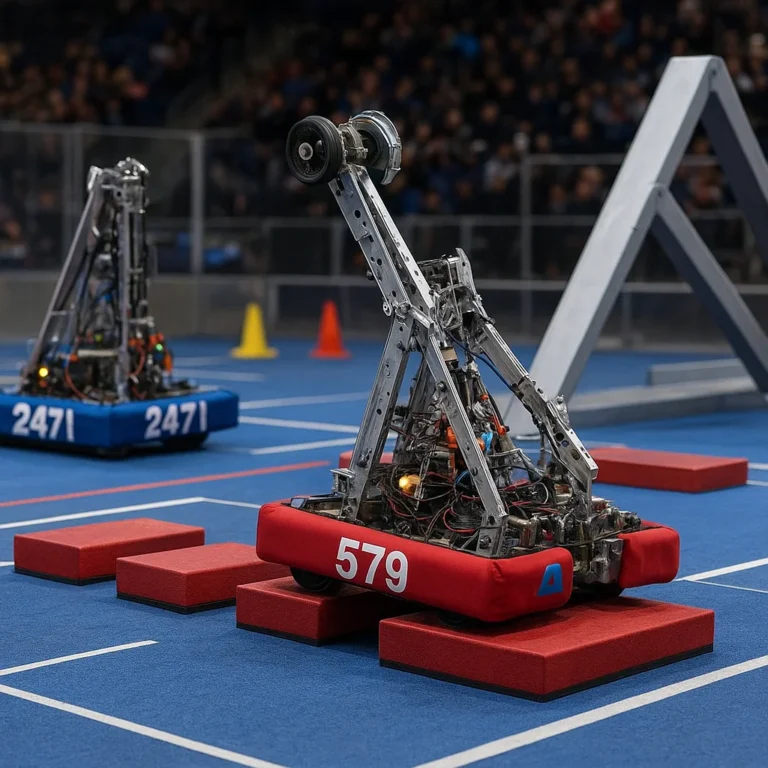
A public showcase may feature a robot dancing, answering questions, playing a game, carrying an object, or navigating a space. It is a useful way to see a robot’s speed, movement, sound, scale, and interaction style firsthand.
The first video featured in this article, available at #featured-video, pairs children performing Chinese martial arts with humanoid robots. The robots mirror choreographed movements, perform martial-arts-style sequences, and use theatrical props. It’s a lively illustration of how movement, staging, costumes, and timing can make a demonstration memorable.
That performance also points to a useful distinction: synchronized choreography is not the same as unstructured physical interaction. A stage routine can be tightly rehearsed and supported by careful staging. It should not, on its own, be treated as evidence that a robot can safely spar, improvise with children, or perform the same movements in a crowded, unpredictable setting.
When attending a live event, look for the operator’s role, the designated safety perimeter, and whether the team explains what is scripted or autonomous. Events hosted by universities, museums, and robotics organizations can offer additional context; for instance, check the official Carnegie Mellon Robotics Institute events page for public robotics activities.
2. Teleoperation and remote-control demonstrations
In teleoperation, a person controls a robot remotely through a joystick, motion-tracking interface, wearable controller, or other input device. The operator can guide the robot through a task while the system records observations and actions.
Benefits
- Records actions in the robot’s own operating setup.
- Lets an operator respond to changing objects and conditions.
- Can capture realistic contact and correction behavior.
Drawbacks
- Requires the robot, control interface, and trained operator.
- The operator’s skill and latency can affect the data.
- Collecting examples may be time-consuming and costly.
Teleoperation is particularly useful for collecting manipulation demonstrations. Researchers can compare teleoperated data with other ways of teaching using resources such as DROID and robomimic.
3. Kinesthetic teaching and physical guidance
With kinesthetic teaching, a person physically guides a robot—often a compliant arm—through a task. The robot records the guided movements and may use them as a trajectory or training example.
This can feel wonderfully intuitive: “Move here, grasp this, place it there.” But physical guidance is not suitable for every machine. A heavy industrial arm, a high-speed robot, or a system without safe hand-guiding features is not something to push around casually.
Before trying it, confirm that:
- The manufacturer supports hand-guiding for that model.
- The robot is in the correct teaching mode.
- Emergency stops and safety measures are available.
- An authorized operator has explained where you can safely stand and touch.
For context on designing safe robot interactions, see our Robot Design and Robot Ethics and Safety guides.
4. Video-based human demonstrations
Video can be easier to collect than robot demonstrations because people can perform tasks with ordinary objects and cameras. Researchers can then attempt to infer body motion, object movement, and task order from the footage.
The catch is that a video records pixels, not necessarily the exact 3D action or forces needed for a robot. A human reaching around a cup does not reveal the gripper’s ideal approach angle, and a camera may hide contact behind a hand.
Research such as RwoR explores generating robot demonstrations from human-hand recordings. The project’s research page describes the approach, which uses wrist-mounted GoPro fisheye video and a learned hand-to-gripper conversion pipeline. That is promising, but it is a research method—not a guarantee that any ordinary video can immediately train any robot.
5. Virtual reality and motion-capture demonstrations
VR controllers, gloves, and motion-capture cameras can record how a person moves through a task. The resulting data may include body pose or hand motion, which a robot system can translate into commands.
Good fit: demonstrations where human movement provides useful guidance, such as reaching, positioning, or teleoperating a robot.
What needs care: a person’s body joints and a robot’s joints have different ranges, geometry, and constraints. A direct copy may result in a pose the robot cannot reach—or a motion that puts the robot or nearby people at risk.
Motion capture gives researchers more structured information than ordinary video, but it still requires calibration, coordinate alignment, and robot-aware action conversion.
6. Simulation-generated demonstrations
In simulation, developers can generate examples without repeatedly using a physical robot. Virtual environments allow controlled changes to object position, lighting, friction, and other conditions.
Tools such as NVIDIA Isaac Sim support robotics simulation and synthetic-data workflows. Simulation can accelerate testing, but simulated sensors and physics are approximations. A robot that succeeds in a virtual scene may struggle with real-world camera noise, slippery surfaces, or small calibration errors.
A sensible workflow often combines simulation with real-world validation instead of treating either one as the whole answer.
7. Programming-by-demonstration
Programming by demonstration (PbD) lets a user show a robot a task rather than write every step in code. The robot may record a path, a sequence of actions, or a higher-level procedure.
For example, a person might show a robot how to insert a part into a fixture. A simple path replay could work when the fixture and part are always in the same place. If their positions change, the robot needs perception and adjustment—not just a memory of the original movement.
PbD is most useful when the interface makes teaching easy and the task’s boundaries are clearly defined.
8. Language-guided and multimodal demonstrations
A multimodal demonstration can combine spoken or written instructions, images, video, and robot actions. A person might say, “Pick up the blue cup and place it beside the plate,” while also showing the task.
Language adds context, but it can be ambiguous. “Beside” may mean different distances, and “the blue cup” can become difficult to identify if the scene contains several blue objects. Reliable systems combine language with visual grounding, task checks, and human oversight.
9. Shared-autonomy demonstrations
In shared autonomy, a human and robot split control. The person may select a target while the robot handles local motion, or the robot may suggest an action that the operator approves.
This can reduce the burden of controlling every joint by hand. It also creates a design challenge: the system must make clear which decisions the robot has made and which the human still controls. For a high-stakes task, an interface that hides that distinction is a safety problem, not a convenience.
10. Demonstrations for robot manipulation and grasping
Manipulation demonstrations teach robots to reach, grasp, lift, place, sort, or use objects. They may record the robot’s camera views, arm movement, gripper state, and task outcome.
Grasping is deceptively hard. A cup’s location may be easy to see, but its weight, surface, contents, and fragility can change how it should be handled. A good dataset needs varied examples and clear failure information—not just a collection of perfect grasps.
Explore platforms and research resources such as DROID and robomimic for examples of robot manipulation data and learning workflows.
11. Demonstrations for mobile robots and navigation
A mobile robot may learn a route from human guidance, recorded demonstrations, or annotated waypoints. Such demos are useful in warehouses, campuses, farms, and other environments where a robot must move around people and obstacles.
A recorded route is not automatically a safe autonomous navigation policy. Doors can close, furniture can move, pedestrians can appear, and floors can change. Good evaluation tests more than whether the robot can replay an empty corridor.
For field applications, see our Autonomous Robots and Agricultural Robotics coverage.
12. Demonstrations for humanoid and assistive robots
Humanoid demonstrations attract attention because people readily compare the robot’s motions with their own. Assistive-robot demonstrations may instead emphasize practical support, communication, mobility, or task assistance.
In both settings, distinguish appearance from verified capability. A humanoid that performs a choreographed sequence may not be ready to work independently in a home. An assistive device should be judged against its intended users, safety requirements, and real-world testing—not just a polished stage run.
🧰 How Robot Demonstration Systems Work
A demonstration system brings together hardware, sensing, control, and data processing. A small change in any one part can affect what the robot learns: a camera moved a few centimeters, for example, may alter how the system sees an object.
Sensors, cameras, and motion tracking
Common demonstration sensors include:
- RGB cameras for color images.
- Depth cameras for estimating distance and shape.
- Wrist-mounted cameras that capture the operator’s hand or tool view.
- Joint encoders that record robot positions.
- Force or torque sensors that measure contact loads.
- Motion-capture systems that track bodies or controllers.
Not every system uses every sensor. A public dancing robot may rely on preplanned motion, while a manipulation research setup may combine multiple cameras, joint data, and gripper signals.
Robot arms, grippers, and control interfaces
Demonstration hardware can range from desktop robot arms to industrial manipulators, mobile robots, and humanoids. Grippers vary too: parallel-jaw grippers, suction tools, dexterous hands, and custom end-effectors each handle different tasks.
Commercial examples include the UR5e collaborative robot arm from Universal Robots and the Franka Research 3, both used in research and automation contexts. The right platform depends on the task, payload, reach, sensing, safety setup, and available software—not simply on how human-like the robot looks.
Demonstration recording and data pipelines
A basic robot-learning data pipeline may look like this:
- Define the task. Specify the start state, expected outcome, and what counts as failure.
- Choose the demonstration interface. Select teleoperation, hand-guiding, video, motion capture, or another method.
- Calibrate the system. Align cameras, robot coordinates, tools, and clocks.
- Record observations and actions. Capture the sensor inputs and robot commands that matter.
- Label and check the data. Mark task stages, outcomes, errors, and unusual events where appropriate.
- Train or analyze the policy. Use the selected learning method or evaluation framework.
- Test on held-out scenarios. Change object positions, lighting, or other conditions to assess robustness.
- Review safety and failure recovery. Confirm how the system stops, retries, or asks for human help.
A clean-looking demo video is not the same thing as a complete training record. The data pipeline needs enough information to explain what the robot saw and did.
🧠 How Robots Learn from Demonstrations
A robot can use demonstrations to copy actions, learn a policy, or provide examples that are combined with other training methods. The details matter: the same examples can produce different results depending on the model, sensors, action representation, and test environment.
Imitation learning and behavioral cloning
In imitation learning, a robot learns from examples of desired behavior. A common approach, behavioral cloning, trains a model to predict actions from observations.
Suppose a robot sees a bowl on a table. Its training data might pair that image with the next movement command. After seeing enough examples, the model attempts to produce appropriate actions in similar situations.
A known challenge is distribution shift: once the robot makes a mistake, it may reach a state that was rare or absent in the training demonstrations. Its next prediction can then be unreliable. Researchers address this in different ways, including collecting broader examples, adding recovery data, and evaluating performance on varied conditions. The robomimic documentation provides more background on imitation-learning methods for manipulation.
Learning from demonstration versus reinforcement learning
| Approach | Main learning signal | Strength | Challenge |
|---|---|---|---|
| Learning from demonstration | Human or expert examples | Direct guidance toward desired behavior | May inherit the examples’ limits and errors |
| Reinforcement learning | Rewards or task outcomes | Can improve behavior through repeated interaction | Exploration can be costly or unsafe in the real world |
| Hybrid learning | Demonstrations plus rewards or other data | Uses examples while allowing further optimization | More complex to set up and evaluate |
These approaches are not enemies. Demonstrations can give a robot a sensible starting point, while additional learning and testing may improve performance. For real hardware, teams should manage exploration carefully: trial-and-error on an uncontrolled robot can damage equipment or create hazards.
Combining demonstrations with robot foundation models
Some recent research explores combining demonstration data with large models that process language, images, and actions. The promise is flexibility: a robot might learn a task from fewer examples or interpret a broader range of instructions.
But broad capability claims need careful testing. Look for specific tasks, hardware, test conditions, success measures, and whether results have been independently replicated. A paper’s reported result applies to its experimental setup; it does not automatically prove reliable performance across every robot or home.
📊 Robot Demonstration Datasets and Benchmarks
Robot demonstration datasets help researchers compare methods and train systems without each team collecting every example from scratch. They can include images, robot states, actions, language instructions, and task outcomes.
What a useful robot learning dataset contains
A useful dataset may document:
- Sensor type, placement, and calibration.
- Robot model, gripper, and control frequency.
- Action and observation formats.
- Task instructions and success criteria.
- Failed, interrupted, or recovery attempts.
- Train, validation, and test splits.
- Consent, privacy, licensing, and usage restrictions.
A dataset with hundreds of nearly identical perfect examples may be less valuable than a smaller, carefully documented collection covering meaningful variation and failure.
Popular open-source datasets and platforms
| Resource | What it offers | Why it is useful |
|---|---|---|
| robomimic | Frameworks, benchmarks, and manipulation-learning resources | A practical entry point for imitation-learning experiments |
| DROID | A large-scale, diverse robot manipulation dataset | Supports research on learning from real-world robot data |
| LeRobot | Open-source tools and datasets for real-world robotics | Helps make data collection and policy training more accessible |
| RwoR | Human-hand demonstration generation research | Explores generating robot data without using a robot during collection |
Each resource has its own scope, format, and assumptions. Check documentation and licensing before using data in research, education, or commercial projects.
How to assess data quality and coverage
Ask:
- Are the observations and actions synchronized?
- Does the dataset explain how successful behavior was labeled?
- Are there enough variations in object placement, appearance, and environment?
- Are failures and recoveries represented?
- Can you reproduce the evaluation?
- Does the dataset match your robot and sensor setup closely enough to be useful?
More data is not automatically better data. If every recording has the same viewpoint and object layout, the model may memorize the setup rather than learn the task.
🛠️ How to Create a Useful Robot Demonstration
Whether you’re preparing a public showcase or collecting training examples, a useful demonstration begins with a clear goal. “Make the robot look impressive” and “teach the robot to place a cup safely” require very different plans.
Plan the task and define success
Write down:
- The task’s starting conditions.
- The desired end state.
- What the robot is allowed touch or move.
- How success will be measured.
- What counts as a failure or unsafe state.
- Whether the task should work under changing conditions.
For an audience demo, also decide what attendees should learn. A demonstration is more informative when it explains a robot’s purpose and limitations instead of relying entirely on spectacle.
Choose a demonstration method
Use this decision guide:
| If your priority is… | Consider… | Keep in mind… |
|---|---|---|
| Showing a robot’s current capabilities | Live showcase | Explain scripted and autonomous portions |
| Capturing robot-native actions | Teleoperation | Requires robot access and a capable operator |
| Teaching a compatible arm by hand | Kinesthetic guidance | Use only approved hand-guiding modes |
| Collecting examples without a robot present | Video or motion capture | Human movement must be mapped to robot actions |
| Generating many controlled scenarios | Simulation | Validate results on real hardware |
| Giving a person high-level control | Shared autonomy | Make control responsibilities visible |
Record, label, and validate demonstrations
A practical collection workflow:
- Run a safety review. Identify pinch points, collision paths, emergency stops, and people who may enter the work area.
- Set up sensors and calibration. Confirm the cameras can see the task and that all clocks and coordinates align.
- Record a small pilot batch. Check whether the data contains enough detail before collecting at scale.
- Capture varied examples. Include changes in object position, orientation, and task timing when relevant.
- Include realistic corrections. Record how an operator responds to a minor error instead of keeping only perfect runs.
- Label outcomes consistently. Use a clear definition of success and failure.
- Review the recordings. Look for oclusion, missing frames, synchronization errors, and unsafe motions.
- Evaluate separately from training. Reserve test cases the learning system has not seen.
Common mistakes and how to avoid them
-
Mistake: treating a choreographed success as proof of autonomy.
Better: state what is scripted, supervised, or autonomous. -
Mistake: collecting only perfect examples.
Better: include meaningful variation and safe recovery behavior. -
Mistake: using human video without considering the robot’s sensors.
Better: map the human viewpoint and motion into a robot-relevant representation. -
Mistake: skipping calibration.
Better: verify camera position, coordinate frames, and timing before collection. -
Mistake: testing only in the demo setup.
Better: change object locations and scene conditions, then record where the system struggles. -
Mistake: letting visitors approach a moving robot.
Better: use clear barriers, trained operators, and event-specific safety procedures.
📈 Evaluating Robot Demonstrations and Learned Skills
Good evaluation separates what looked convincing from what the system reliably achieved. A single run can be a good story; repeated, documented testing makes a stronger engineering case.
Success rate, repeatability, and generalization
Useful evaluation questions include:
- How many trials were attempted?
- How was task success defined?
- Were object positions or lighting changed?
- Were failed attempts included in the report?
- Could another team reproduce the result?
- Does the robot handle a new but related object or scene?
A success rate without the number of trials and test conditions is difficult to interpret. For example, a result measured on a fixed tabletop setup should not be presented as proof of performance in a busy warehouse.
Safety, robustness, and recovery from failure
Test what happens when:
- The object is slightly out of place.
- The gripper misses.
- A person enters the permitted area.
- A sensor becomes blocked or gives poor readings.
- The task takes longer than expected.
A reliable system should have defined ways to stop, retry, ask for assistance, or enter a safe state. Those behaviors may be less exciting than a flip, but they matter much more in day-to-day use.
Real-world testing versus simulation
| Testing environment | Strength | Limitation |
|---|---|---|
| Simulation | Fast, repeatable, and easy to vary | Physics and sensors may differ from reality |
| Controlled lab | Enables careful measurement | May not represent varied operating environments |
| Real deployment setting | Reveals practical constraints | More difficult to control and reproduce |
The strongest evidence often comes from a staged evaluation: begin in simulation, progress to controlled hardware testing, then test in the intended environment with suitable supervision and safety controls.
🏭 Where Robot Demonstrations Are Used
Robot demonstrations support education, product evaluation, research, and training. The audience’s needs differ: a student may want to understand sensors, while a factory team needs to know cycle time, changeover, safety, and maintenance.
Manufacturing and warehouse automation
Industrial and collaborative robot demonstrations commonly show tasks such as machine tending, sorting, packing, assembly, and inspection. A useful demo should explain how the robot fits into the whole workflow, including fixtures, sensors, operator interaction, and safety systems.
For industrial applications, consult the International Federation of Robotics and manufacturers such as Universal Robots. A polished pick-and-place routine is a starting point for discussion—not a substitute for a site-specific risk assessment and integration plan.
Healthcare, rehabilitation, and assistive robotics
Healthcare demonstrations may feature rehabilitation technology, surgical systems, mobility support, or assistive devices. These applications need particularly careful explanations of the intended user, clinical role, supervision, and evidence.
A demonstration is not the same as medical approval or proof of patient benefit. For health-related claims, look for appropriate regulatory and clinical evidence, and consult qualified healthcare professionals.
Home robots, education, and research
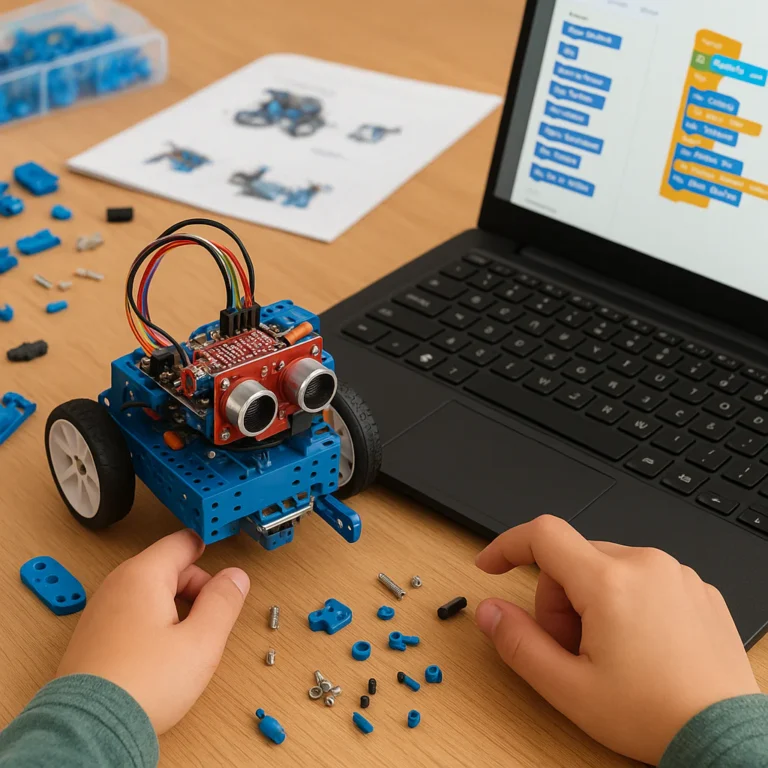
In homes and classrooms, demonstrations can help people learn about sensing, programming, automation, and machine learning. Educational kits such as LEGO Education SPIKE Prime offer structured ways to explore robotics concepts.
For a home robot, ask practical questions: Does it operate safely around pets and children? What tasks does it actually support? What data does it collect? Does it need an internet connection or frequent supervision? The answers are more valuable than a dramatic product launch clip.
✅ Benefits and ❌ Limitations of Learning from Demonstration
| Perspective | Benefits | Limitations |
|---|---|---|
| Robot learners | Examples can provide a useful starting point for action learning | Errors and narrow examples can be copied |
| Operators | Teaching may be more intuitive than writing code | Some systems still need specialist setup |
| Researchers | Demonstrations can support repeatable experiments | Data formats and hardware can differ |
| Businesses | A task can be shown directly to a system | Integration, safety, and validation remain essential |
| Audiences | Live demos make robot behavior tangible | Staging can make performance look more general than it is |
Our engineering view: learning from demonstration is most useful when examples are carefully captured, the task is well defined, and the resulting behavior is tested beyond the teaching setup. It is less convincing when the only evidence is a highlight reel.
🔒 Safety, Privacy, and Ethics in Robot Demonstrations
Robot demonstrations can involve moving machinery, cameras, personal data, and people who may not understand the system’s limits. Good practice includes both physical safeguards and honest communication.
Before a live event or data collection session:
- Establish a marked operating zone and a clear stop procedure.
- Have trained staff supervise the robot.
- Explain whether the robot is autonomous, remote-controlled, or following a programmed routine.
- Avoid inviting people touch a robot without explicit approval.
- Obtain appropriate consent before recording identifiable people.
- Limit collection and sharing of video or biometric data to what is needed.
- Explain what the system can’t safely do.
For broader discussion, explore our Robot Ethics and Safety category. For workplace deployments, consult relevant local rules and qualified safety professionals; a public demonstration is not a substitute for a formal risk assessment.
🔎 Research Spotlight: Generating Robot Demonstrations from Human Hands
The RwoR paper explores a practical question: Can human-hand demonstrations help train a robot policy without collecting every example on a robot?
The authors describe recording demonstrations with a GoPro fisheye camera worn at the wrist, then using a learned process to convert human-hand demonstrations into robot-gripper demonstrations. Their approach aims to “bridge the observation gap” between human and robot data. See the accompanying RwoR project page.
This is a research contribution, not a universal conversion tool. The paper’s abstract reports experiments and robust manipulation performance but does not provide numerical success rates there, so we should not invent a percentage or treat the abstract as evidence that the method works for every robot and task.
Core idea and what the method contributes
The central challenge is twofold:
- Observation gap: Human-hand footage and a robot’s camera views differ.
- Action gap: Human hand movements do not directly translate into gripper commands.
RwoR describes training a generative model using paired human-hand and UMI gripper demonstrations, with preprocessing intended to align timestamps and observations. It then estimates robot-relevant actions from human-hand video.
The attraction is clear: collecting human demonstrations may be more convenient than operating a robot for every example. The engineering test is whether the converted observations and actions preserve enough information for the target robot to learn a reliable, safe policy.
How to find the paper and related materials
- Read the paper on arXiv.
- Review the project’s RwoR website.
- Compare the method with robot-native datasets and tools such as DROID and robomimic.
When assessing a paper, check the robot platform, task definitions, dataset construction, evaluation conditions, and whether results have been replicated outside the authors’ setup.
How to cite robotics demonstration research
For reliable attribution, use the citation information provided by the paper’s official repository or publisher. Check author names, title, publication status, and version before citing. An arXiv preprint can be useful and citable, but its preprint status should be stated accurately where relevant.
🚀 The Future of Robot Demonstrations
Robot demonstrations are becoming more diverse: teleoperation, videos, simulation, language, and human movement can all contribute to training. The central engineering challenge remains the same: convert examples into actions that a specific robot can execute safely and repeatably.
The recent EgoEngine summary supplied for this article describes a system that converts egocentric human manipulation videos into robot observations and action trajectories, targeting both the visual and action gaps. Its project page is EgoEngine, and the associated preprint is listed at arXiv:2606.12604. These are research claims to evaluate in the context of the authors’ methods and experiments, not proof that ordinary videos can already train every robot without limitations.
The best demonstrations of the future may be less about a robot performing a perfect trick and more about showing its evidence: what it learned from, where it succeeds, how it responds to mistakes, and when a human needs to step in.