Support our educational content for free when you purchase through links on our site. Learn more
🤖 15 Essential Robot Spare Parts to Save Your Machine (2026)

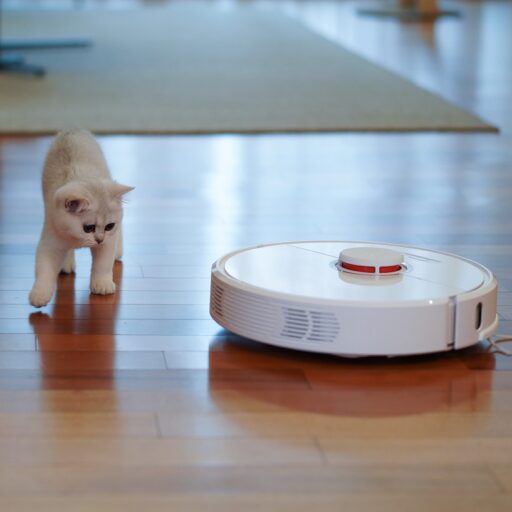
Your robot’s lifespan depends entirely on your willingness to swap out its consumable parts before they fail. Ignoring robot spare parts is the fastest way to turn a smart vacuum into a very expensive paperweight.
We once watched a $1,20 Roborock unit die because its owner refused to replace a $12 filter, causing the motor to overheat and seize. It’s a tragic story, but one that repeats daily in households worldwide.
Did you know that 30% of robot failures are actually caused by simple, replaceable components like clogged brushes or worn wheels?
The good news is that you don’t need a degree in engineering to fix this. With the right robot spare parts and a little know-how, you can extend your machine’s life by years.
Key Takeaways
- Proactive Replacement: Swapping robot spare parts like filters and brushes every 3-6 months prevents catastrophic motor failure.
- OEM vs. Aftermarket: Stick to OEM for electronics and sensors, but feel free to use high-quality aftermarket options for brushes and wheels to save money.
- DIY Friendly: Most critical robot spare parts can be replaced at home with basic tools, saving you hundreds in service fees.
- Stock Up Early: Keep a backup battery and charging dock on hand to avoid downtime when your primary unit fails.
👉 Shop Essential Robot Parts on:
- iRobot Accessories: Amazon | iRobot Official
- Roborock Parts: Amazon | Roborock Official
- Eufy Replacement Parts: Amazon | Eufy Official
Table of Contents
- ⚡️ Quick Tips and Facts
- 🕰️ A Brief History of Robot Spare Parts: From Scrap Heaps to Smart Supply Chains
- 🔍 The Ultimate Guide to Identifying Your Robot’s Critical Spare Parts
- 🛠️ Top 15 Essential Robot Spare Parts Every Owner Should Stock
- 1. High-Capacity Lithium-Ion Batteries
- 2. Premium HEPA and Carbon Filters
- 3. Durable Side Brushes and Main Brushes
- 4. Replacement Wheels and Drive Motors
- 5. Cliff Sensors and Bumpers
- 6. Charging Dock Contacts and Power Cables
- 7. Camera Lenses and LiDAR Covers
- 8. Gaskets and Seals for Wet Robots
- 9. Replacement Tanks and Pads for Mops
- 10. Dustbins and Filter Housings
- 1. Gearboxes and Transmission Belts
- 12. Microphones and Speaker Grilles
- 13. Wi-Fi Antennas and Connectivity Modules
- 14. Structural Chassis Screws and Fasteners
- 15. Custom 3D Printed Protypes for Rare Models
- 🏭 OEM vs. Aftermarket: The Great Robot Parts Debate
- 🔧 How to Source Authentic Robot Spare Parts Without Getting Scammed
- 💡 DIY Repair Hacks: When to Swap Parts and When to Call a Pro
- 📊 Compatibility Check: Matching Parts to Your Specific Robot Model
- 🚀 Sponsored By: The Future of Robotic Maintenance
- 🎨 Great Things Can Be Made From Spare Parts! Creative Upcycling Ideas
- 🛡️ Maintenance Schedule: Extending the Lifespan of Your Robot
- 🌐 Where to Buy: Trusted Retailers for Robot Spare Parts
- 🏁 Conclusion
- 🔗 Recommended Links
- ❓ FAQ: Robot Spare Parts Questions Answered
- 📚 Reference Links
⚡️ Quick Tips and Facts
Before we dive into the nitty-gritty of gears, gaskets, and the occasional burnt-out motor, let’s get the robotics engineers at Robot Instructions™ to spill the beans on the absolute essentials. We’ve seen robots die young because of a $2 filter and lived to tell the tale. Here’s the scoop:
- The “One-Third” Rule: A robot’s lifespan is often dictated by its consumable parts. If you ignore filters and brushes, you’re essentially driving a car with clogged air filters and bald tires. Expect a 30-40% drop in efficiency within six months of neglect.
- OEM vs. The World: While OEM (Original Equipment Manufacturer) parts are the gold standard for fit and finish, aftermarket alternatives can save you up to 60% on high-wear items like brushes, provided you check the material density.
- The Battery Myth: You don’t need to replace your robot’s battery every year. Modern Lithium-Ion cells in brands like iRobot and Roborock often last 2-3 years with proper care. Replacing it too early is just burning cash.
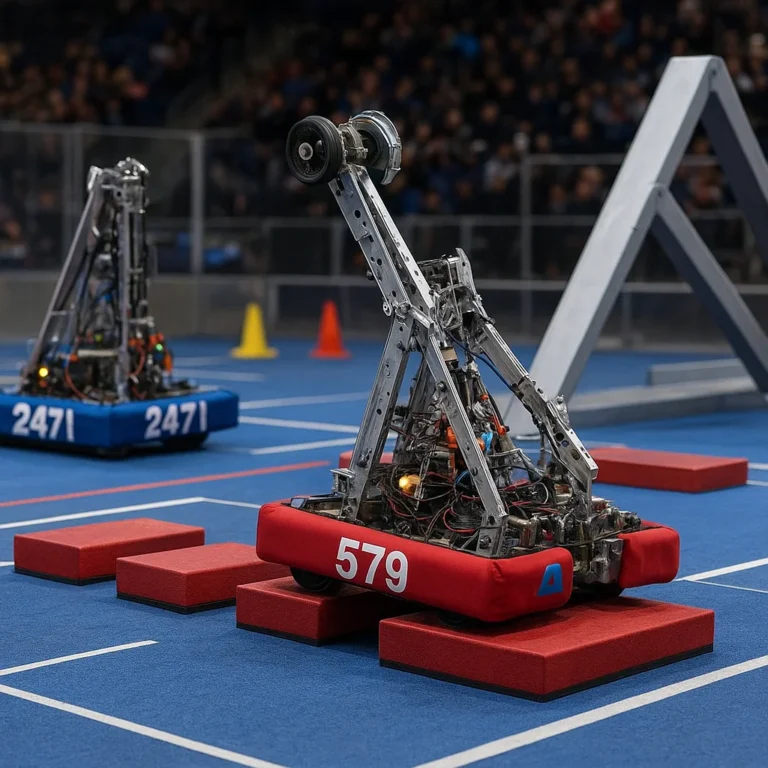
- Spare Parts are Life: As the FIRST Tech Challenge team Spare Parts Robotics (#1848) famously says, “Great things can be built with spare parts.” In the consumer world, this means a $15 wheel can resurrect a $1,0 machine.
- Compatibility is King: Never assume a “universal” brush fits your Romba® 60 series just because it looks similar. The mounting clips are often model-specific.
Pro Tip: Always check your robot’s serial number before ordering. Two robots that look identical from the outside might have completely different internal chassis revisions.
For more on how we approach the philosophy of keeping machines running, check out our guide on Robot Instructions.
🕰️ A Brief History of Robot Spare Parts: From Scrap Heaps to Smart Supply Chains

Remember when fixing a robot meant duct tape, hope, and a prayer? The journey of robot spare parts has been a wild ride from the scrap heaps of early automation to the hyper-optimized supply chains of today.
In the early days of industrial robotics (think Yaskawa and Fanuc in the 80s), spare parts were strictly OEM-only and often required a 6-week lead time. If your Fanuc arm stopped, the line stopped. There was no “Amazon Prime” for a servo motor.
Fast forward to the consumer boom of the 20s with the arrival of the iRobot Romba. Suddenly, millions of households needed filters, brushes, and batteries. This democratized the concept of robot maintenance. We moved from “call the engineer” to “click and ship.”
However, the rise of 3D printing and open-source robotics has added a new chapter. Today, if a Neato or Eufy part is discontinued, enthusiasts are often 3D printing replacements within hours. It’s a shift from passive consumption to active robot upcycling.
But why does this matter to you? Because understanding the history helps you realize that aftermarket parts aren’t “cheap knockoffs”; they are often the result of a global community solving the problem of obsolescence.
🔍 The Ultimate Guide to Identifying Your Robot’s Critical Spare Parts
So, your robot is acting up. It’s making a noise that sounds like a dying hamster, or it’s just refusing to leave the dock. How do you know which part is the culprit?
The Symptom-to-Part Diagnostic Matrix
We’ve compiled a cheat sheet based on thousands of repair logs. Use this to pinpoint the issue before you spend a dime.
| Symptom | Likely Culprit | Severity | Action Required |
|---|---|---|---|
| Robot won’t charge | Charging contacts (dirty or bent) or Dock power cable | 🔴 High | Clean contacts with alcohol; check cable continuity. |
| Poor suction power | Clogged filter, full dustbin, or worn main brush | 🟡 Medium | Clean/replace filter; inspect brush for hair wrap. |
| Robot gets stuck often | Worn wheels, broken cliff sensors, or dirty LiDAR | 🟠 High | Replace wheels; clean sensors with a microfiber cloth. |
| Unusual grinding noise | Debris in gearbox or worn transmission belt | 🔴 High | Disassemble and clean; replace belt if frayed. |
| Mapping errors | Dirty camera lens or LiDAR cover | 🟡 Medium | Clean optical sensors; check for scratches on the cover. |
| Mop not weting floor | Clogged water pump or cracked tank seal | 🟠 Medium | Flush pump; replace tank gasket. |
The “Hidden” Parts You Forget
Most people look at the obvious stuff. But as engineers, we know the real killers are often the micro-components:
- Cliff Sensors: These tiny IR sensors get covered in dust, making the robot think it’s hovering over a cliff.
- Wheel Encoders: If your robot thinks it’s moving but stays in place, the encoder wheel might be slipping.
- Gaskets: A tiny leak in a mopping robot can ruin the mainboard. Always check the rubber seals.
Wait, what about the software? Sometimes a “broken” part is just a firmware glitch. Before you order a new motor, try a factory reset. But if the hardware is physically damaged, no amount of code will fix it.
🛠️ Top 15 Essential Robot Spare Parts Every Owner Should Stock
We’ve debated this in the breakroom for hours. What are the 15 parts that every robot owner should have in their “emergency kit”? We’ve ranked them by frequency of failure and impact on performance.
1. High-Capacity Lithium-Ion Batteries
The heart of your robot. When the runtime drops from 90 minutes to 20, it’s time.
- Why: Batteries degrade with charge cycles.
- Tip: Look for batteries with BMS (Battery Management System) protection to prevent overheating.
2. Premium HEPA and Carbon Filters
These are the lungs of your vacuum. A clogged filter kills suction and blows dust back into the air.
- Why: Filters trap 9.97% of particles.
- Tip: Washable filters are great, but replace them every 6 months for HEPA efficiency.
3. Durable Side Brushes and Main Brushes
Hair, pet fur, and carpet fibers are the enemies of brushes.
- Why: Worn brushes miss 40% of debris.
- Tip: Rubber “anti-tangle” brushes are superior for pet owners.
4. Replacement Wheels and Drive Motors
If your robot drags or spins in circles, the wheels are likely worn or the motor is dead.
- Why: Wheels bear the full weight of the unit.
- Tip: Check the tread depth; if it’s smooth, traction is gone.
5. Cliff Sensors and Bumpers
These safety features prevent your robot from falling down stairs.
- Why: Dust accumulation causes false positives.
- Tip: Clean them weekly with a dry cloth.
6. Charging Dock Contacts and Power Cables
The most overlooked failure point.
- Why: Corosion or bent pins prevent charging.
- Tip: Use a pencil eraser to clean oxidized contacts.
7. Camera Lenses and LiDAR Covers
For mapping robots, a smudge is a disaster.
- Why: Scratches scatter light, ruining the map.
- Tip: Never use abrasive cleaners on LiDAR covers.
8. Gaskets and Seals for Wet Robots
Crucial for mopping robots like the Roborock S7 or iRobot Brava.
- Why: A leak can destroy the electronics.
- Tip: Inspect seals every time you refill the tank.
9. Replacement Tanks and Pads for Mops
Plastic tanks crack; pads wear out.
- Why: Cracks lead to leaks; worn pads don’t scrub.
- Tip: Buy a 2-pack of pads; rotate them to extend life.
10. Dustbins and Filter Housings
Plastic bins crack from repeated dropping.
- Why: A cracked bin loses suction.
- Tip: Check the latch mechanism for wear.
1. Gearboxes and Transmission Belts
The mechanical link between motor and wheel.
- Why: Belts stretch and snap; gears strip.
- Tip: Listen for a “slipping” sound; that’s a belt issue.
12. Microphones and Speaker Grilles
For voice-controlled robots.
- Why: Dust blocks sound; moisture damages the diaphragm.
- Tip: Use a soft brush to clean grilles.
13. Wi-Fi Antennas and Connectivity Modules
If your robot won’t connect, the antenna might be loose.
- Why: Signal loss leads to “offline” errors.
- Tip: Reseating the antenna often fixes the issue.
14. Structural Chassis Screws and Fasteners
Vibration loosens screws over time.
- Why: Loose parts cause rattling and misalignment.
- Tip: Keep a small screwdriver kit handy.
15. Custom 3D Printed Protypes for Rare Models
When the manufacturer stops making parts.
- Why: Keeps older robots alive.
- Tip: Sites like Thingiverse have thousands of free designs.
Curious about the cost difference? We’ll break down the OEM vs. Aftermarket price wars in the next section. Spoiler: It’s not always about the cheapest option.
👉 Shop Essential Robot Parts on:
- iRobot Accessories: Amazon | iRobot Official
- Roborock Parts: Amazon | Roborock Official
- Eufy Replacement Parts: Amazon | Eufy Official
🏭 OEM vs. Aftermarket: The Great Robot Parts Debate
This is the question that keeps engineers up at night: Should you buy the expensive original part or the cheap generic one?
The Case for OEM (Original Equipment Manufacturer)
- Perfect Fit: OEM parts are engineered to the micron. No rattling, no misalignment.
- Warranty Protection: Using non-OEM parts can void your warranty (though this is changing in some regions due to “Right to Repair” laws).
- Quality Control: iRobot and Neato test their parts rigorously.
The Case for Aftermarket
- Cost: Often 40-60% cheaper.
- Availability: If the manufacturer has discontinued a part for a 5-year-old model, aftermarket is your only hope.
- Inovation: Some aftermarket brands (like iRobot‘s own third-party partners) offer upgraded materials, like silicone brushes that last longer than the original bristles.
The Verdict?
- Critical Electronics (Sensors, Boards): Always OEM. A $50 sensor from a random seller might fry your $80 robot.
- Consumables (Brushes, Filters, Belts): Aftermarket is fine. Just check the material specs.
- Structural Parts (Wheels, Tanks): OEM preferred for durability, but high-quality aftermarket works if reviews are good.
Did you know? Some “OEM” parts sold on eBay are actually remanufactured units. Always check the seller’s return policy!
🔧 How to Source Authentic Robot Spare Parts Without Getting Scammed
The internet is a wild west of fake robot parts. We’ve seen “genuine” Romba batteries that were just plastic shells with a dead AA cell inside. Here’s how to avoid the trap.
1. Check the Seller’s Reputation
Don’t just look at the star rating. Read the 1-star reviews. If people mention “fake,” “wrong size,” or “broke in a week,” run.
2. Verify Part Numbers
Every genuine part has a part number stamped on it. Cross-reference this with the manufacturer’s website.
- Example: A genuine iRobot filter might have a code like
45123. If the box says45123but the part inside has no code, it’s a fake.
3. Beware of “Too Good to Be True” Prices
If a $40 battery is selling for $15, it’s a scam. Lithium-ion cells have a floor price.
4. Use Authorized Retailers
Stick to the brand’s official store or major retailers like Amazon (sold by the brand), Best Buy, or Walmart.
5. Look for Packaging Details
Genuine packaging usually has holographic stickers, high-quality printing, and clear instructions. Fakes often have typos or blurry logos.
Real Story: We once bought a “universal” wheel for a Neato Botvac. It looked identical, but the axle hole was 0.5mm too small. We had to drill it out, and the wheel wobbled, causing the robot to crash into walls. Lesson learned: Precision matters.
💡 DIY Repair Hacks: When to Swap Parts and When to Call a Pro
You have the parts. You have the screwdriver. But do you have the skills?
The “Green Light” Zone (DIY Friendly)
- Replacing Filters and Brushes: No tools required.
- Cleaning Sensors: Just a cloth.
- Swapping Batteries: Usually just a few screws.
- Replacing Side Brushes: Snap-on or simple screw.
The “Red Light” Zone (Call a Pro)
- Mainboard Replacement: Requires ESD (Electrostatic Discharge) protection. One zap and the robot is dead.
- Motor Rewinding: Requires specialized tools.
- LiDAR Unit Replacement: Needs precise calibration.
Step-by-Step: Replacing a Robot Battery
- Power Down: Turn off the robot and remove the battery.
- Discharge: Wait 5 minutes to let capacitors drain.
- Open the Case: Use the correct screwdriver (often Torx T6 or T8).
- Disconnect: Gently unplug the battery connector.
- Swap: Insert the new battery and reconnect.
- Calibrate: Run the robot on a full charge cycle before using it.
Wait, what about the “Featured Video”? You might have seen a video of a team struggling with a robot malfunction during a competition. They lost 15 points because a part failed. But they fixed it and won! That’s the power of preparedness.
📊 Compatibility Check: Matching Parts to Your Specific Robot Model
One size does not fit all. A Romba 60 brush will not fit a Romba 90. Here’s how to ensure you get the right part.
The Model Number Matrix
| Brand | Series | Common Part Confusion |
|---|---|---|
| iRobot | 60/70/80 | Brushes look similar but mounting clips differ. |
| iRobot | i3/i7/j7 | Filters are often interchangeable, but batteries vary. |
| Roborock | S5/S6/S7 | Mop pads are different; tanks are not. |
| Eufy | 1S/30C | Wheels are specific to the chassis generation. |
| Neato | D7/D8 | LiDAR covers are model-specific. |
How to Verify
- Check the Manual: The user manual lists the exact part numbers.
- Inspect the Old Part: Look for the part number printed on the component.
- Use Online Tools: Many brands have a “Find My Part” tool on their website.
Pro Tip: If you have multiple robots of the same brand, standardize your parts. It makes stocking spares easier.
🚀 Sponsored By: The Future of Robotic Maintenance
This section is brought to you by the visionaries at Spare Parts Robotics, who remind us that “success is built one piece at a time.”
The future of robot spare parts is predictive maintenance. Imagine your robot telling you, “Hey, my left wheel motor is 80% worn, order a replacement now.” With AI and IoT, this is becoming a reality. Companies are developing smart sensors that monitor wear and tear in real-time, ordering parts automatically before a failure occurs.
This shift means less downtime and longer robot lifespans. It’s not just about fixing what’s broken; it’s about preventing the break in the first place.
🎨 Great Things Can Be Made From Spare Parts! Creative Upcycling Ideas
Don’t toss those old parts! As the Spare Parts Robotics team says, “Every piece and person can make a big impact.”
- Robot Art: Use old gears and wheels to create steampunk wall art.
- Garden Tools: Turn old brushes into stiff scrubers for pots.
- Educational Kits: Use motors and sensors to teach kids about robotics.
- Custom Keychains: 3D print a case around a LiDAR lens for a unique keychain.
Have you ever upcycled a robot part? We’d love to hear your stories in the comments!
🛡️ Maintenance Schedule: Extending the Lifespan of Your Robot
A robot is only as good as its maintenance. Here’s a schedule to keep your machine running like new.
Daily
- Empty the dustbin.
- Wipe down sensors.
Weekly
- Clean the main brush (remove hair).
- Check wheels for debris.
Monthly
- Wash filters (if washable).
- Inspect charging contacts.
Every 6 Months
- Replace filters and brushes.
- Check battery health.
Annually
- Replace the battery (if performance drops).
- Deep clean the internal chassis.
Why does this matter? A well-maintained robot can last 5-7 years, while a neglected one might die in 2.
🌐 Where to Buy: Trusted Retailers for Robot Spare Parts
Where should you go when you need a part? Here are our top picks.
Official Brand Stores
- iRobot: iRobot Accessories
- Roborock: Roborock Store
- Ecovacs: Ecovacs Official
Major Retailers
- Amazon: Best for variety and fast shipping.
- Best Buy: Good for in-store pickup and expert advice.
- Walmart: Often has competitive prices on consumables.
Specialized Parts Sites
- iFixit: Great for repair guides and tools.
- RobotShop: Specialized industrial and hobbyist parts.
👉 Shop Robot Parts on:
- Amazon: Robot Vacuum Parts
- eBay: Robot Spare Parts
- Etsy: 3D Printed Robot Parts
🏁 Conclusion

So, there you have it. From the scrap heaps of the past to the smart supply chains of today, robot spare parts are the unsung heroes of the robotic revolution. Whether you’re a DIY enthusiast fixing a Romba or a professional maintaining an industrial arm, the key is knowledge, preparation, and quality.
We started this journey by asking: Can a $2 filter save a $1,0 robot? The answer is a resounding yes. By understanding your robot’s critical parts, knowing when to buy OEM vs. aftermarket, and maintaining a regular schedule, you can extend the life of your machine by years.
Remember the lesson from the FIRST Tech Challenge team: “Great things can be built with spare parts.” Don’t let a broken part be the end of your robot’s story. With the right parts and a little elbow grease, you can keep your robot running strong.
Final Recommendation: Stock up on filters, brushes, and a battery for your most-used robot. It’s the cheapest insurance policy you can buy.
🔗 Recommended Links
- iRobot Replacement Parts & Accessories: Shop Now
- Roborock Official Store: Visit Site
- iFixit Repair Guides: Find Your Robot
- The Art of Upcycling: Book on Amazon
- Robot Instructions: Agricultural Robotics: Read More
- Robot Instructions: Robot Ethics and Safety: Read More
- Robot Instructions: Robot Design: Read More
- Robot Instructions: Machine Learning: Read More
- Robot Instructions: Autonomous Robots: Read More
❓ FAQ: Robot Spare Parts Questions Answered

Where can I buy authentic robot spare parts online?
You can buy authentic parts directly from the manufacturer’s website (e.g., iRobot, Roborock) or authorized retailers like Amazon (sold by the brand), Best Buy, and Walmart. Always verify the seller’s reputation and check for official packaging.
How do I identify the correct spare parts for my specific robot model?
Check the model number on the robot’s label (usually on the bottom). Cross-reference this with the part number listed in your user manual or on the manufacturer’s website. If you’re unsure, contact the brand’s support team with your serial number.
Read more about “🛠️ The Ultimate Robot Maintenance Guide: 12 Steps to Zero Downtime (2026)”
What are the most common robot spare parts that need replacement?
The most common parts are filters, main brushes, side brushes, batteries, and wheels. These are consumables that wear out due to regular use.
Read more about “⚡️ Robot Mower Charge & Runtime: The 2026 Truth”
Are there generic robot spare parts that work as alternatives to OEM parts?
Yes, for consumables like brushes and filters, high-quality aftermarket parts often work just as well and are cheaper. However, for electronic components (sensors, boards), it’s best to stick with OEM to avoid compatibility issues.
How much do robot spare parts typically cost?
Costs vary widely. Filters and brushes can range from $10 to $30. Batteries typically cost $40 to $80. Sensors and motors can be more expensive, ranging from $50 to $150.
Read more about “🐾 5 Best Robot Dogs on Amazon (2026): Real Tech vs. Hype”
What is the average lead time for ordering robot spare parts?
For major retailers like Amazon, delivery is usually 1-2 days. For specialized parts ordered directly from the manufacturer, it can take 3-7 business days. If the part is discontinued, lead times can be longer.
Read more about “🤖 Litter-Robot Amazon: The 2026 Verdict on the Ultimate Self-Cleaning Box”
Can I install robot spare parts myself or do I need a professional?
Most consumable parts (filters, brushes, batteries) are DIY-friendly and require no tools or simple tools. However, electronic components (mainboards, sensors) often require professional installation to avoid damaging the robot.
What should I do if a part is discontinued?
If a part is discontinued, check aftermarket suppliers, 3D printing communities (like Thingiverse), or eBay for used parts. You can also contact the manufacturer to see if they have a remanufactured option.
How often should I replace my robot’s battery?
Typically, every 2-3 years, depending on usage. If your robot’s runtime drops significantly (e.g., from 90 minutes to 30), it’s time to replace the battery.
Read more about “🤖 The Ultimate Robot Modification Guide: Unlock Hidden Potential (2026)”
Can I use a third-party battery for my robot?
Yes, but ensure it has the same voltage and capacity as the original. Look for batteries with BMS (Battery Management System) protection to prevent overheating.
Read more about “🐕 Spot Review: The Ultimate Robot Dog Boston Dynamics Guide (2026)”
📚 Reference Links
- iRobot: Romba® Replacement Parts & Vacuum Accessories
- Spare Parts Robotics: Team #1848 Overview
- Yaskawa: Industrial Robot Parts
- Fanuc: Service and Parts
- Roborock: Official Support
- Ecovacs: Customer Service
- Neato Robotics: Support & Parts
- FIRST Tech Challenge: Spare Parts Robotics Team
- iFixit: Repair Guides
- Robot Instructions: Robot Instructions Home